
Archiving Q&As
Time to complete: 2-5 minutes
Prerequisites: Curated Q&As in your Knowledge Library
Archive Q&As to remove them from active use and are no longer used by ConveyorAI or visible in your Trust Center.
Archive individual Q&As
Remove a single Q&A from active use:
- Navigate to Knowledge Library → Curated Q&As
- Click the ellipsis (...) next to the question
- Select Archive Question and Answer
- Confirm the action
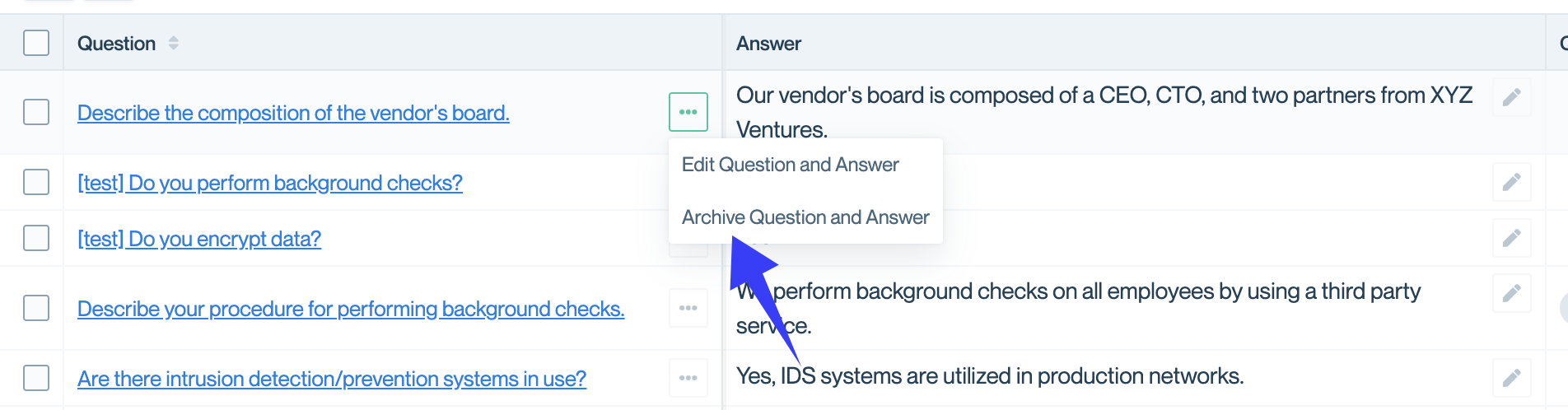
Click the ellipsis menu and select Archive Question and Answer.
Bulk-archive multiple Q&As
Archive several Q&As at once to quickly clean up outdated content:
- Navigate to Knowledge Library → Curated Q&As
- Click the checkbox next to Question to select all, or select individual Q&As
- Click Archive Answers at the bottom of the screen
- Confirm the action
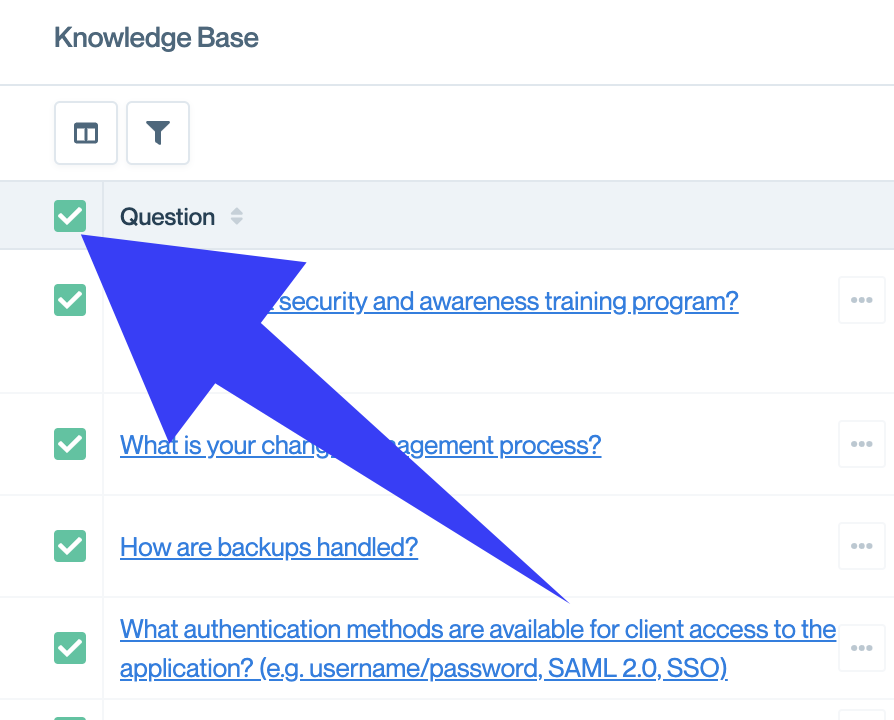
Select multiple Q&As by clicking checkboxes.
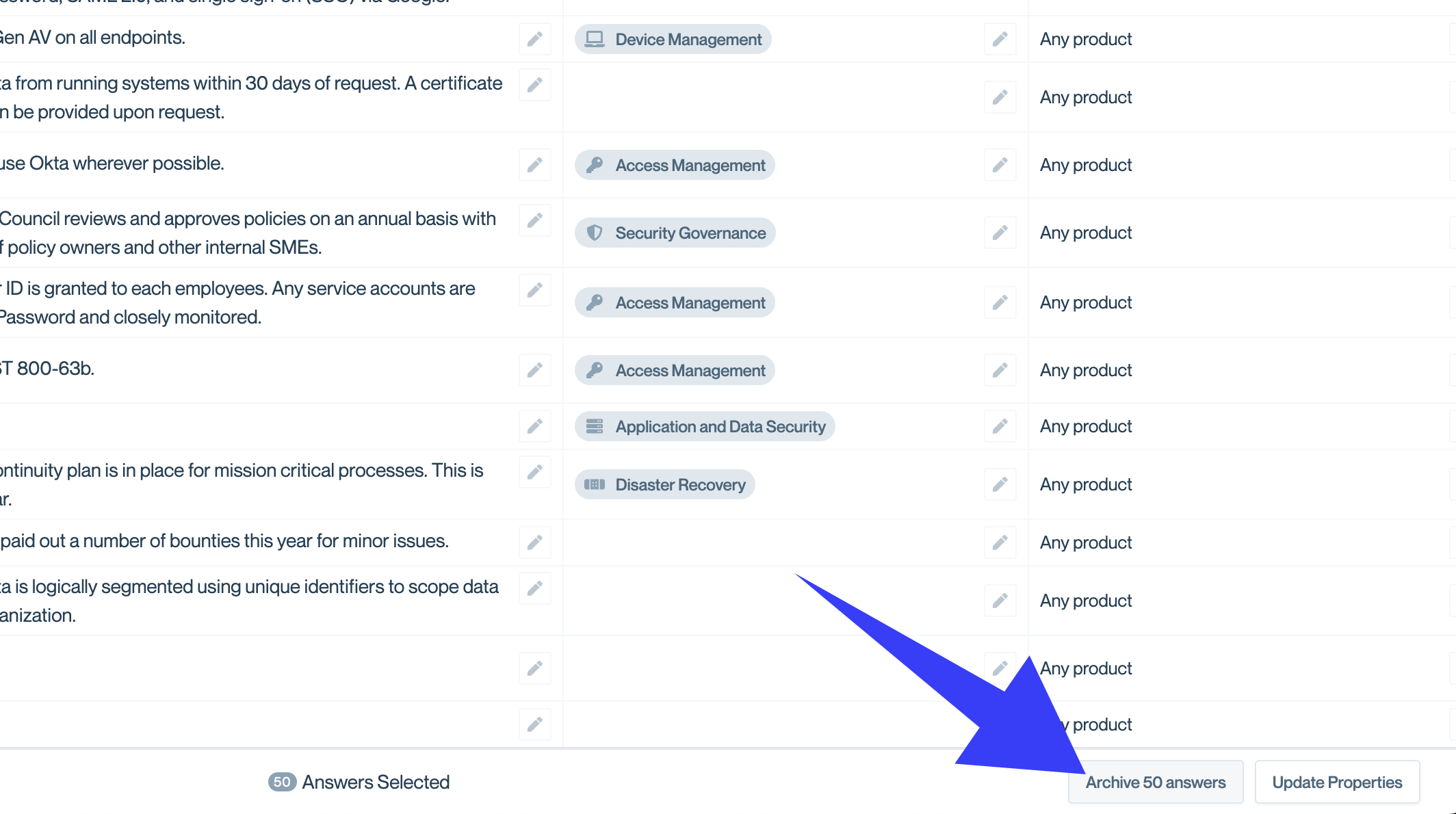
Click Archive Answers after selecting the Q&As you want to archive.
When to archive vs. delete
Archive when:
- Q&As are outdated but you want to preserve the history
- You're unsure if you'll need the content again
- You want to reference old answers while building new ones
- Content may become relevant again in the future
Delete when:
- Q&As contain incorrect or harmful information
- Content is completely irrelevant and clutters your system
- You're confident you'll never need the record
💡 Tip: When in doubt, archive. You can always permanently delete archived content later, but you can't recover deleted Q&As.
Common questions
Do archived Q&As count toward my Conveyor limits?
Archived Q&As remain in your system but don't impact ConveyorAI's performance or your Trust Center. They're stored separately from active content.
Can I edit an archived Q&A before restoring it?
Yes. Open the archived Q&A, make your edits, and then restore it. This lets you update outdated content before making it active again.
What happens to Q&As I shared in my Trust Center when I archive them?
They immediately disappear from customer view. If you archive by mistake, restore the Q&A to make it visible again.
Can I export archived Q&As?
Not directly. If you need to preserve archived content outside Conveyor, restore the Q&As temporarily and export them using your preferred method, then archive them again.
What's next
Need help? Visit the Troubleshooting guide or contact [email protected].
Updated 3 months ago