

Blocking domains
Blocking domains
Time to complete: 5 minutes
Prerequisites: Trust Center created in the Designer
Overview
Blocking domains helps prevent unwanted or low-quality access requests to your Trust Center. You can automatically deny requests from free email providers (like Gmail or Yahoo) or from specific domains (such as competitors) before they ever reach your review queue.
Both controls live on the same settings page: Settings → Trust Center → NDA & Access, in the Trust Center Blocked Domains section.
Open the Trust Center Blocked Domains settings
- In the Conveyor app, click your organization name in the upper-left sidebar.
- Select Settings.
- In the settings sidebar, under Trust Center, click NDA & Access.
- Scroll to the Trust Center Blocked Domains section at the bottom of the page.
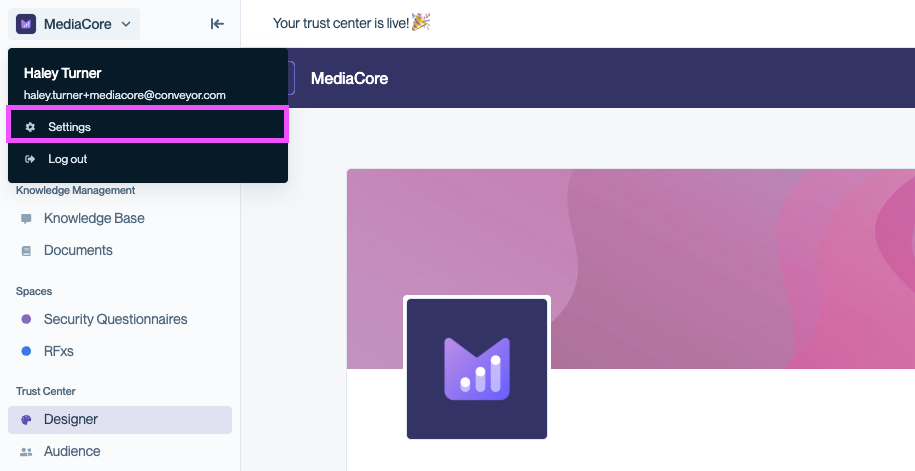
Open Settings from the organization menu in the top-left sidebar.
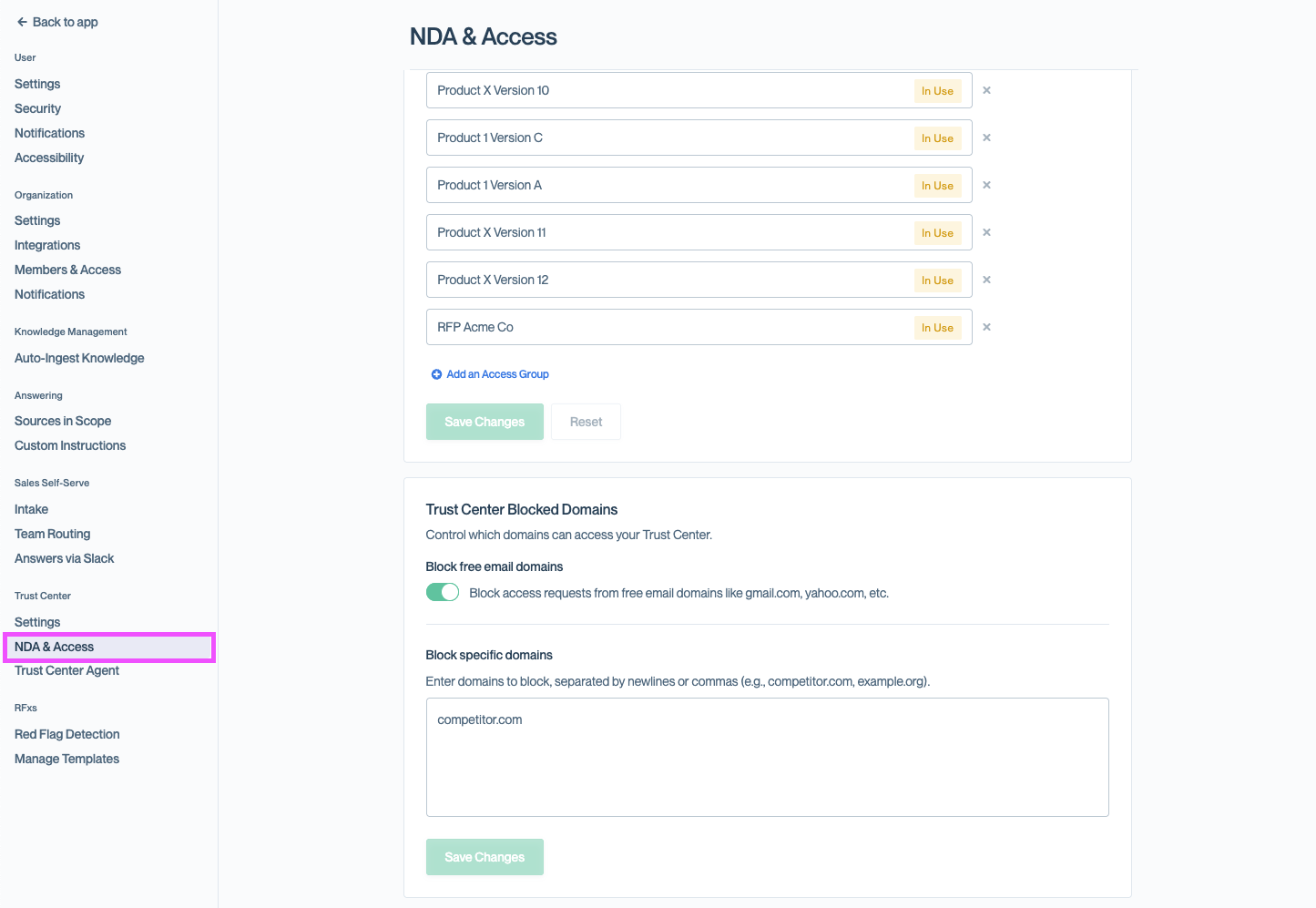
NDA & Access sits under the Trust Center group in the settings sidebar.
You can also jump straight to the page at app.conveyor.com/settings/trust-center/nda-access.
Block Free Email Domains
Conveyor can enforce that visitors request access using a business email address by rejecting requests from free email domains (for example, gmail.com or yahoo.com).
Enable free-domain blocking
- In the Trust Center Blocked Domains section, turn on Block free email domains.
- Click Save Changes.
Once enabled, a visitor who submits a free email domain sees a validation error and is prompted to try again with a work-issued email address.
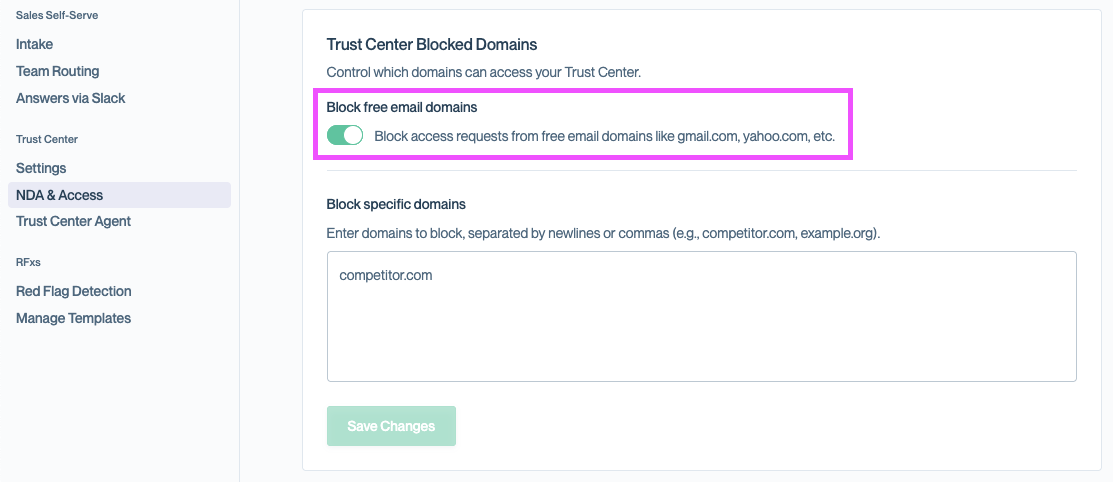
Turn on the Block free email domains toggle to reject requests from providers like Gmail and Yahoo.
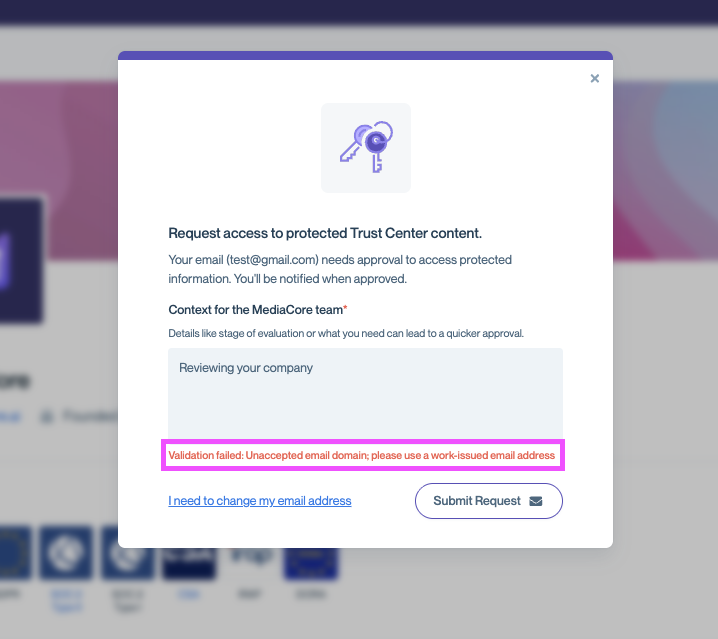
Visitors are notified immediately when a free email domain can't be used.
Block Specific Domains
You can also block individual domains from accessing your Trust Center — useful for preventing requests from competitors or other organizations you don't want to engage with.
Add blocked domains
- In the Trust Center Blocked Domains section, locate Block specific domains.
- In the text area, enter one or more domains to block. Separate entries with commas or new lines (for example:
competitor.com, example.org). - Click Save Changes.
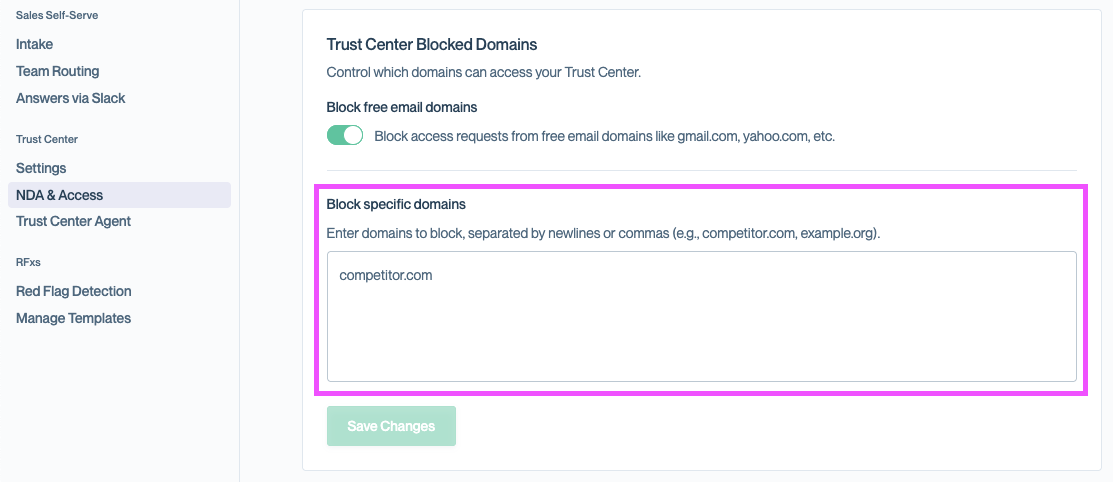
Add one or more domains here to block access requests from those organizations.
Subdomains are blocked automatically. If you list
competitor.com, a request from[email protected]will also be blocked.
What happens to a blocked request
Requests from blocked domains:
- Automatically appear in Audience → Requests
- Have a Request Status of Closed
- Include a note indicating the request was blocked due to a domain restriction
- Do not notify the requester that their request was denied — unless you've turned on access request notifications

Blocked requests are automatically closed and clearly labeled so you can audit them.
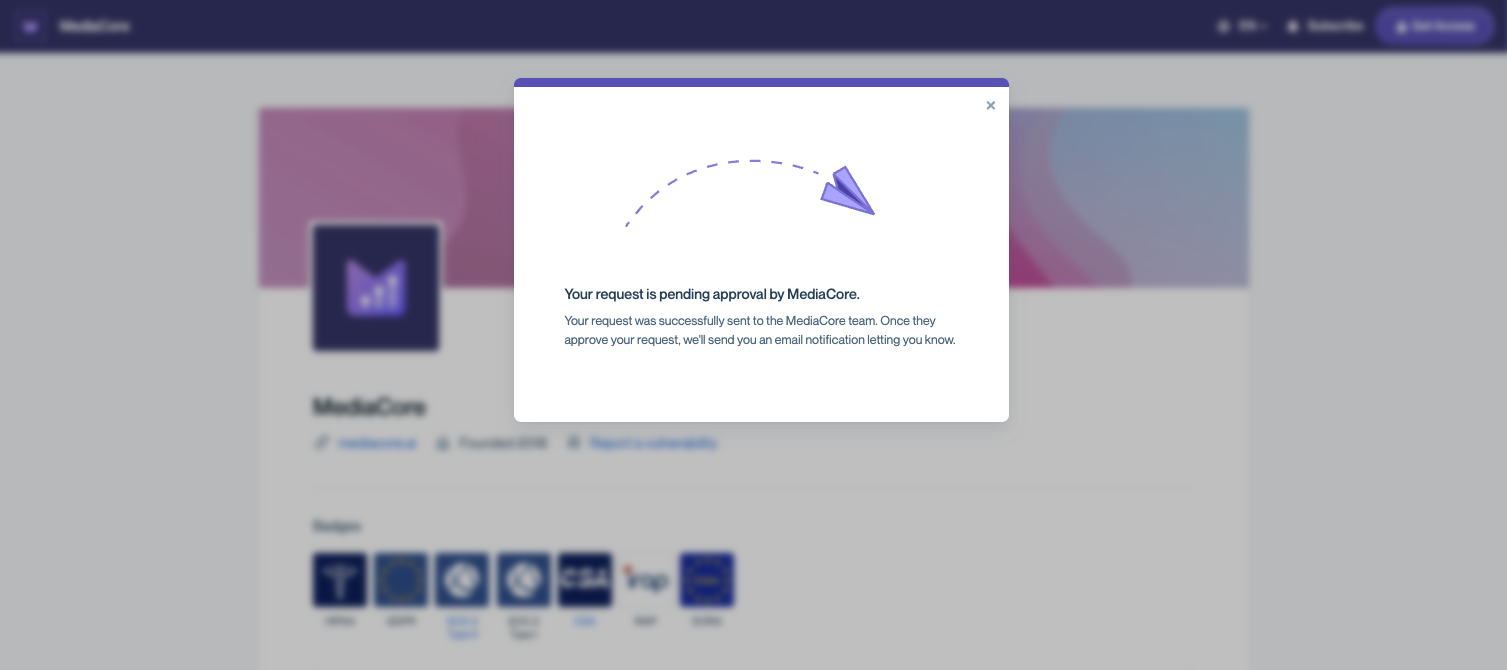
By default, visitors from blocked domains are not notified that their request was denied.
If you enable rejection emails, visitors whose requests are closed by the Block specific domains list will receive your rejection message. Visitors caught by Block free email domains are stopped at the request form before a request is created, so they never receive one.
Common questions
What domains are considered "free domains"?
Conveyor maintains a list of thousands of free email providers and actively keeps it up to date, so we can't share a point-in-time export. If you want to check whether a specific domain is on the list — or nominate one you think should be added — contact [email protected].
Can I tell a blocked requester why they were denied?
Yes. Turn on access request notifications to send a customizable rejection email whenever a request is closed — including requests blocked by domain. This applies to the Block specific domains list only.
Can I approve a blocked request?
No. To let a previously blocked domain through, remove it from the blocked list and ask the requester to submit a new request.
Does blocking domains affect existing Connections?
No. Domain blocking applies only to new access requests and doesn't impact existing Connections from that domain.
Does blocking a domain prevent me from inviting someone from that organization?
No. You can still manually invite users from a blocked domain through pre-approved invitations. Blocking only denies self-serve access requests.
What's next?
- Connections overview — Review and manage who has access to your Trust Center.
- Letting visitors request access — Fine-tune how self-serve access requests are reviewed.
- Maintaining your Trust Center — Keep your Trust Center accurate as your security posture evolves.
Need help? Visit the Troubleshooting guide or contact [email protected].
Updated 2 months ago