

Troubleshooting inaccurate answers
Time to complete: 3-5 minutes per issue
Prerequisites: Active questionnaire with answers generated by ConveyorAI
ConveyorAI typically achieves >90% accuracy when answering security questionnaires. When answers fall short, the issue usually stems from outdated sources, incorrect product line assignments, or custom prompt configurations. This guide walks you through systematic diagnostics to identify the root cause and implement fixes that improve future answer quality.
Check cited sources
When you encounter an inaccurate answer, review the sources cited in the right panel:
- Is a source outdated? Update or retire it in your Knowledge Library
- Is the source only relevant to other product lines?
- Verify the correct product line was selected when uploading the questionnaire
- If needed, refine which product lines the source is labeled with (e.g., change from "any product" to specific products)
- Are cited sources irrelevant to the question? This indicates a knowledge gap
- Add relevant documents or curated Q&As to fill the gap
- Consider that the corrected answer will automatically become a Past Answer for future use
💡 Note: Conveyor automatically saves corrected answers as Past Answers for future questionnaires, so you don't need to manually add every correction to your curated Q&As.
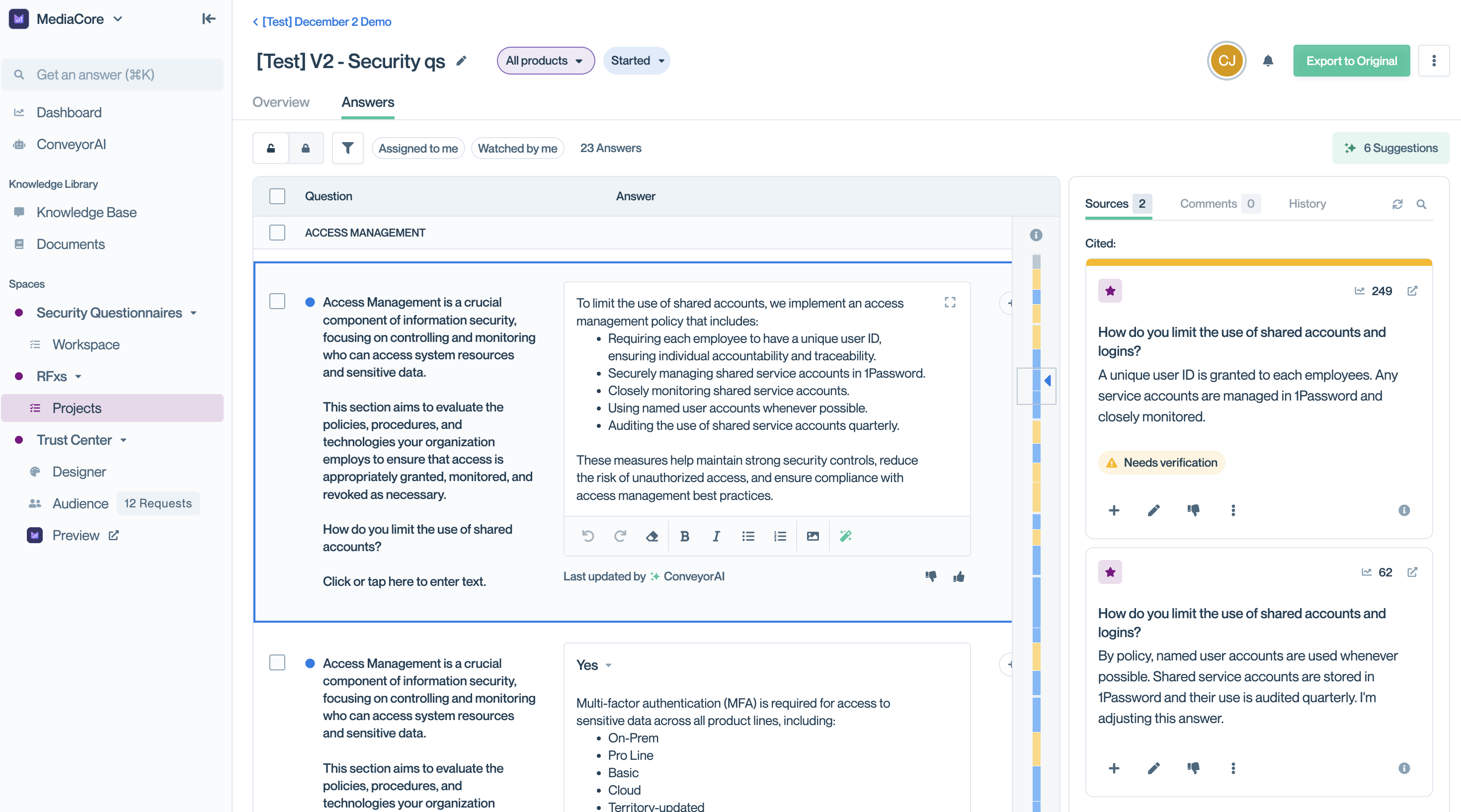
See the cited source that needs verification on the right panel
Review answer history
If your organization uses a custom prompt to adjust tone, verbosity, or handle specific question types, check the History tab to understand how edits were made:
- Open the History tab in the right panel
- Compare the original ConveyorAI answer with the final output
- Determine if inaccuracy stems from:
- The original knowledge sources (update sources)
- Custom prompt modifications (update your custom prompt)
This helps you pinpoint whether issues originate from knowledge sources or from custom prompt modifications.
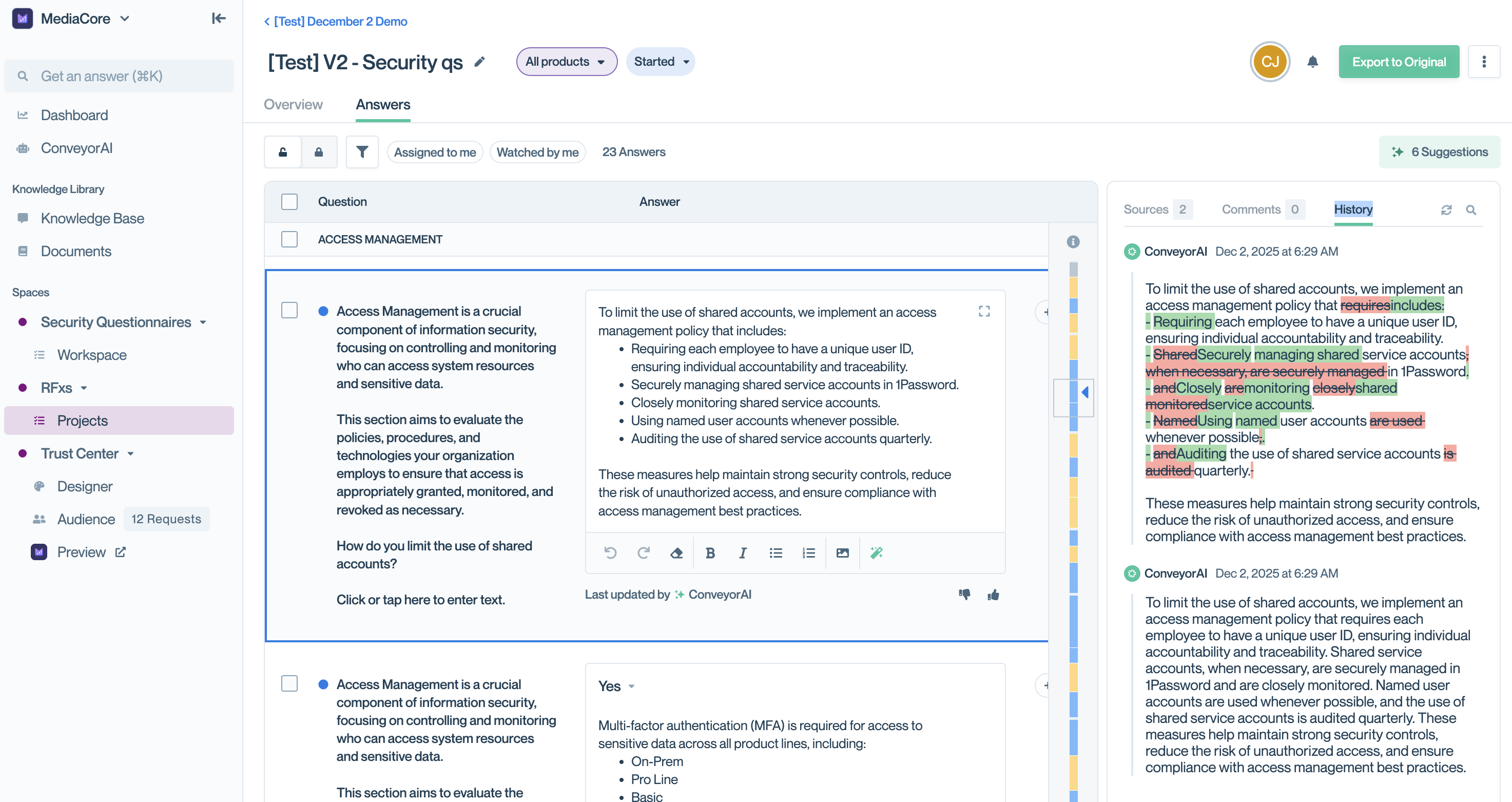
See the green updates and red deletions in the history on the right panel
Common questions
How quickly will fixing a source improve future answers?
Immediately. Once you update or retire a source, ConveyorAI uses the corrected information for all new answers.
Should I delete outdated curated Q&As or just update them?
Update them when possible to preserve usage history and analytics. Only delete if the question is no longer relevant to your business.
What if the same incorrect source keeps being cited?
Check if the source is set to "Use for Question Answering" in document settings. You can disable this while keeping the document in your Trust Center.
Can I see all sources ConveyorAI is using across questionnaires?
Yes. Click the gear icon on any questionnaire's Answers tab to view and configure all active answer sources.
What's next
Updated 10 months ago