

Audit Logs
Audit Logs record significant actions performed by your users on the Conveyor platform. Audit Logs are available to Superadmins and Conveyor Admins.
You can export Audit Logs through:
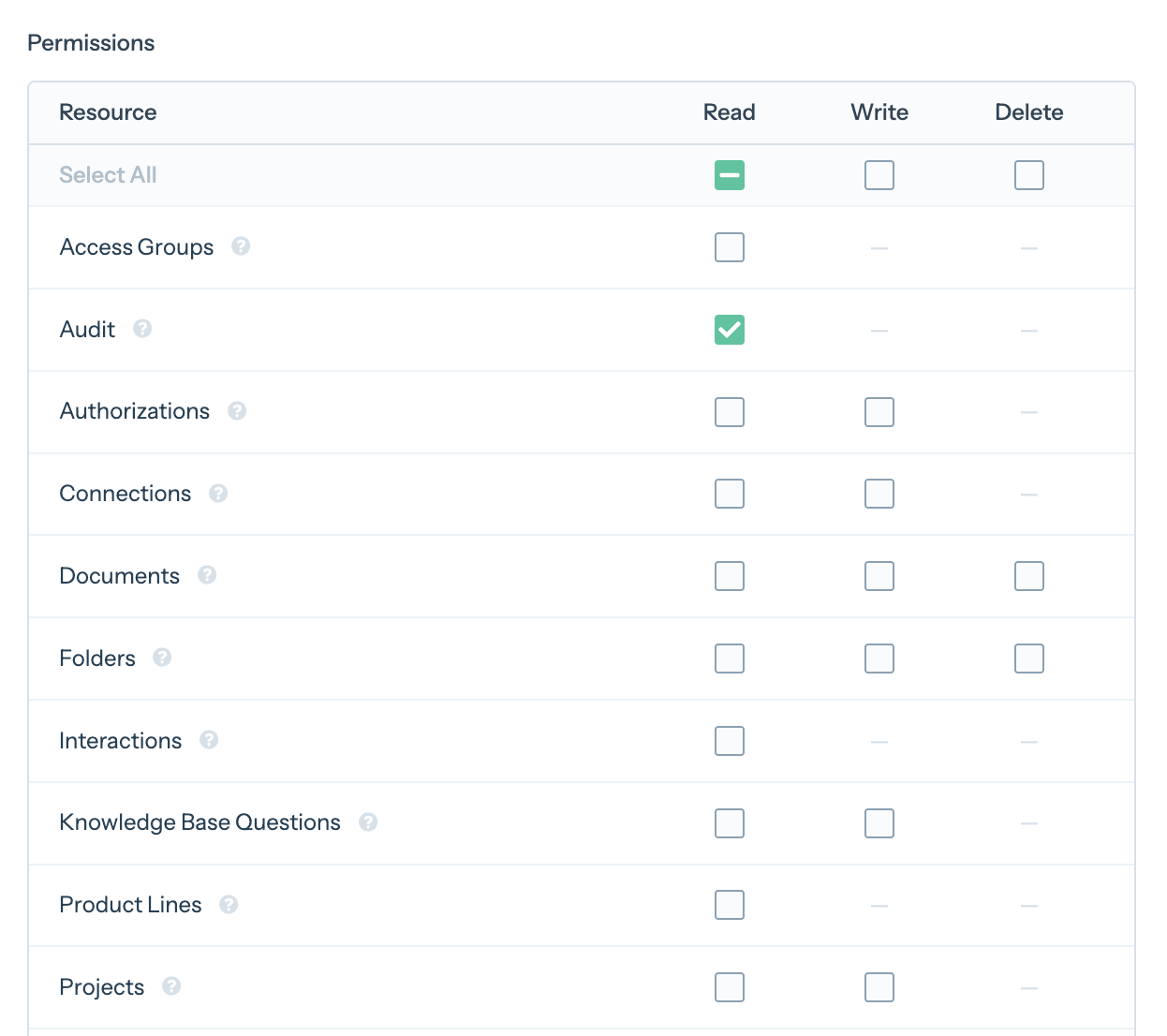
- The Conveyor API with an API key with the Audit Permission
- The AI Connector: Superadmins and Conveyor Admins can ask their AI assistant questions like "Who changed our SSO settings last week?"
Audit Logs are returned as JSON. You can filter them by the UTC date range in which they were created or from an exact time, Actor Type, Actor Email, Action Type, Category, Subject Type and Source, and sort them by creation time in ascending or descending order. To send them to a SIEM such as Splunk, see Polling for new events.
Each log entry includes the following fields:
- Actor Type: Represents who or what performed the action. One of:
- User — a user on your platform
- API Key — an API key acting on your organization's behalf
- SAML/SCIM — a change made by your SSO or SCIM provisioning
- Conveyor Support — Conveyor staff acting on your account
- Actor Email: The email of the user who performed the action. Actions performed by Conveyor Support are shown as [email protected].
- Action Type: The specific action that was recorded, as
<record>.<action>, such asrole.updatedordocument.deleted. Records can be created, updated, deleted or restored, and sign-ins appear asuser.logged_in,user.logged_outanduser.login_failed. - Category: The human-readable group of records the action belongs to, such as Authentication, User, Role, Membership, Permission Grant, API Key, Organization, Document, Trust Center, Topic and Curated Q&A.
- Source: The channel through which the action arrived. One of:
- UI — performed through the Conveyor web app
- API Key — performed through the Conveyor API
- OAuth — performed through an OAuth-authorized integration
- SCIM — performed through SCIM user provisioning
- SAML — performed through SAML/SSO
- Admin Console and Console — performed by Conveyor staff on your behalf
- ID: A unique, increasing number for each event.
- Subject Type and Subject ID: The record that changed.
- IP Address: Where the action came from. Not shown for Conveyor Support actions.
- Metadata: Details about the record. For an update,
changeslists each changed field's before and after values. Secrets such as passwords and keys show as[FILTERED]. - Created At: When the action happened, in UTC.
What's recorded
| Area | Recorded |
|---|---|
| Sign-ins | Logins, including SSO logins; failed logins to existing accounts; logouts |
| Account security | Password changes and resets, email changes, two-factor authentication turned on or off |
| Users and roles | Invitations, members added or removed, role changes, role permissions |
| SSO and SCIM | SSO configuration changes, changes made by SCIM provisioning |
| Organization settings | Organization and answering settings (custom prompts, verbosity), integrations and webhooks, API keys and their permissions, product lines, collaboration groups, red flags, export templates, intake and triage settings |
| Trust Center | Settings, vendor profile, access groups, NDA, publishing, subprocessors, announcements |
| Knowledge Library | Documents and folders (including access and translations), curated Q&As and their answers, Topics (including their prompts and actions), product line changes |
What isn't recorded
- Trust Center visitor activity, including access requests and approvals
- Questionnaires and one-off questions
- External sources, apart from their product line changes
- Curated Q&As added through Slack
- Actions that fail, other than failed logins
Updated 21 days ago
Did this page help you?