

Badges overview
Time to complete: 3–5 minutes
Prerequisites: You must have access to the Trust Center Designer.
Overview
Badges highlight the certifications, frameworks, and policies your team supports. You can feature badges on your Trust Center and associate up to three badges with individual documents to clearly show supporting evidence. Featuring key badges for your organization lets reviewers understand key security information at a glance.
This article covers how to:
- Add badges to documents
- Managing your featured badges
- Mark documents as internal policies for easy filtering on your Trust Center.
- Understand the visitor experience
Adding badges to documents
You can associate up to three badges with each document. This is useful when one document supports multiple certifications (for example, multiple ISO types).
Add badges to a document
- Go to Knowledge Library → Documents
- Click the document you want to update
- In the Update Document modal, scroll to Badges
- Select up to three badges from the dropdown
- (Optional) Organize the badges into your desired order if needed
- Click Save
If three badges are already selected, you’ll see a message indicating the maximum has been reached. Remove one to add another.
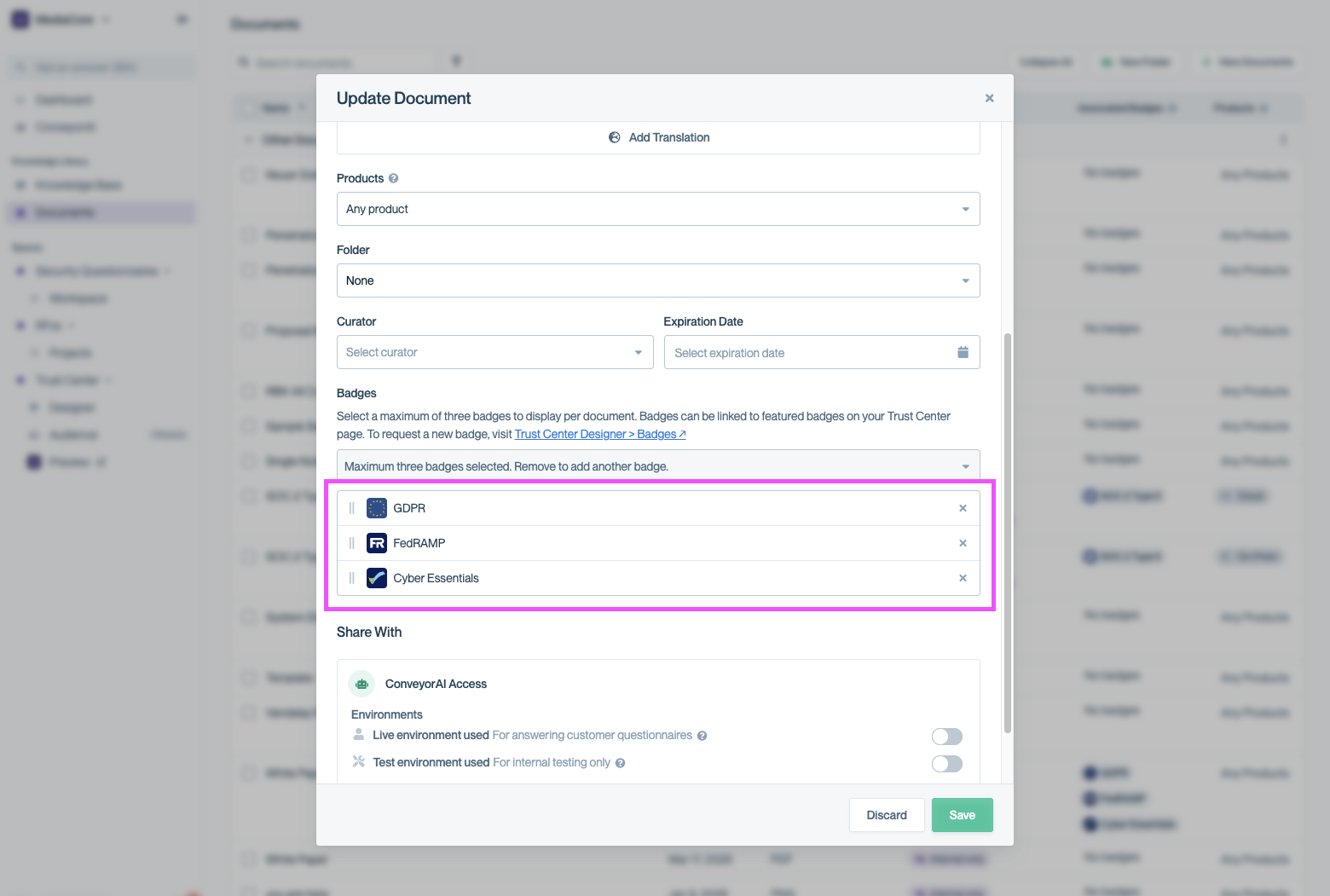
You can associate up to three badges with a single document.
Understanding the Documents List view
The Documents table now includes an Associated Badges column so you can quickly see which documents are linked to which certifications.
- Documents with badges display their badge icons.
- Documents without badges display a No badges label.
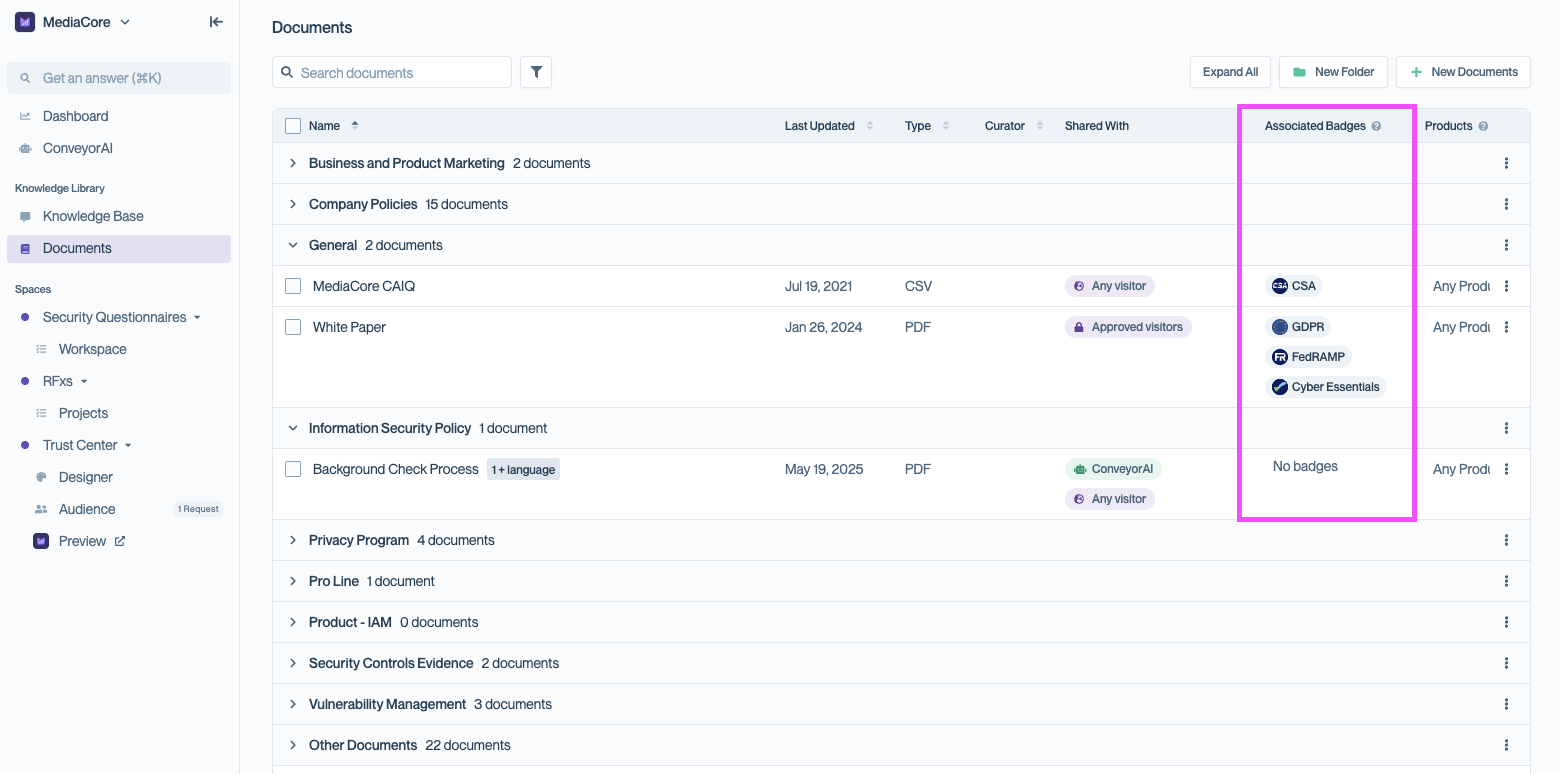
The Associated Badges column shows which certifications are linked to each document and clearly labels documents without badges.
Using the Internal Policy badge
For internal documents (like policies) that don’t map to a certification, you can use your company logo in place of a badge.
This:
- Replaces the generic file icon
- Makes internal documents visually consistent
- Allows users to filter your document by all internal policy documents
To use it:
- Go to Knowledge Library → Documents
- Open a document you wish to mark as an internal policy.
- In Badges, select your company badge - it will appear first on the list.
- Click Save.
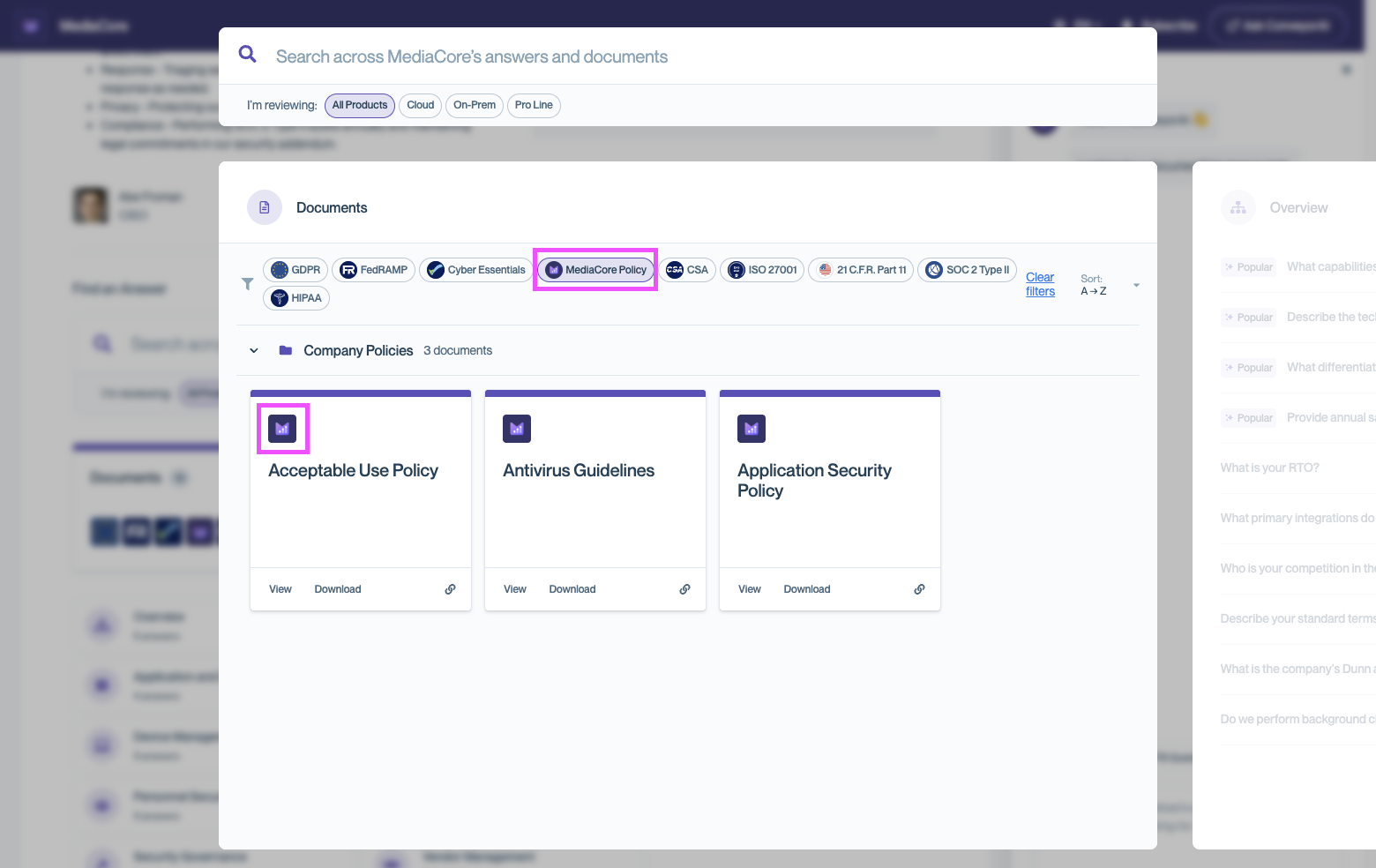
Documents marked with the internal policy badge display your company logo and can be filtered using the corresponding badge chip at the top of the Documents view.
Managing badges
In the Company settings modal, you can fully control the badges displayed in your Trust Center.
Add badges
- Open the Company Settings modal and find the Badges section.
- Select one or more certifications from the list.
Only badges provided by Conveyor can be selected. See currently supported badges below for the list of currently provided badges. Learn how to request a new badge below.
Remove badges
- Click the × icon next to any badge you no longer want to display.
Reorder badges
- Drag badges to change their order.
- Badges appear to visitors in the same order shown here.
When adding Badges to feature on your Trust Center, you can easily see which documents are associated with each badge as you are editing.
Conveyor recommends providing at least one piece of supporting documentation per badge to make security reviews easier for your customers!
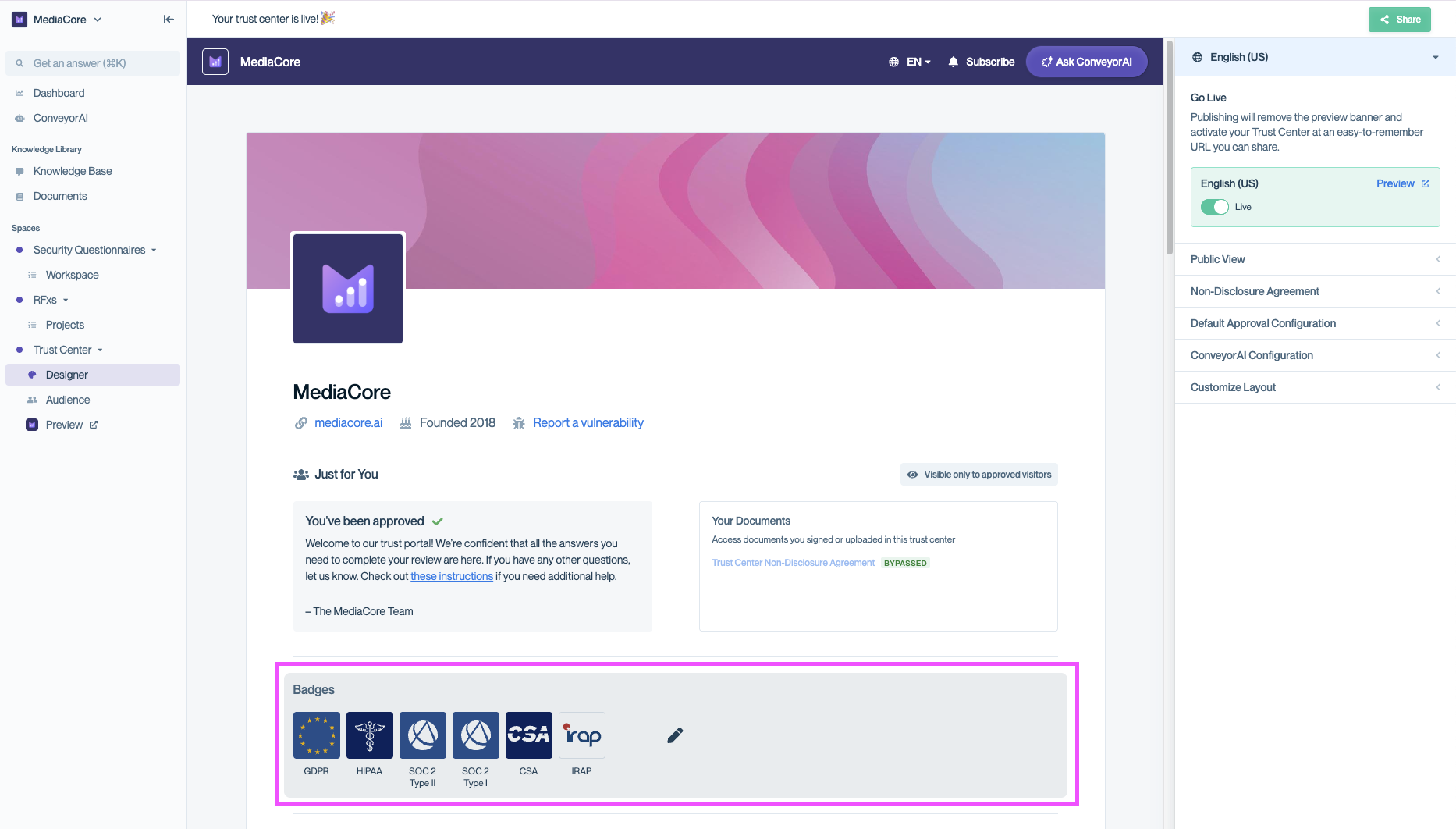
Selecting the badges section within the Trust Center Designer will open the Company Settings modal to allow management of badges.
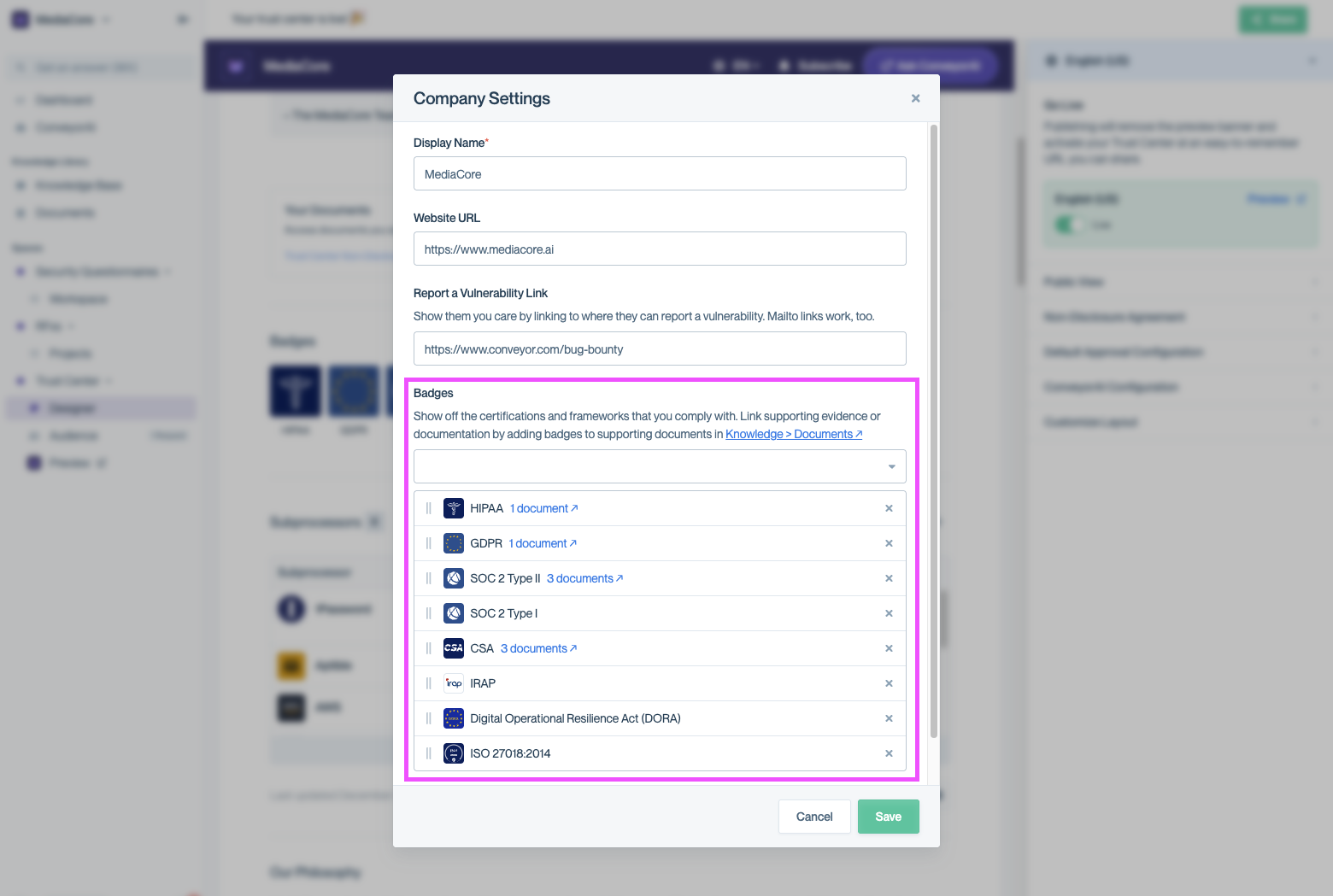
Company Settings modal where Badges can be added, removed, or reorganized.
Requesting a new Badge
If you are looking to feature a certification or framework that is not yet available, you can request additional badges directly from the Trust Center admin.
- Go to Trust Center → Designer
- Open the Company Settings modal and navigate to the bottom of the Badges section
- Click the link "Request a new badge"
- Submit your request.
Requests are automatically routed to our team for review.
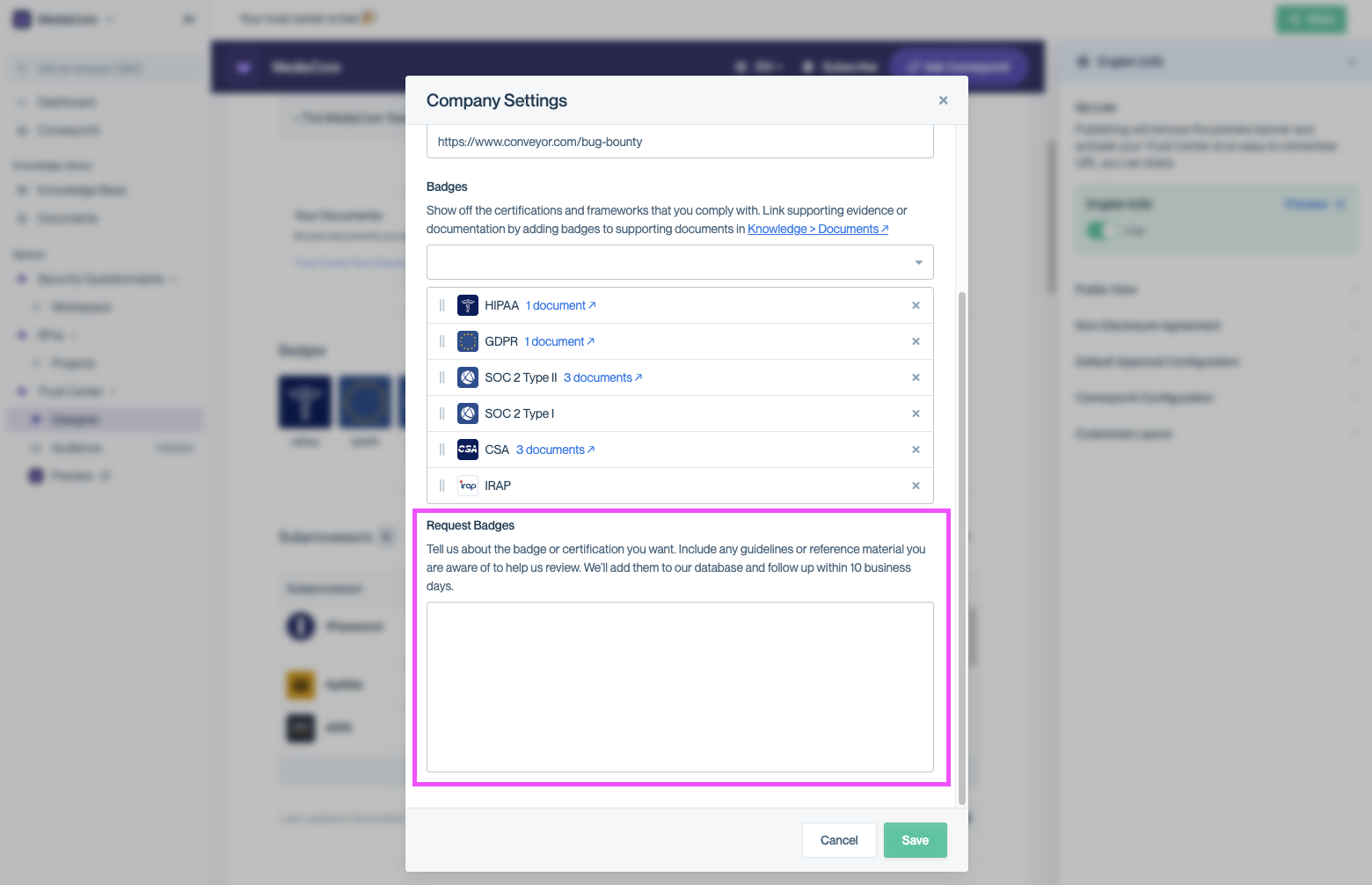
Request additional certifications directly from the Badges section in Company Settings.
What visitors see
Once saved:
- Badges immediately appear in your Trust Center
- Hovering over a badge reveals the full certification name as well as the number of linked documents
- Clicking a badge takes visitors to a filtered list of your available documentation where they can review all documents associated with the selected certification
- Badges without linked documents are not clickable
This helps customers quickly validate your certifications without searching or asking follow-up questions.
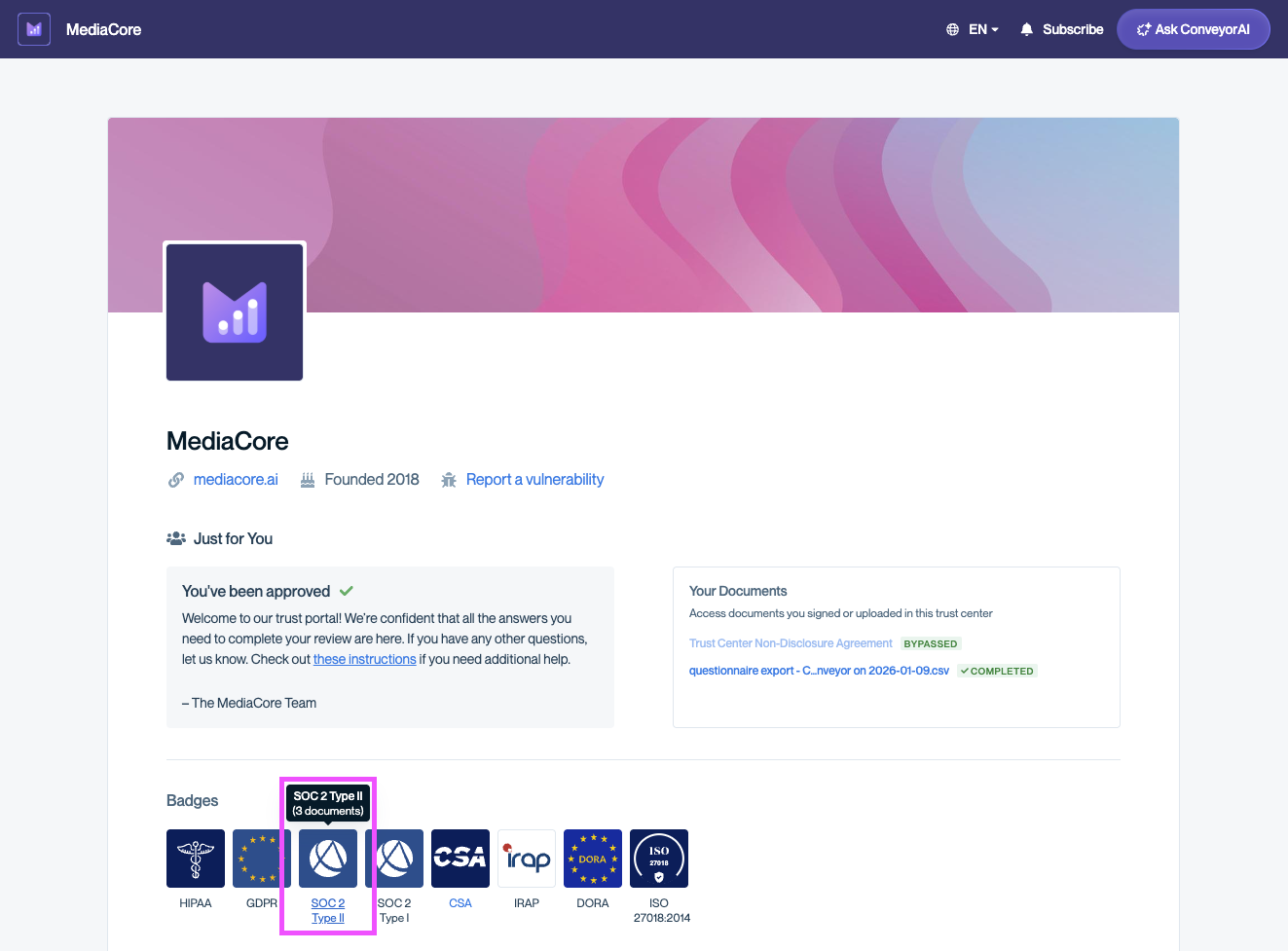
Visitors can click badges to explore supporting documents
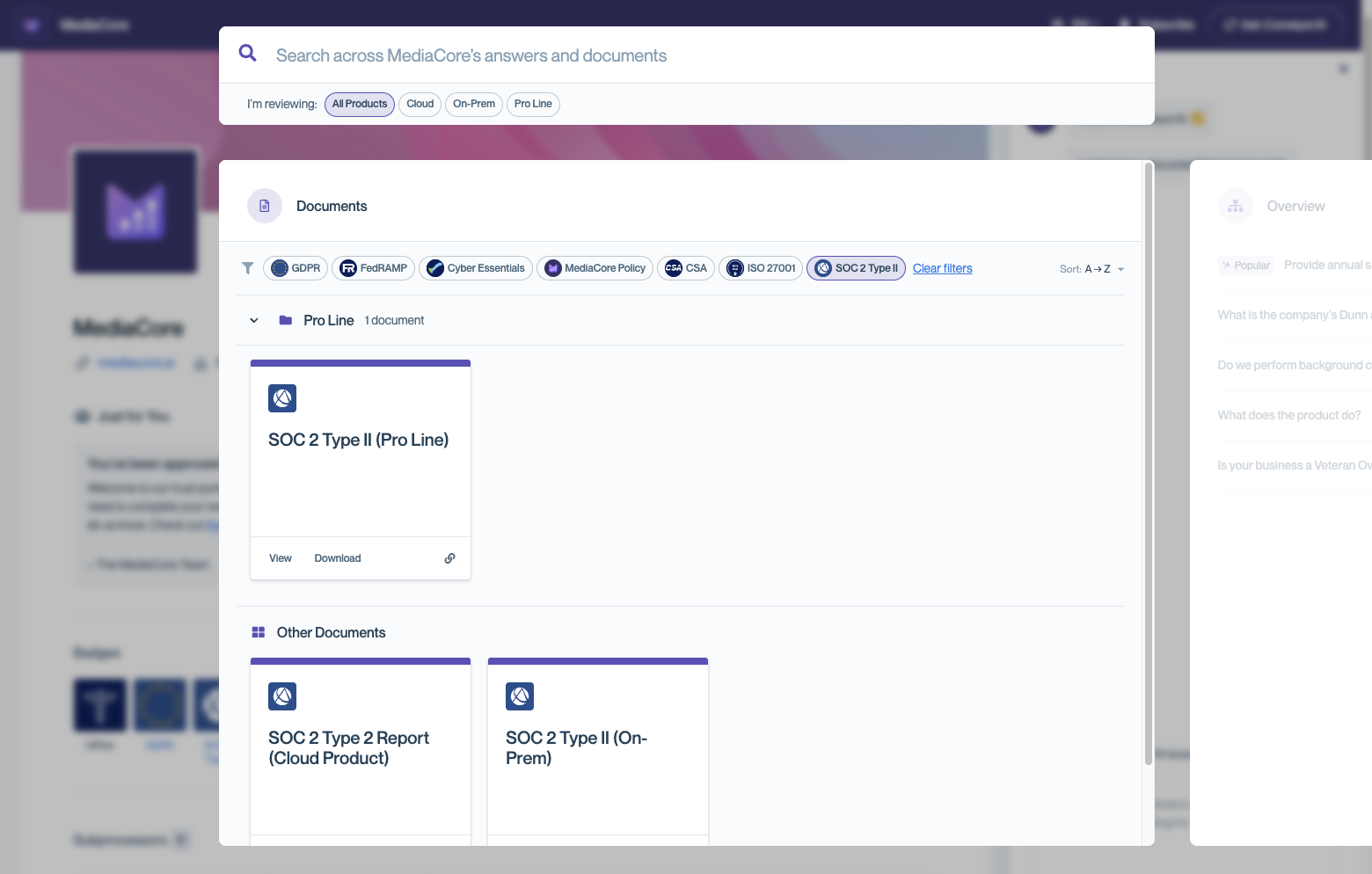
After clicking the SOC 2 Type II badge, visitors see a filtered list of all documents associated with that certification.
Currently supported badges
Last update: 2/2/2026
| Certification | Display Name |
|---|---|
| CFR 21 Part 11 | 21 C.F.R. Part 11 |
| Italian Agency for National Cybersecurity (ACN) | ACN |
| Cloud Computing Compliance Criteria Catalogue (C5) | C5 |
| Cloud Application Security Assessment (CASA) | CASA |
| CCPA | CCPA |
| CSA | CSA |
| Cyber Essentials | Cyber Essentials |
| Cyber Essentials Plus | Cyber Essentials Plus |
| DESC CSP Security Standard | DESC CSP Security Standard |
| Digital Operational Resilience Act (DORA) | DORA |
| National Security Scheme (ENS) | ENS |
| National Security Scheme (ENS) Categoría Alta RD 311/2022 | ENS RD 311/2022 |
| EU Cloud Code of Conduct | EU Cloud Code of Conduct |
| EU-US Data Privacy Framework | EU-US DPF |
| Fair Credit Reporting Act (FCRA) | FCRA |
| FedRAMP | FedRAMP |
| FedRAMP High | FedRAMP High |
| FedRAMP Li-SaaS | FedRAMP Li-SaaS |
| FedRAMP Moderate | FedRAMP Moderate |
| FISMA | FISMA |
| GDPR | GDPR |
| GovRAMP | GovRAMP |
| HECVAT | HECVAT |
| HIPAA | HIPAA |
| HIPAA CE | HIPAA CE |
| HITRUST | HITRUST |
| IATF 16949 | IATF 16949 |
| ICO Registered | ICO Registered |
| IRAP | IRAP |
| ISO | ISO |
| ISO 13485 | ISO 13485 |
| ISO 14001 | ISO 14001 |
| ISO 22301:2019 | ISO 22301:2019 |
| ISO 27001 | ISO 27001 |
| ISO 27001:2013 | ISO 27001:2013 |
| ISO 27001:2022 | ISO 27001:2022 |
| ISO 27017 | ISO 27017 |
| ISO 27018 | ISO 27018 |
| ISO 27018:2014 | ISO 27018:2014 |
| ISO 27701 | ISO 27701 |
| ISO 42001 | ISO 42001 |
| ISO 9001 | ISO 9001 |
| K-FSI | K-FSI |
| Kantara Initiative | Kantara Initiative |
| Microsoft 365 Certified App | Microsoft 365 Certified App |
| MISMO | MISMO |
| NIST 800-171 | NIST 800-171 |
| NIST CSF | NIST CSF |
| PCI | PCI |
| PCI:DSS | PCI:DSS |
| PCI: Merchant | PCI: Merchant |
| PCI: Processor | PCI: Processor |
| PCI:SSC | PCI:SSC |
| PIPEDA | PIPEDA |
| Secure by Design Pledge | Secure by Design Pledge |
| SIG | SIG |
| SOC 1 Type I | SOC 1 Type I |
| SOC 1 Type II | SOC 1 Type II |
| SOC 2 Type I | SOC 2 Type I |
| SOC 2 Type II | SOC 2 Type II |
| SOC 3 | SOC 3 |
| Swiss-US Data Privacy Framework | Swiss-US DPF |
| TISAX | TISAX |
| Trusted Partner Network Member | TPN |
| Trusted Partner Network Blue Shield | TPN Blue Shield |
| Trusted Partner Network Gold Shield | TPN Gold Shield |
| TRUSTe Certified Privacy | TRUSTe Certified Privacy |
| TX-RAMP | TX-RAMP |
| UK Extension to EU-US Data Privacy Framework | UK-US DPF |
| U.S. DOL Cybersecurity Program Best Practices | US DOL Cybersecurity |
| VPAT | VPAT |
Common questions
How many badges can I add to a document?
Up to three badges per document.
Can I use the company logo badge on my Trust Center?
No. The internal policy (company logo) badge is only available as an icon on documents but cannot be featured within the badge list.
What happens if a badge has no documents linked?
It will not be clickable on your Trust Center, and admins can see that no documents are associated with it.
Need help? Visit the Troubleshooting guide or contact [email protected].
Updated 8 months ago