

Ironclad Integration
Overview
Connect Conveyor to your Ironclad workspace to streamline trust center access.
With this integration, you can enable any of the following automations:
- Auto-approve access requests when the requester's email matches an existing Ironclad record.
- Bypass the NDA gate for counterparties whose Ironclad record indicates an NDA is already signed. This can be configured to match via domain or direct email match
- Write back signed NDAs when a visitor signs your trust center clickwrap, store it as a new Ironclad record with the PDF attached.
Installation
Create a new OAuth app in Ironclad
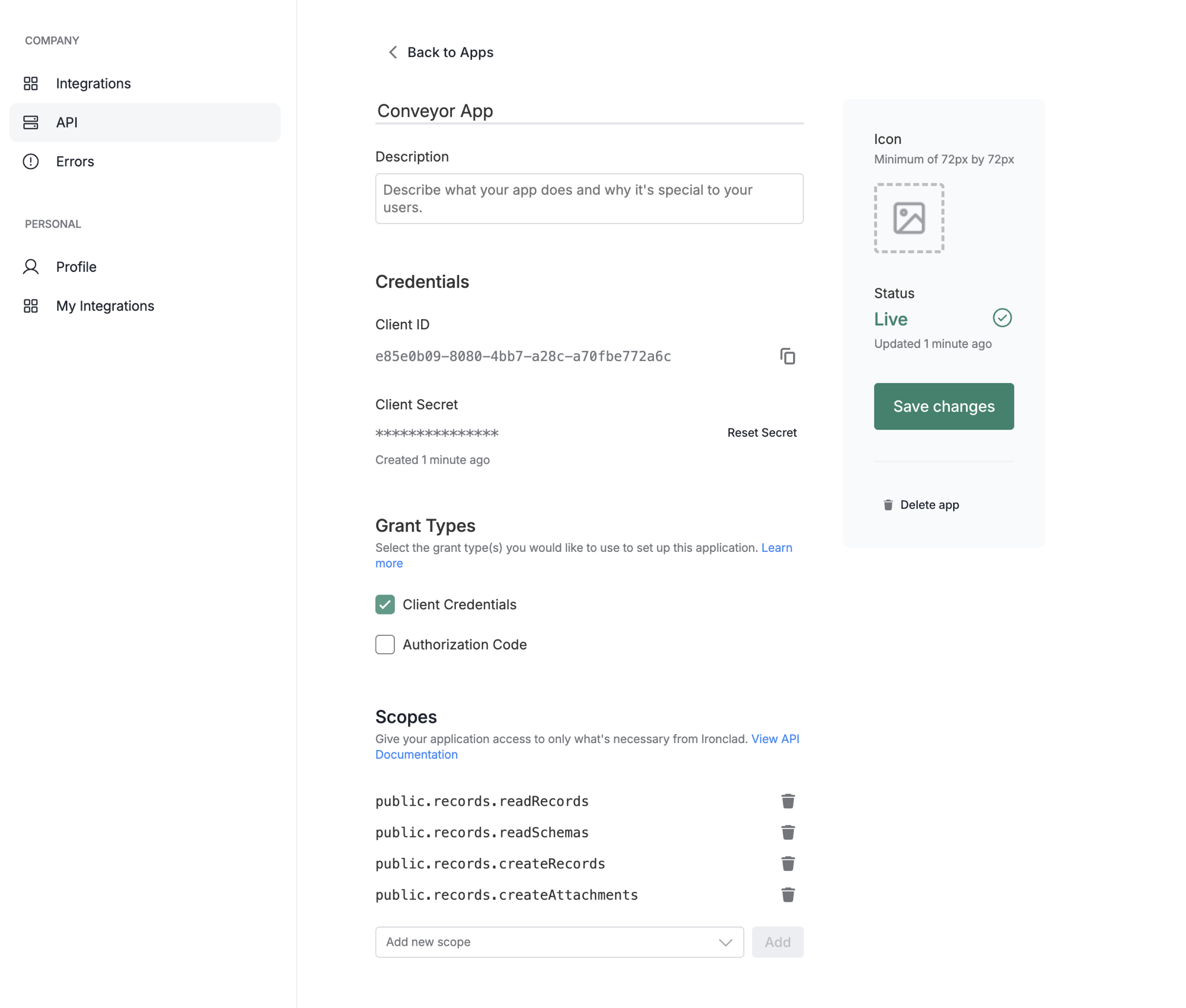
- In Ironclad, go to Company Settings → API and create a new OAuth app.
- Under Grant types, select Client Credentials.
- Grant these scope:
public.records.readRecords: Needed to match recordpublic.records.readSchemas: Needed for initial setup, configuring correct fieldpublic.records.createRecords: Needed for writebackpublic.records.createAttachments: Needed for uploading signed clickwrap
- Save and copy the Client ID and Client Secret for the next step.
Once set up, your app should look like the following:
Set up Integration in Conveyor
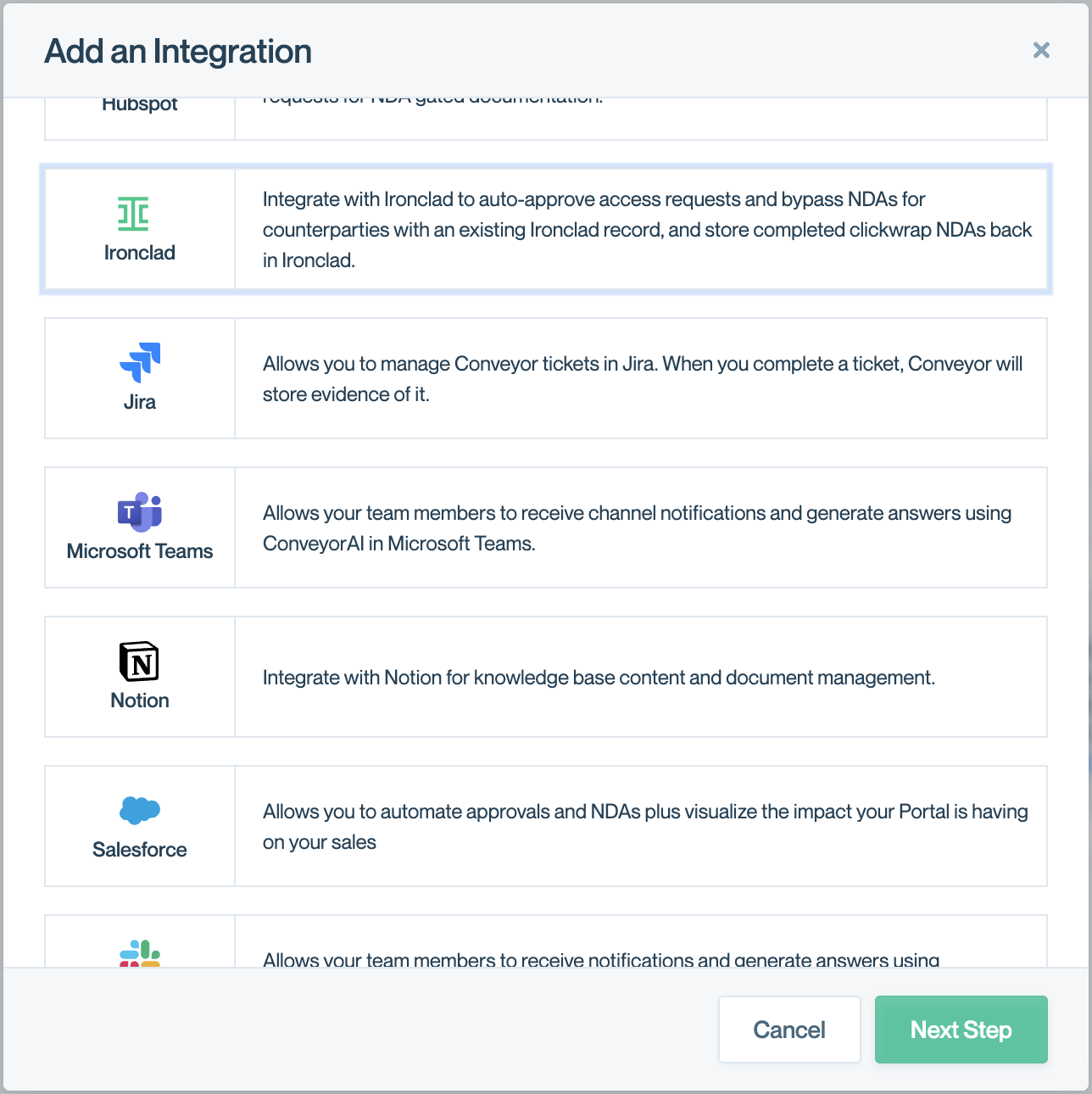
- Navigate to the Organization Preferences page, click "Add Integration" and choose "Ironclad"
- Fill in the following
- Client ID and Client Secret from the previous step.
- API User Email: the Ironclad user the integration acts on behalf of. API requests inherit this user's permissions, so make sure they have access to the contract records you want to match against.
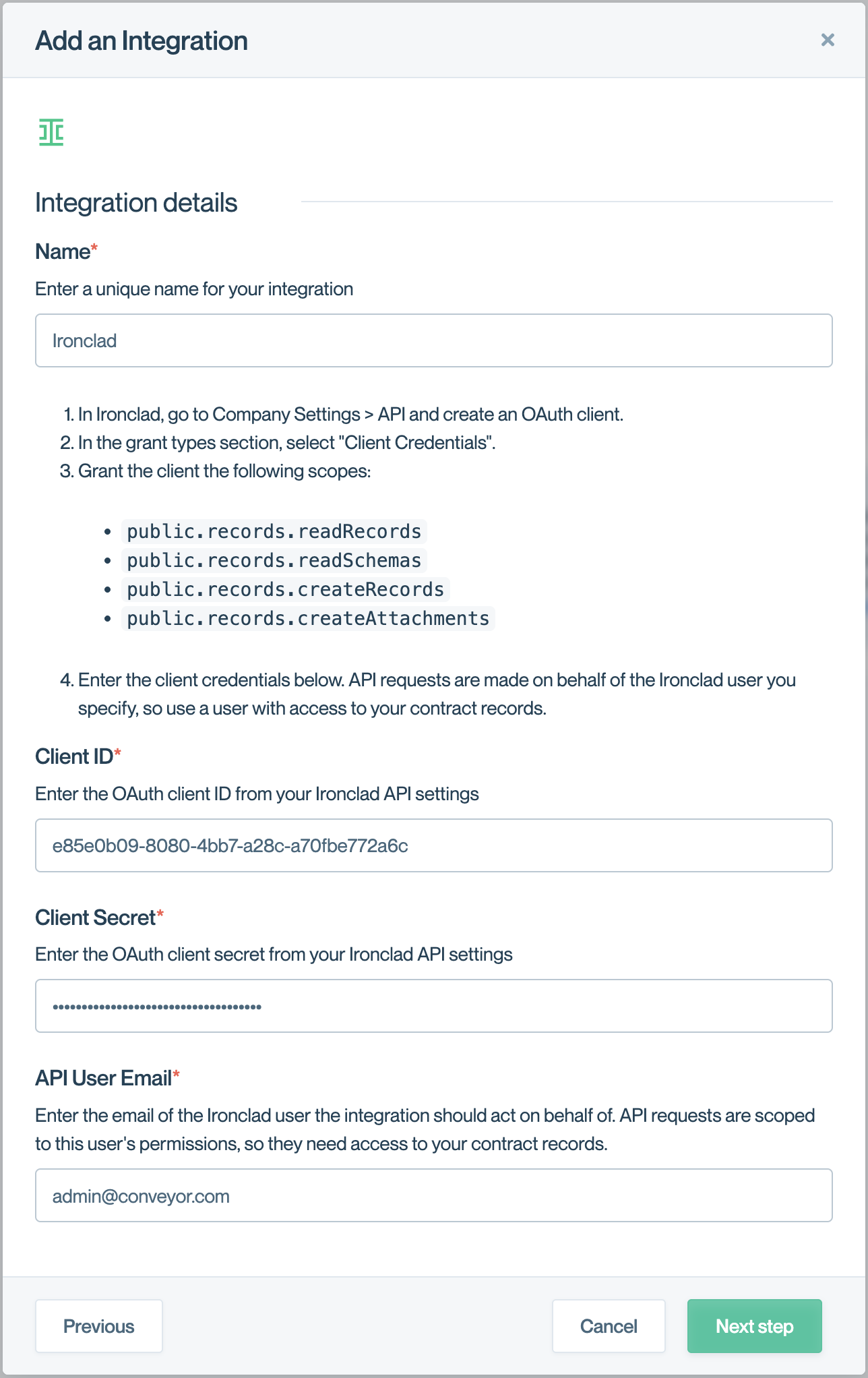
- If you press next step and arrive successfully at the configuration page, the setup was a success.
Configuration
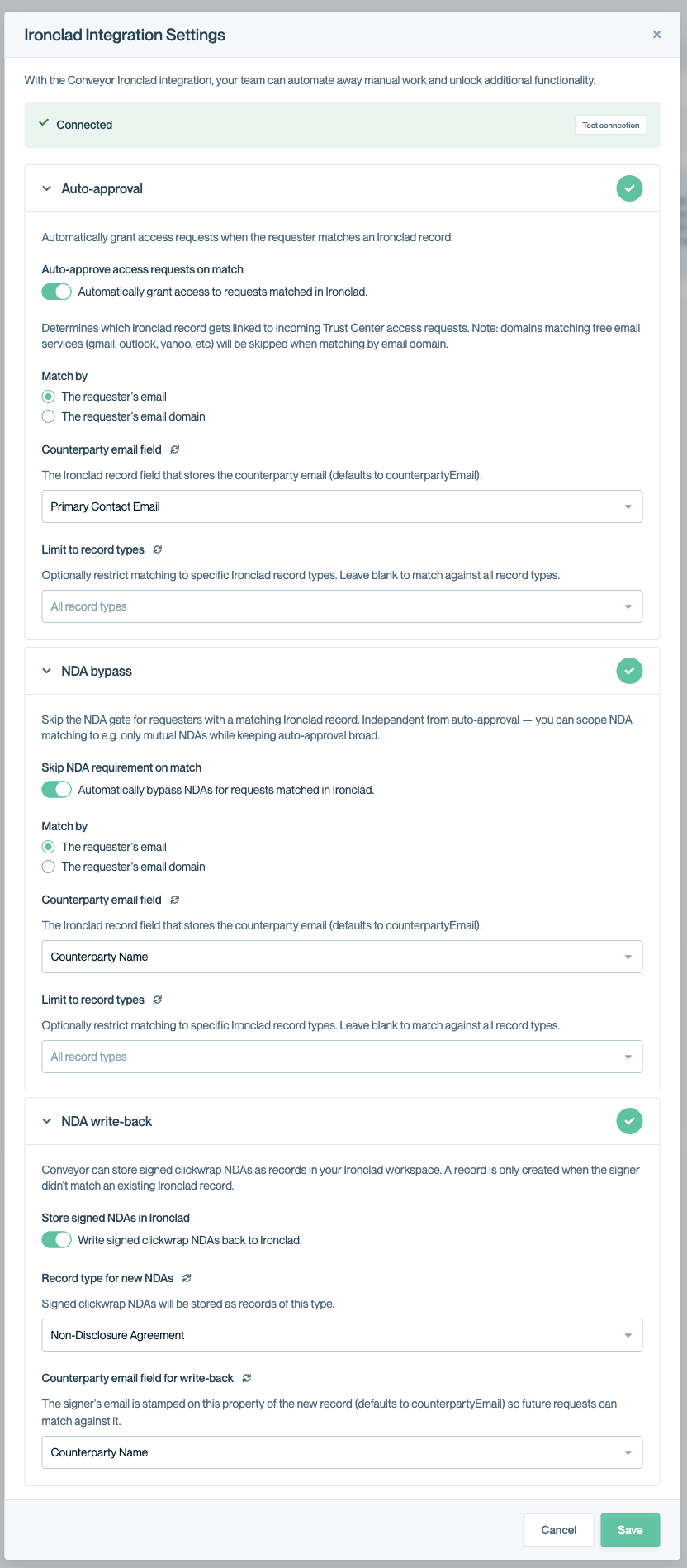
Once connected, you'll see three independent sections in Ironclad Integration Settings. You can enable any combination, each section's match rules are scoped to that section only.
At the top, a Connected banner with a Test connection button lets you verify the OAuth credentials and required scopes without re-saving. Use it after rotating credentials or if matches stop working.
-
Auto-approval
Automatically grant access requests when the requester matches an Ironclad record. You can configure it the following ways:
- Match by: The requester's email (exact match) or The requester's email domain (everyone at the same company).
- Counterparty email field: which Ironclad record property holds the counterparty's email. Defaults to counterpartyEmail. The dropdown is populated from your workspace schema; click the refresh icon if you've recently added a property in Ironclad.
- Limit to record types: optional multi-select to restrict matches to specific record types
-
NDA bypass
Skip the NDA gate for requesters with a matching Ironclad record. Match by, Counterparty email field, Limit to record types, same fields as Auto-approval, scoped to this section only.
-
NDA Writeback
Conveyor can store signed clickwrap NDAs as records in your Ironclad workspace. A record is only - - created when the signer uses Conveyor's clickwrap when all other methods of bypassing NDA (including ironclad) fails. You can configure it the following ways:
- Record type for new NDAs: the Ironclad record type that signed clickwrap will be created as.
- Counterparty email field for write-back: the property which the new record the signer's email gets stamped on.
Here's an example setup:
Updated 3 months ago