

Adding Q&As
Time to complete: 5-10 minutes (depending on import size)
Prerequisites: Q&A content prepared in Excel/CSV format, or ready to add individually
You can add Curated Q&As to your Knowledge Library individually or in bulk. Bulk import is ideal when starting out with hundreds of existing Q&As, while individual creation gives you precise control over each field. Both methods support the full range of Q&A features including curator assignments, product line tagging, and access level controls.
Bulk import Q&As
Import hundreds of Q&As at once from Excel or CSV files:
- Navigate to Knowledge Base → Curated Q&As
- Click Import Questions
- Choose whether to import as Curated Q&As (maintained answers you'll keep fresh or share with customers) or Past Answers (reference from past questionnaires)
- Upload your Excel or CSV file
- Follow the on-screen instructions to map columns
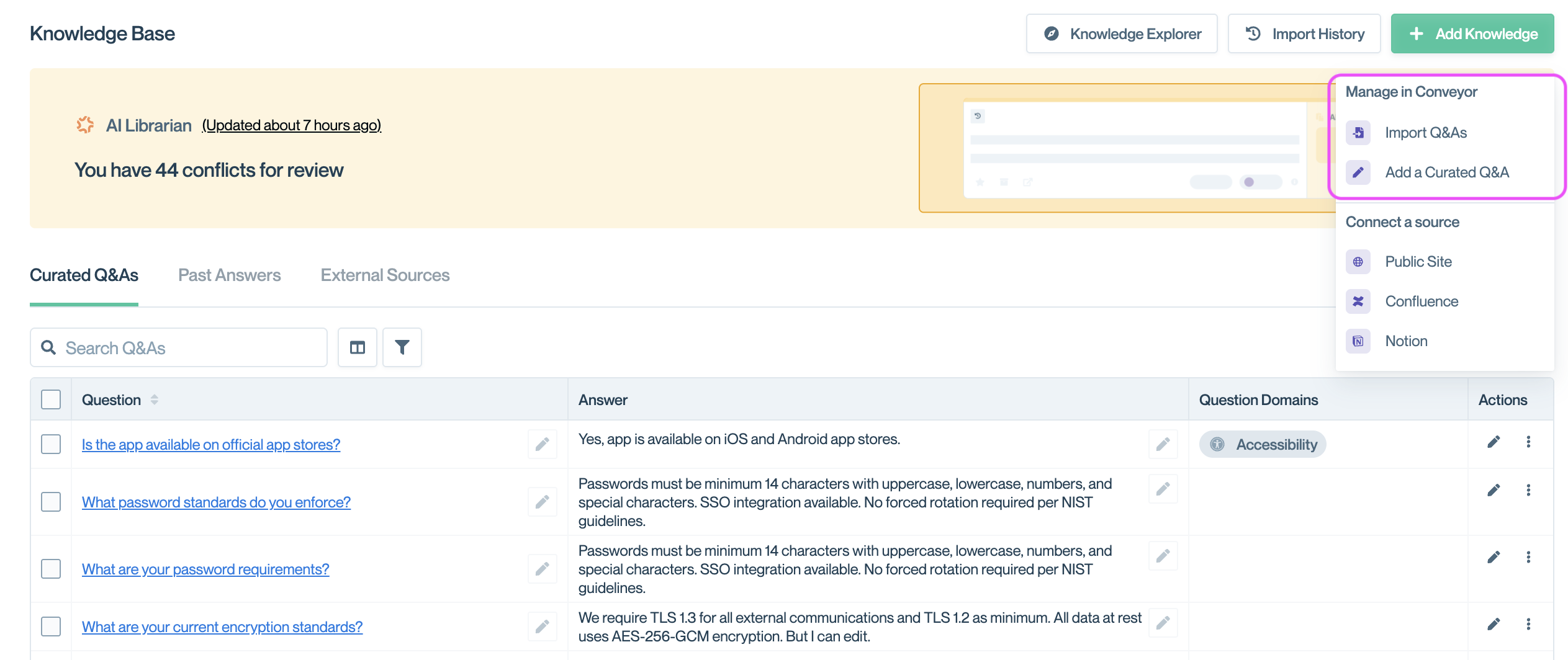
Click Import to import questions in bulk from Excel or CSV files
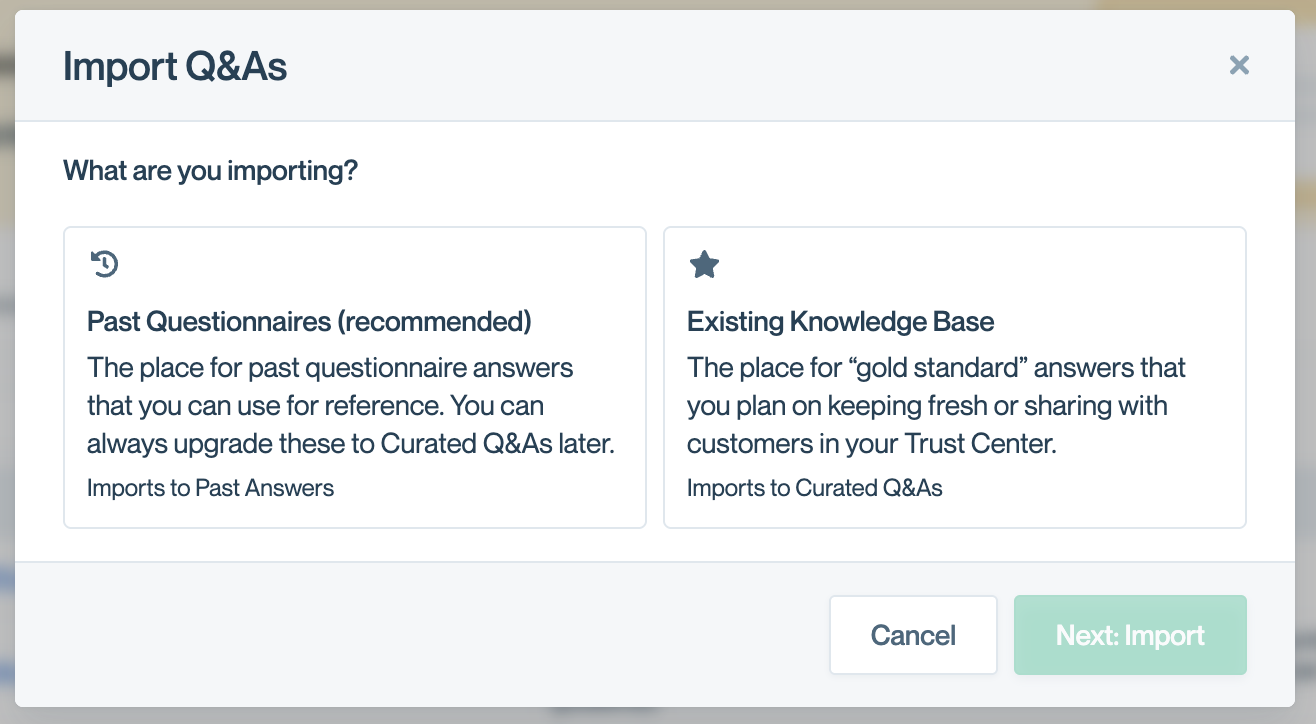
Click to import as Curated Q&A / existing Knowledge Base or Past Questionnaire
Required columns
Your import file must include:
questionanswer
Optional columns
Enhance your imports with additional metadata:
question domain- Categorize questions for Trust Center visitorstags- Organize content with custom labelsproductorproduct line- Tag for specific productscurator- Assign ownershipaccess- Set visibility (internal, public, etc.)
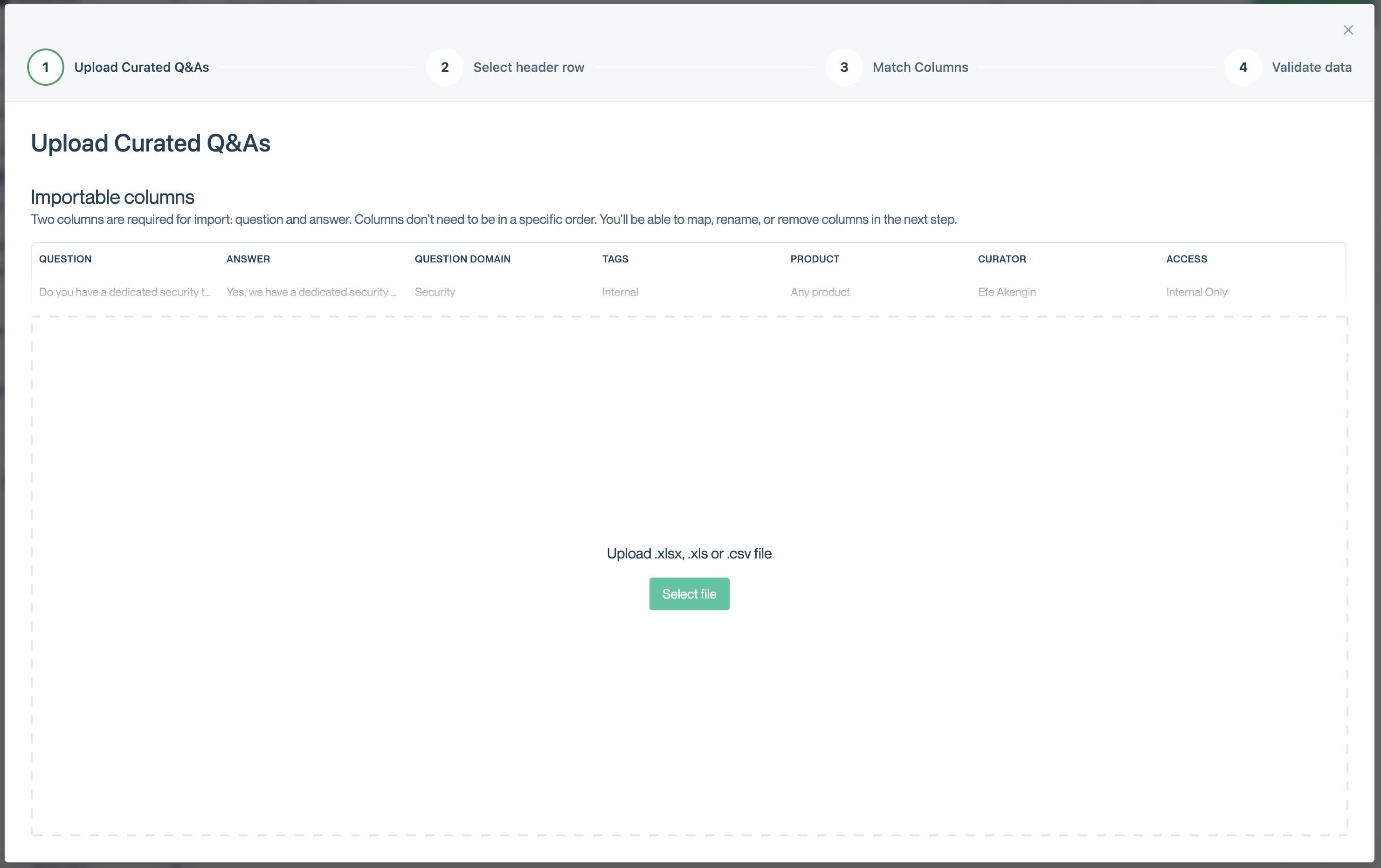
Import Curated Q&A example with required and optional columns
💡 Tip: All imported Q&As are automatically tagged with the Source Name you specify during import, making it easy to identify and manage content from specific sources.
Add Q&As individually
Create questions one at a time with full control over all fields:
- Navigate to Knowledge Library → Curated Q&As → Add a Curated Q&A
- Fill in the question fields
- Click Save Question
Q&A fields
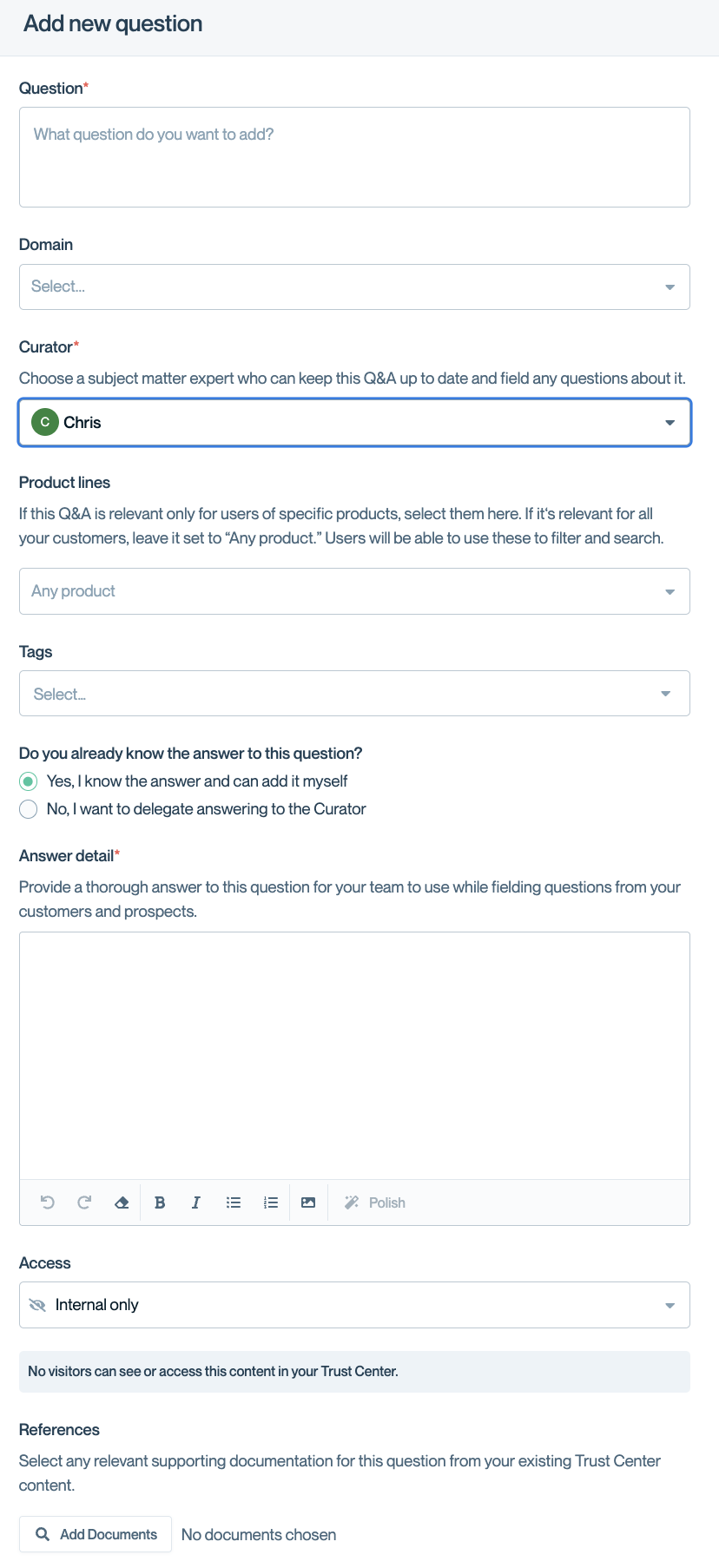
Complete form for curated Q&As
Question: The question text as it appears to ConveyorAI and Trust Center visitors.
Domain: Assign to predefined categories that organize questions for Trust Center visitors. Use Tags for custom organization.
Curator: The team member responsible for keeping this answer current. They receive automatic notifications when verification periods expire. 👉 Learn more about curators
Product lines: Tag questions when answers vary by product. Set up Product Lines first to see options here.
Tags: Create custom labels to organize your Knowledge Library however you prefer.
Do you already know the answer? Select "No" to stage the question and delegate answering to someone else (see below).
Answer Detail: The answer text. Click Polish to convert raw notes into polished prose using ConveyorAI.
Access: Control visibility—internal only (ConveyorAI use), public, some approved customers, or gated with NDA. 👉 Learn more about access levels
References: Attach documents from your Trust Center to provide additional context alongside the answer.
Delegate answers to curators
When creating a question, you can assign another team member as curator and request their input:
- Select a curator other than yourself
- Check "No" for "Do you already know the answer?"
- Add a message explaining what you need
- Click Save Question
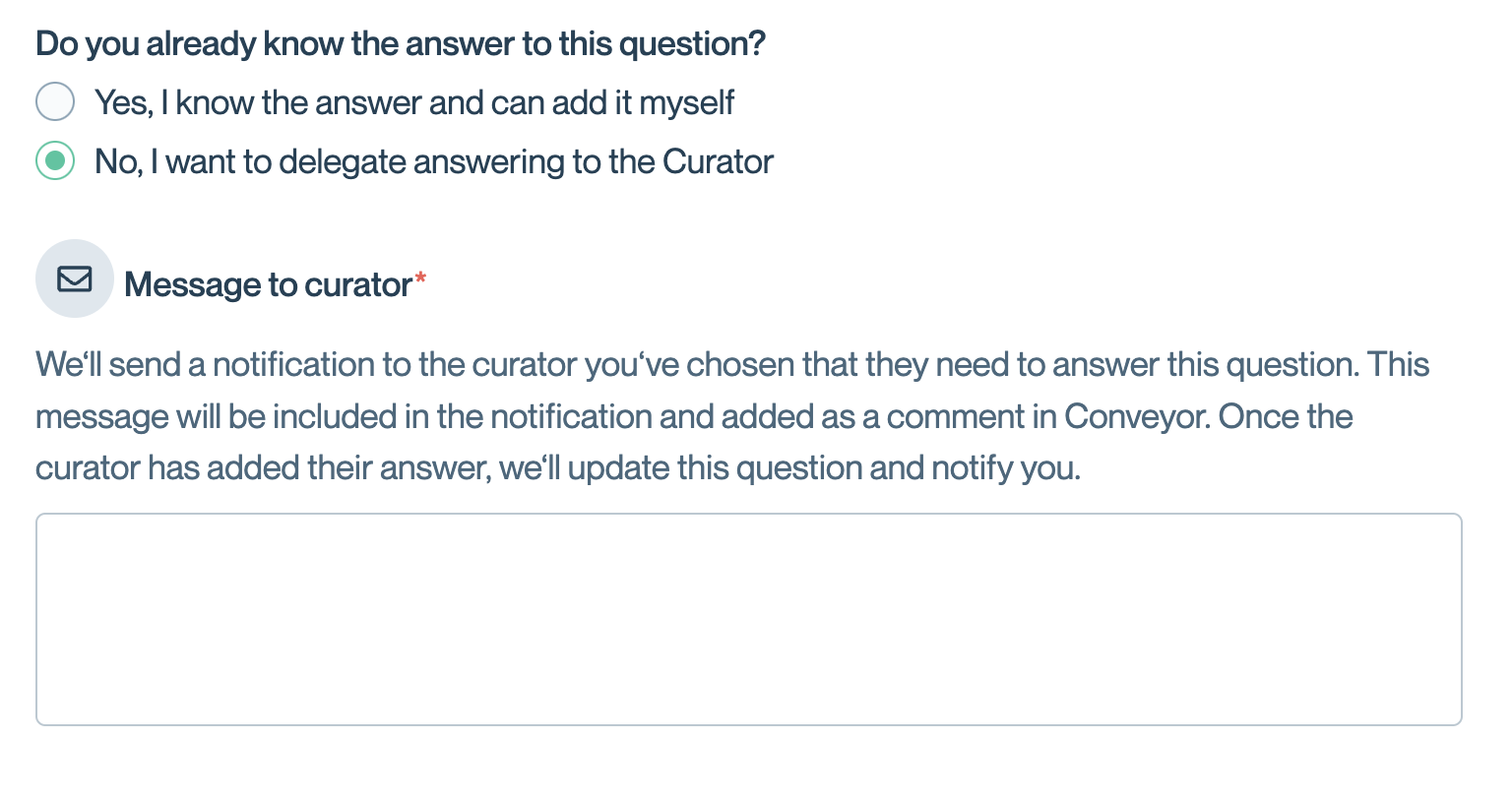
Delegate answering to a curator with a custom message
The curator receives a notification with your message and can add the answer directly:
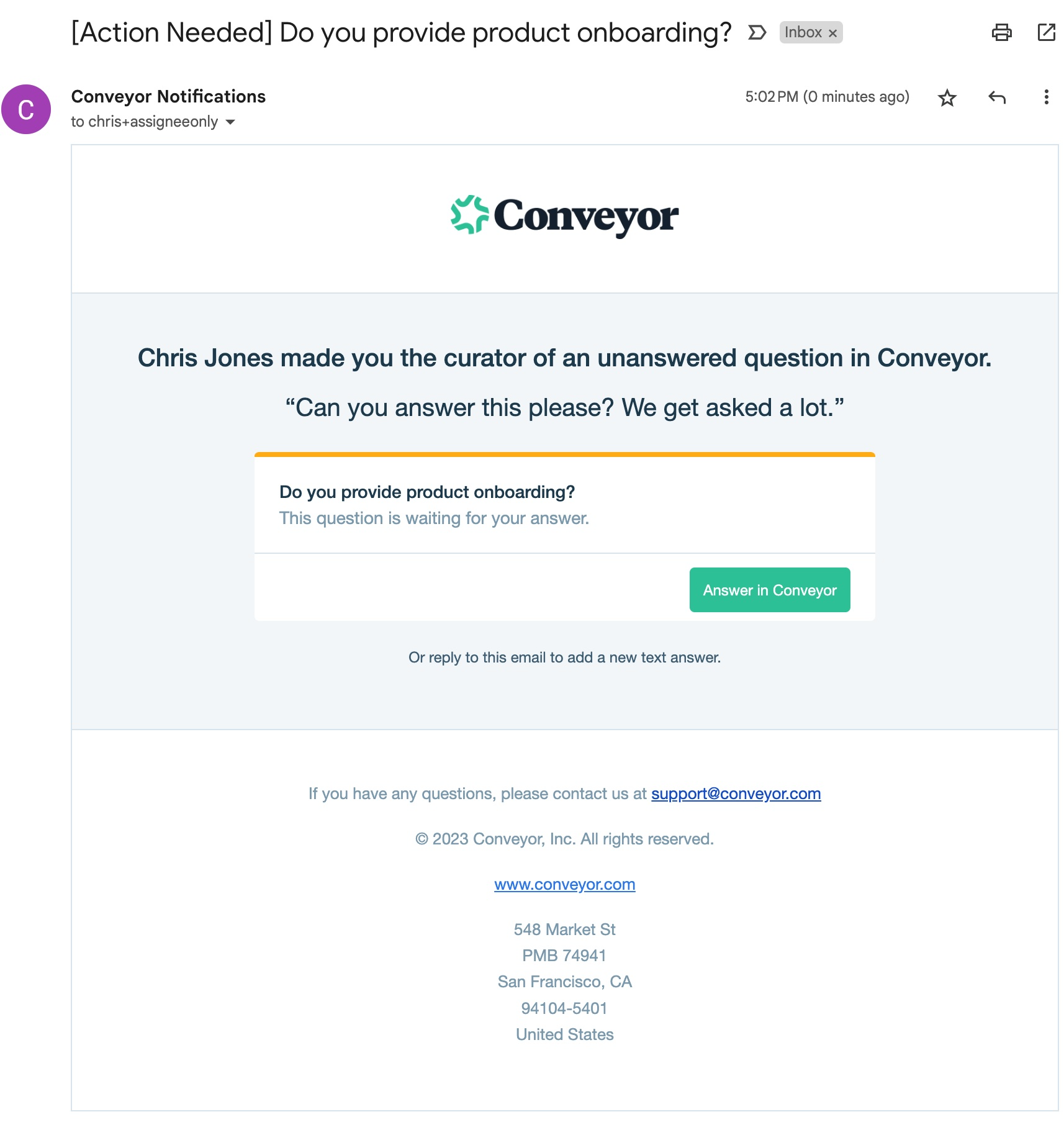
Curators receive notifications to add answers to delegated questions
This workflow is particularly useful when subject matter experts need to provide answers but you want to maintain consistent formatting and organization.
Import History
Click Import Q&As in the top right of the Knowledge Base to view your import history. This panel shows all previous imports, including the import name, source type (Curated Q&As or Past Answers), date, and number of questions imported.
Use import history to track what content has been added to your Knowledge Base and when. Click + Import Q&As at the top of the panel to start a new import.
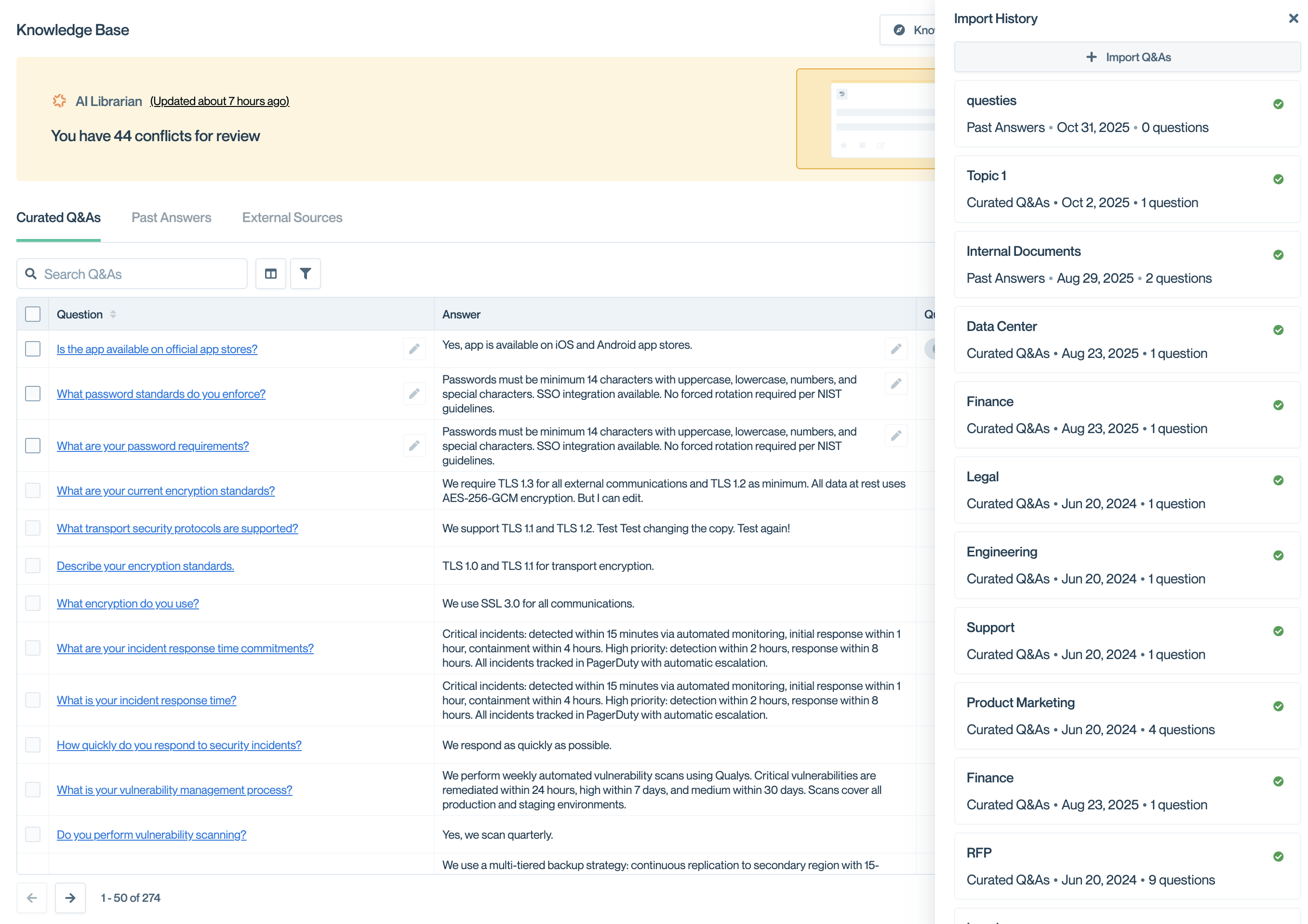
The Import History panel shows all previous imports with their source type, date, and question count.
Common questions
Should I import as Curated Q&As or Past Answers?
Use Curated Q&As when you plan to actively maintain these answers, share them in your Trust Center, or treat them as authoritative sources. Use Past Answers for reference material from completed questionnaires that you don't need to curate.
Can I update Q&As after importing them?
Yes. Click on any Q&A to edit all fields including the question, answer, curator, product lines, and access levels.
What happens if I import duplicate questions?
Conveyor will create separate Q&A entries. Use AI Librarian to identify and merge duplicates after import.
Can I change the Source Name tag after import?
Yes. Edit the Q&A and modify its tags. The Source Name tag is applied automatically during import but can be changed or removed afterward.
What's next
Need help? Visit the Troubleshooting guide or contact [email protected].
Updated 10 months ago