

Feedback collection
Time to complete: 5–10 minutes
Prerequisites: You must have admin access to your Trust Center and permission to edit Designer settings.
Overview
Visitor feedback capabilities allow you to collect standardized feedback directly from Trust Center visitors so you can better understand how your Trust Center is performing.
By enabling in-app feedback, you can:
- Identify whether visitors are able to find what they need
- Surface friction in your review experience
- Gather direct input to improve documents, structure, or content
- Understand how effectively your Trust Center supports security reviews
This helps you make informed updates to your Trust Center content and continuously improve the visitor experience.
You can independently enable:
- An in-app feedback survey
- A post-visit email survey
Responses are collected securely and shared with Trust Center Admins monthly via ad-hoc reporting.
Enabling Visitor Feedback
Visitor Feedback is disabled by default.
You can enable the in-app survey and email survey independently in the Settings under Trust Center.
Step 1: Open Visitor Feedback settings
-
In the Conveyor app, navigate to Settings → Trust Center → Visitor Feedback.
-
Turn on Enable Trust Center feedback collection.
Once enabled, visitors will see a Send Feedback option in the user menu drowpdown.
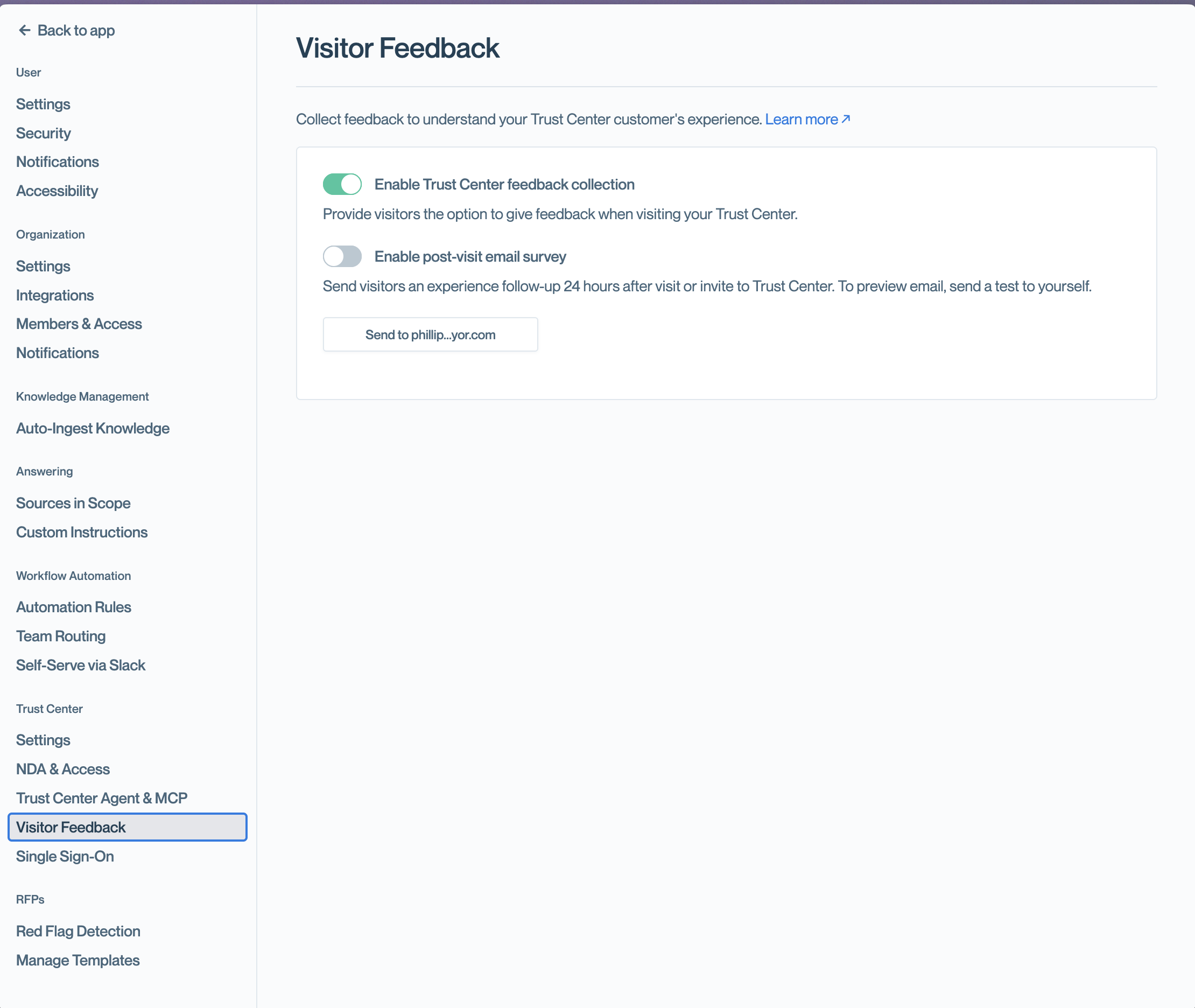
Open Visitor Feedback from the settings page to turn on the "Enable Trust Center feedback collection".
Step 2: Enable the post-visit email survey
-
Turn on Enable post-visit email survey.
-
(Optional) Click Send to {[email protected]} to send yourself a preview of the email survey.
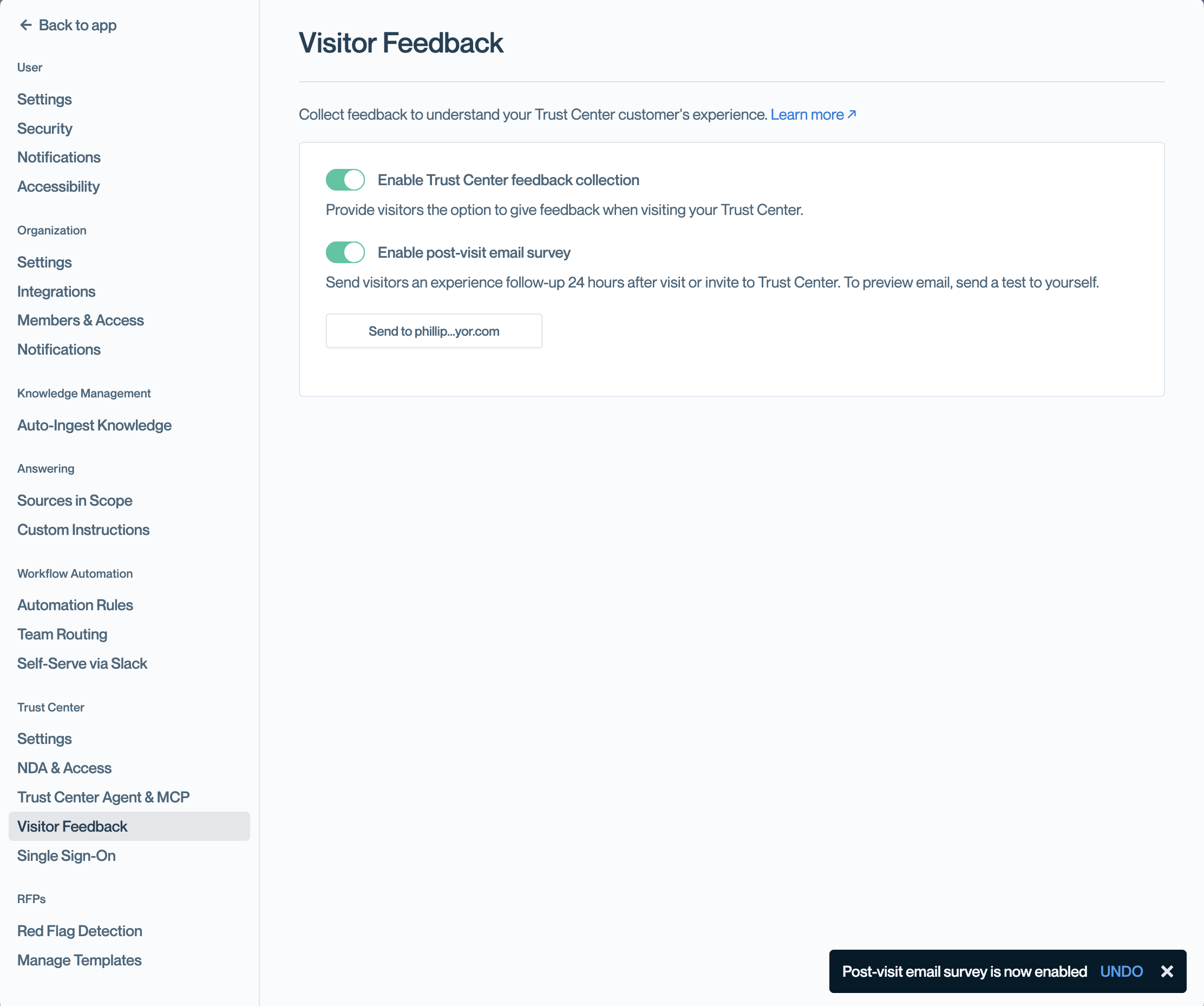
Enable email surveys and send yourself a preview to test the experience.
In-App Feedback Experience
When enabled, the in-app survey is accessible from the Send Feedback option in the user menu dropdown, which is found by clicking the avatar at the top right of the Trust Center header.
Who can submit in-app feedback?
- Authenticated visitors: Yes
- Unauthenticated visitors: Yes
There are no frequency limits for in-app surveys.
What visitors see
-
The visitor clicks Send Feedback in the user menu dropdown.
-
A survey modal opens with:
- A 1–5 rating scale
- An optional free-text field
- An optional field to provide an email address for follow-up
Unauthenticated visitors who choose to provide follow-up information can manually enter their email address along with their feedback.
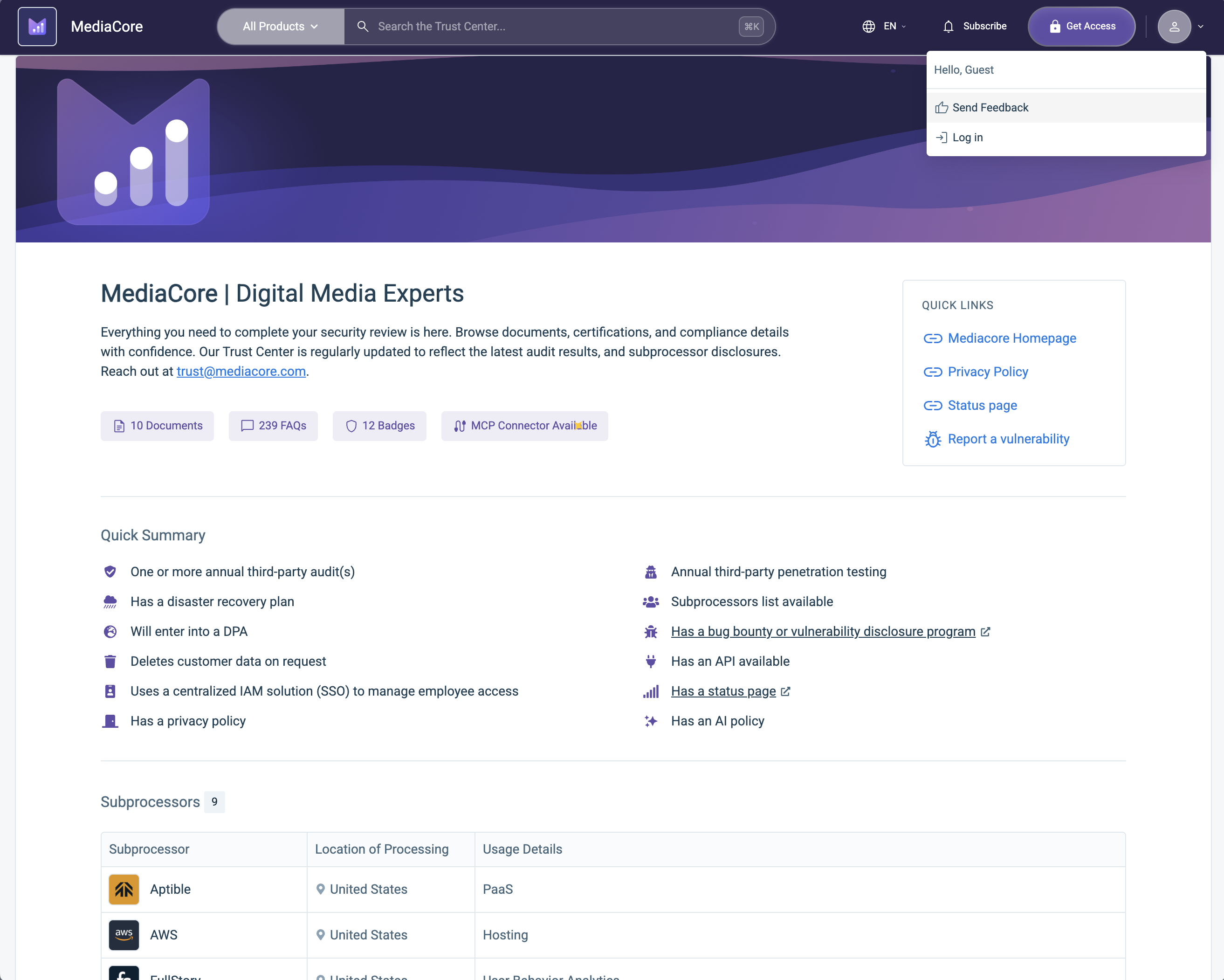
Visitors open the survey from the Feedback option in the user settings dropdown.
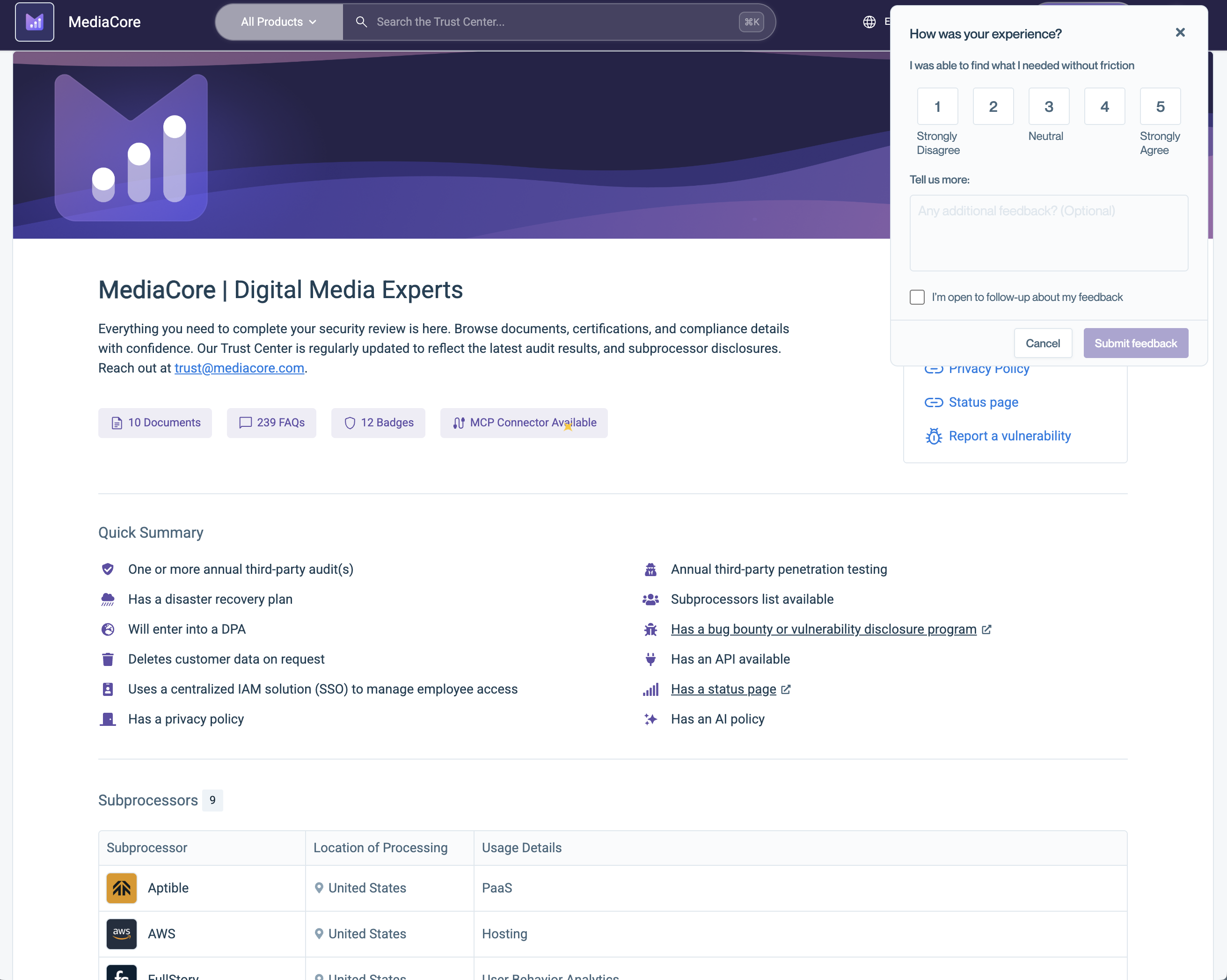
The in-app survey collects a rating, optional comments, and optional follow-up email.
Email Feedback Experience
When enabled, the post-visit email survey is sent 24 hours after an authenticated visit.
The survey is sent only to authenticated visitors.
Frequency controls
To prevent over-surveying:
- Visitors who do not complete a survey will receive it at most once per month.
- Visitors who complete a survey will receive it at most once every 3 months.
How the email survey works
- The visitor receives an email asking them to rate their experience.
- The email starts with a 1–5 rating scale.
- When the visitor selects a rating, they are directed to a secure survey page.
- On the survey page, they can:
- Update their 1-5 rating scale if desired
- Confirm whether they completed their review
- Leave additional comments (optional)
- Provide an email for follow-up (optional)
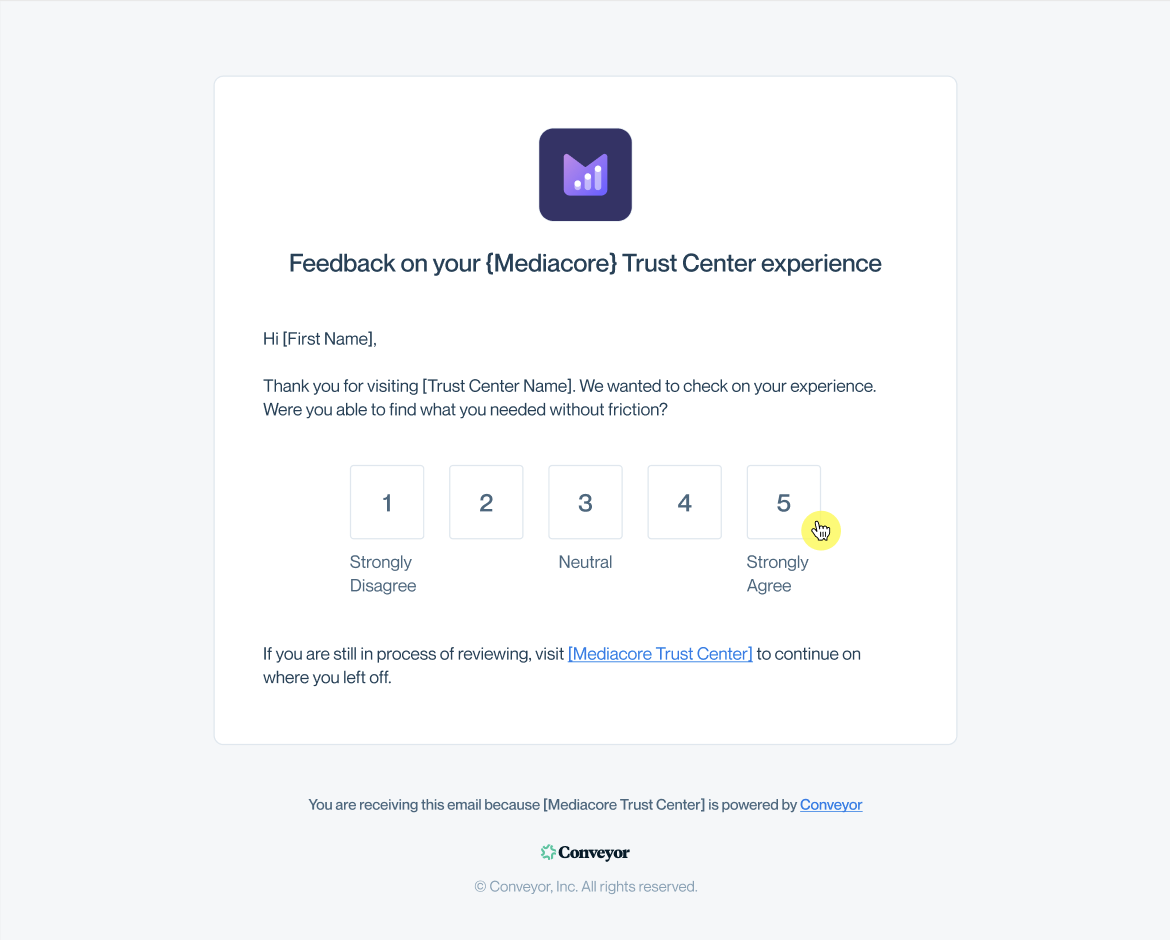
The email survey begins with a 1–5 rating scale.
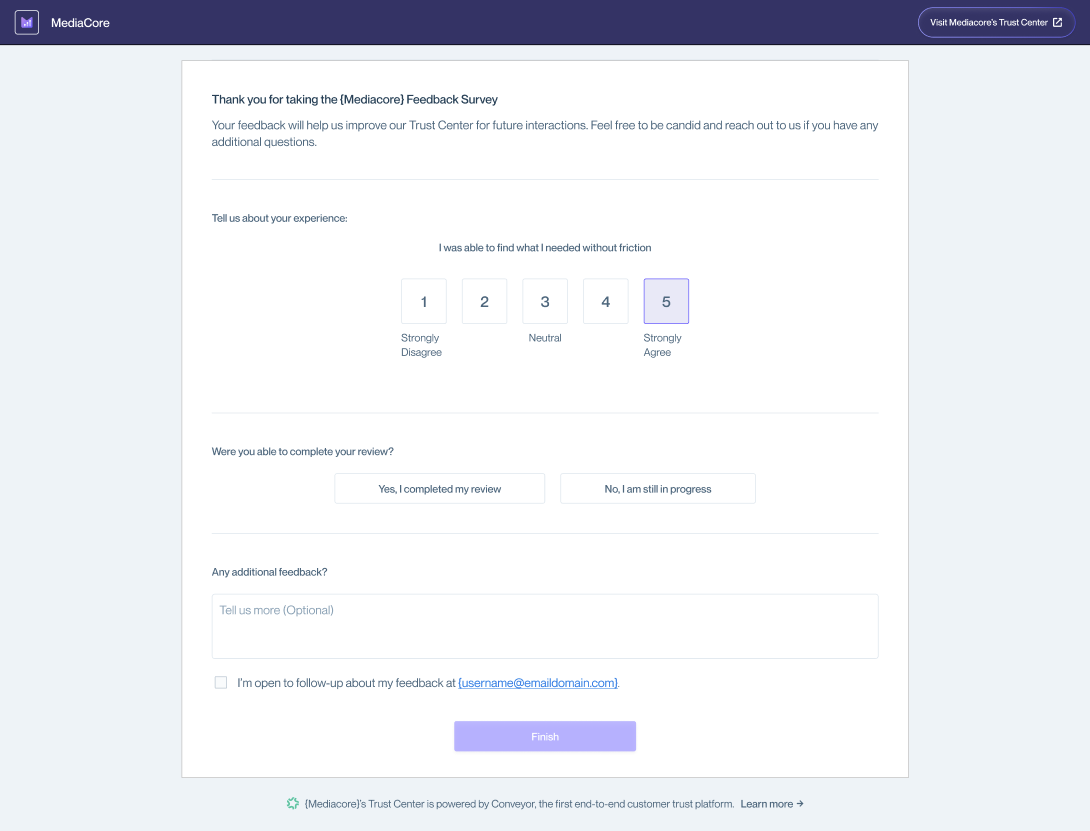
After selecting a rating, visitors complete the full survey on a secure page.
What Data Is Collected
In the future, this data will be available directly within the Conveyor application for review. Until that time, ad hoc reporting will be shared monthly with survey results.
Feedback data is collected securely and made available to Trust Center Admins.
Collected data may include:
- Survey method (In-app or Email)
- Response timestamp
- Rating score (1–5)
- Completion status (for email survey)
- Free-text feedback (optional)
- Follow-up email address (optional)
- Visitor email and company domain (for authenticated visitors)
Common questions
Can I enable only one survey type?
Yes. You can enable either:
- Enable Trust Center feedback collection (for in-app feedback)
- Enable post-visit email survey
- Enable both.
Can unauthenticated visitors submit feedback?
Yes. Unauthenticated visitors can submit the in-app survey and optionally provide their email address for follow-up.
When is the email survey sent?
The email survey is sent 24 hours after an authenticated visit.
Why didn’t a visitor receive the email survey?
Email surveys are:
- Sent only to authenticated visitors.
- Limited to once per month if not completed.
- Limited to once every three months if completed.
If a visitor recently received or completed a survey, they may not receive another.
Can I customize the survey questions?
No. Survey questions and wording are standardized and cannot be customized.
Need help? Visit the Troubleshooting guide or contact [email protected].
Updated 27 days ago