

Visitor's Guide to Conveyor Trust Centers
Time to complete: 5 minutes
Prerequisites: An invitation to (or link to) a company's Trust Center
Overview
A company you're evaluating uses Conveyor to share their security and compliance documentation. Their Trust Center is where you'll find certifications, policies, audit reports, answers to common security questions, and more — all in one place.
This guide walks you through how to get the most out of your visit so you can complete your security review faster and with less back-and-forth.
What Is a Trust Center?
A Trust Center is a company's security and compliance hub. Instead of emailing back and forth to collect documents, you can visit their Trust Center to:
- View certifications and compliance badges (SOC 2, ISO 27001, HIPAA, etc.)
- Download or preview security documents like policies, audit reports, and penetration test summaries
- Read answers to common security and compliance questions
- Ask questions using the Trust Center Agent (if the company has enabled it)
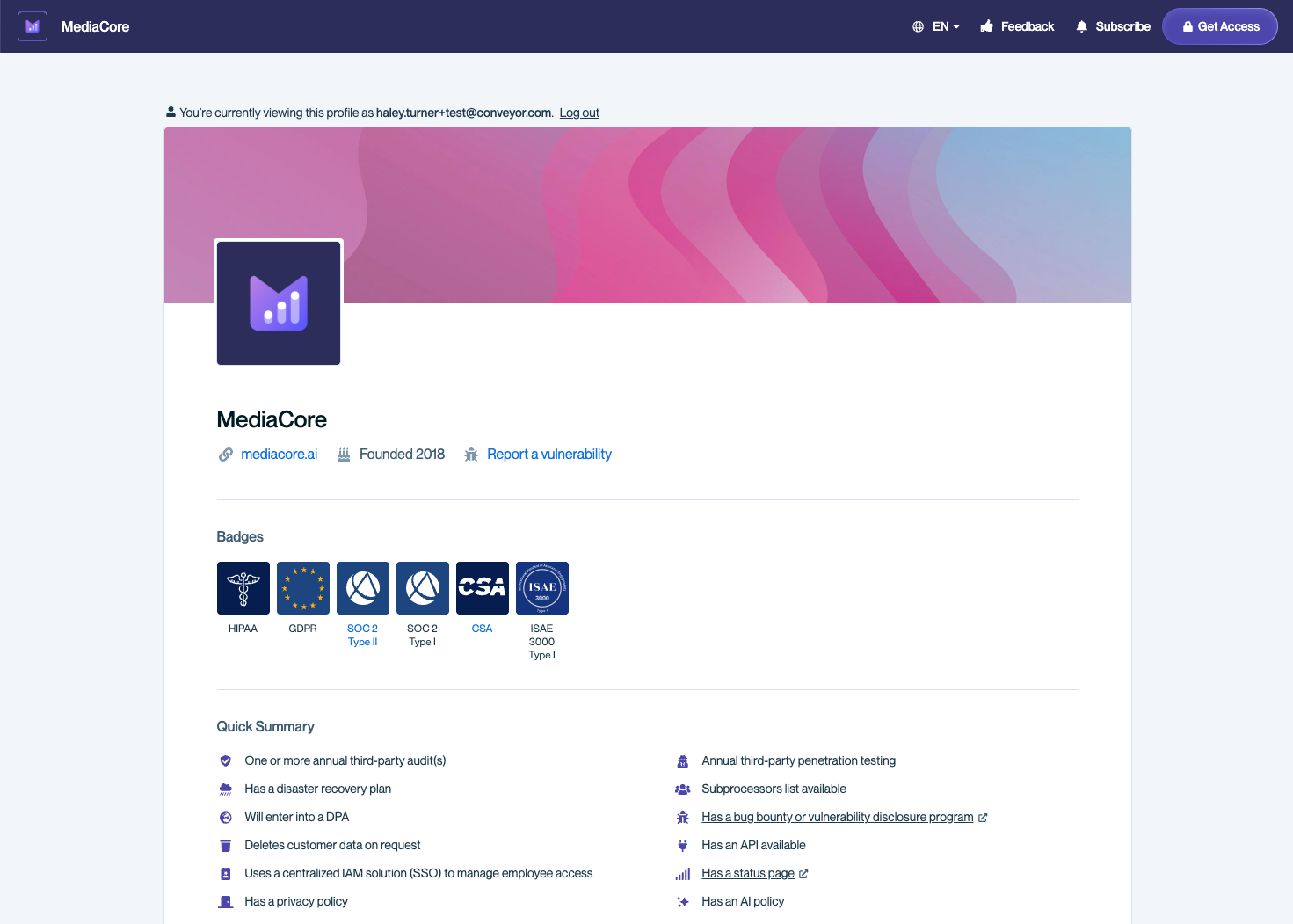
A company's Trust Center gives you self-service access to a company's security and compliance documentation.
Getting Access
Depending on how the company has configured their Trust Center, you'll get access in one of a few ways:
Direct Invitation
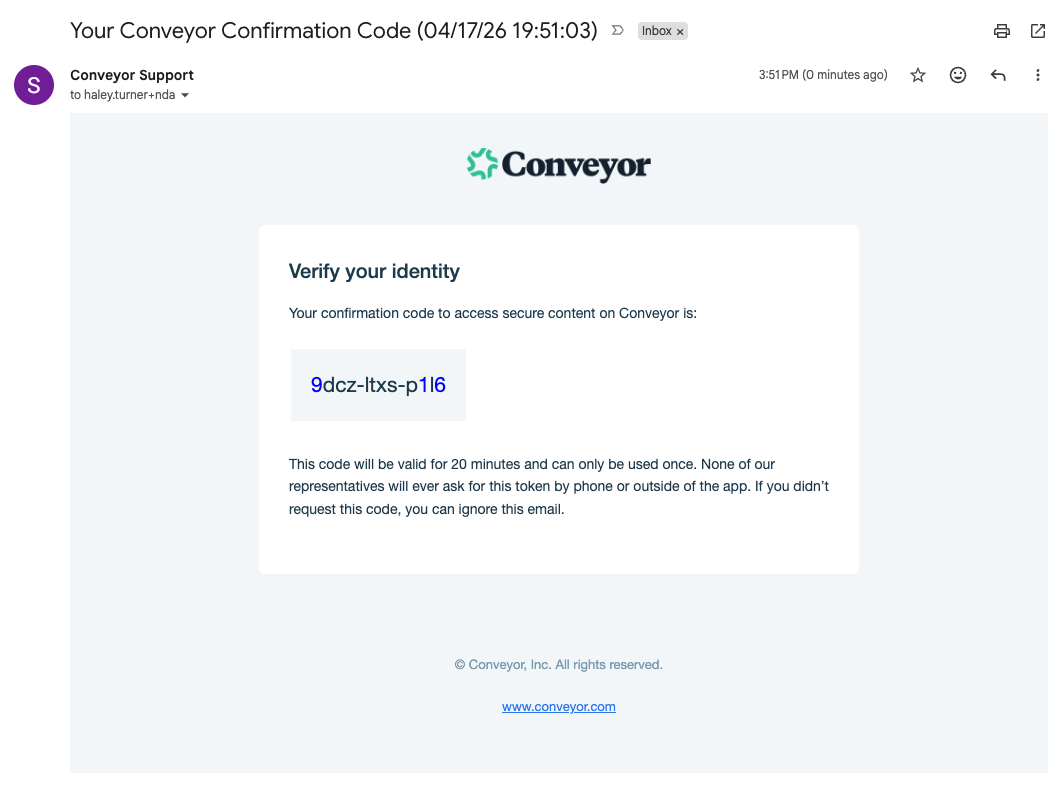
The company sends you an email invitation. Click the link in the email to access the Trust Center and check your email for a one time code to verify your email.
Tip
Check your spam or junk folder if you don't see the invitation email. The email comes from Conveyor on behalf of the company, so it may be filtered by your email client.
Request Access
You can also request access directly from the Trust Center page. Enter your work email and you'll be granted access once the company reviews and approves your request.
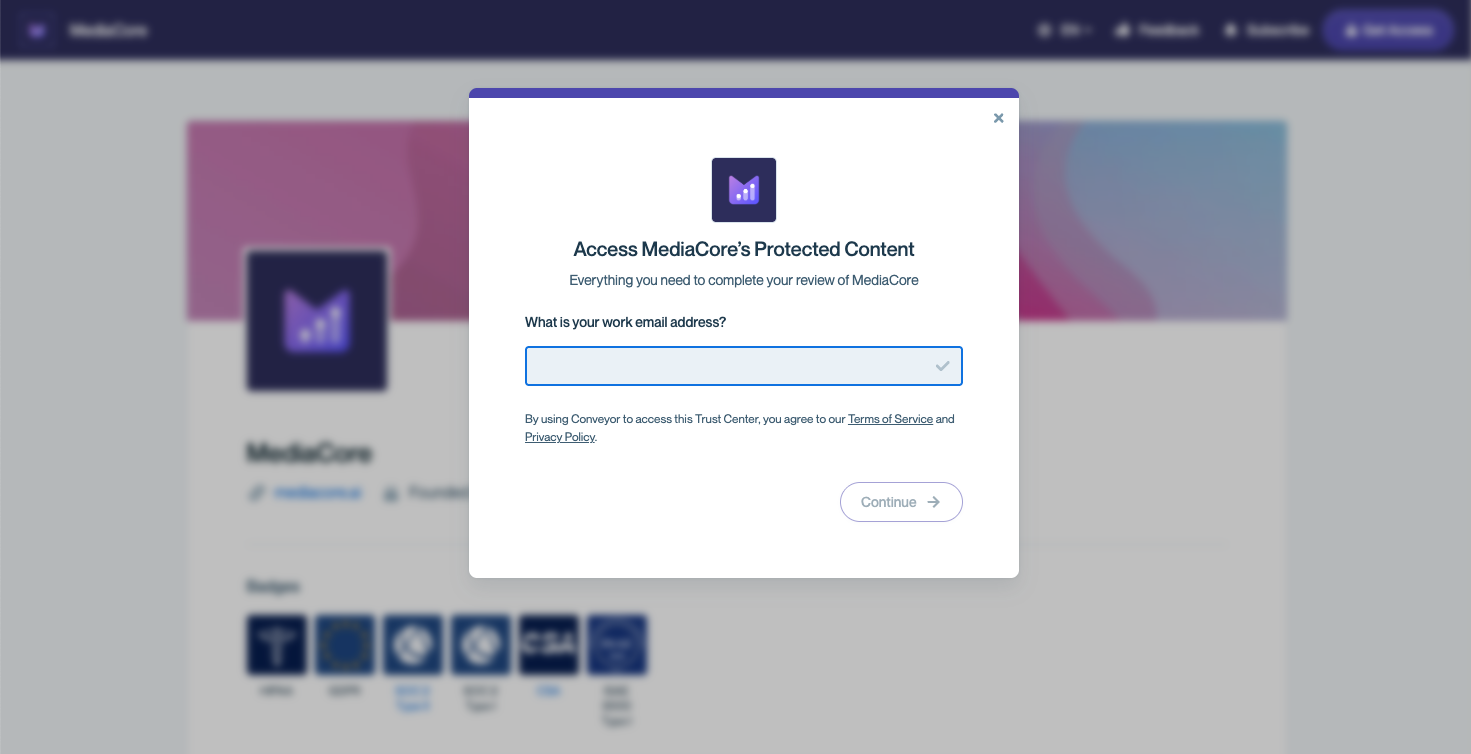
Request access to a Trust Center by entering your work email
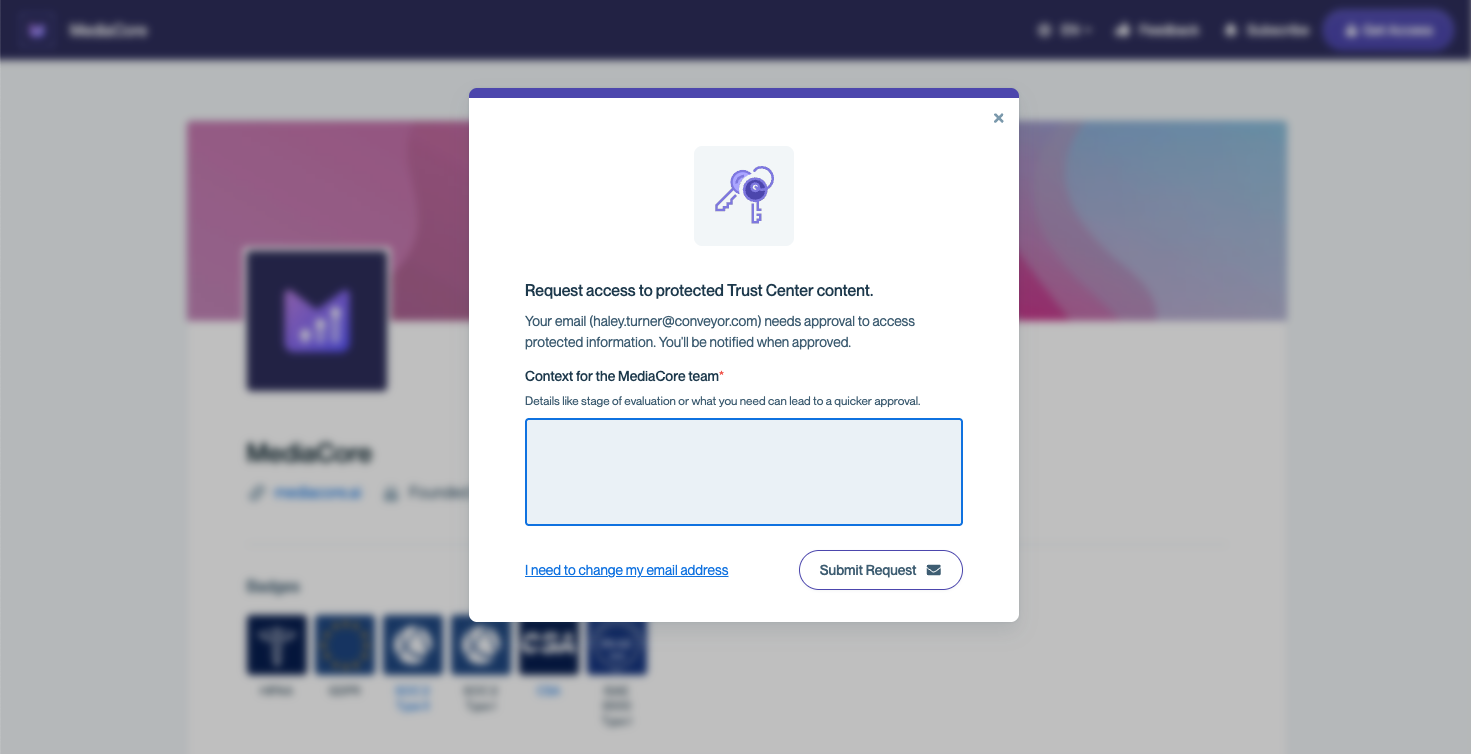
Providing details regarding the purpose of your visit can help ensure your request is approved in a timely manner.
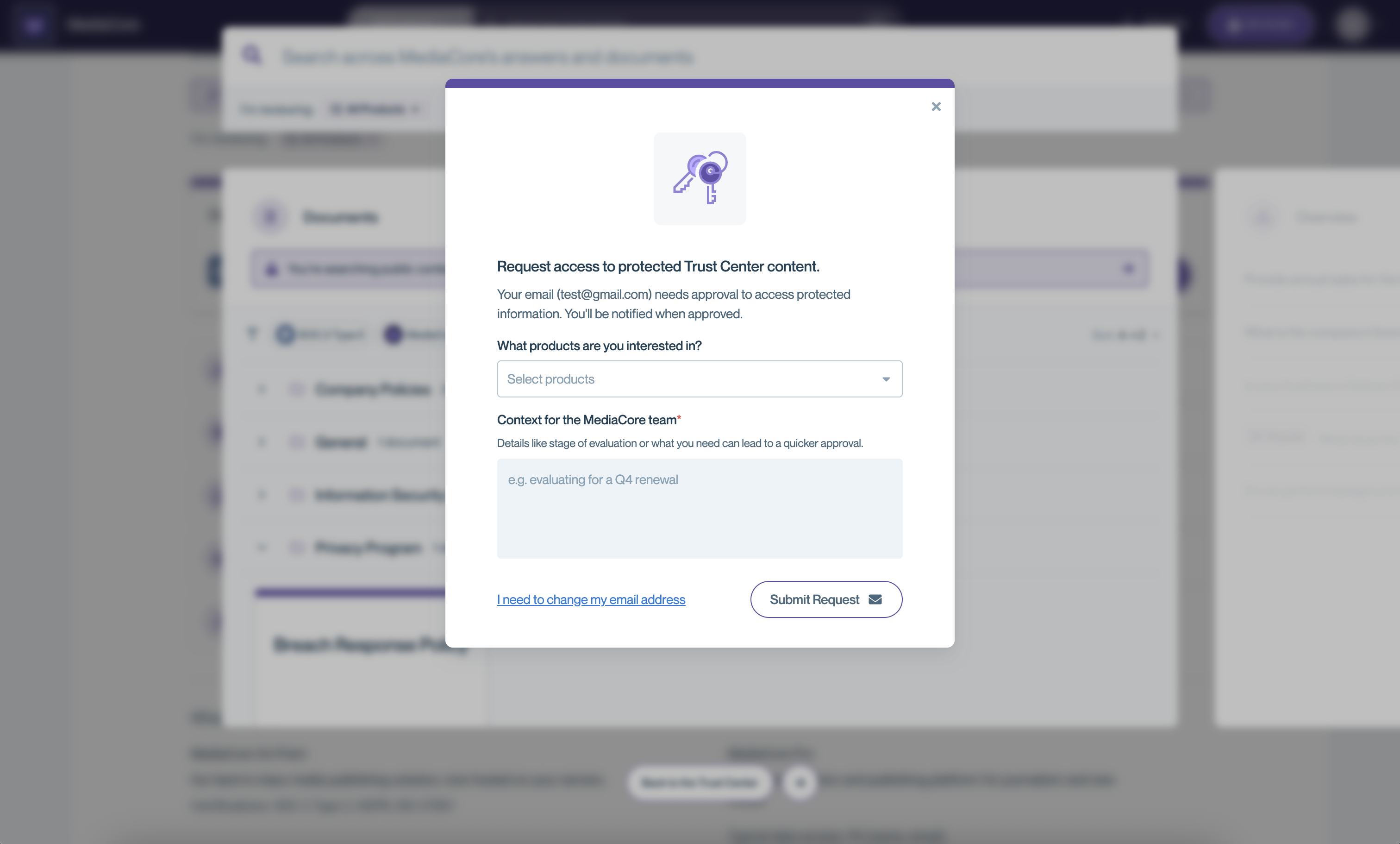
If the company has it configured, you can also select the product lines you're interested in.
Public Access
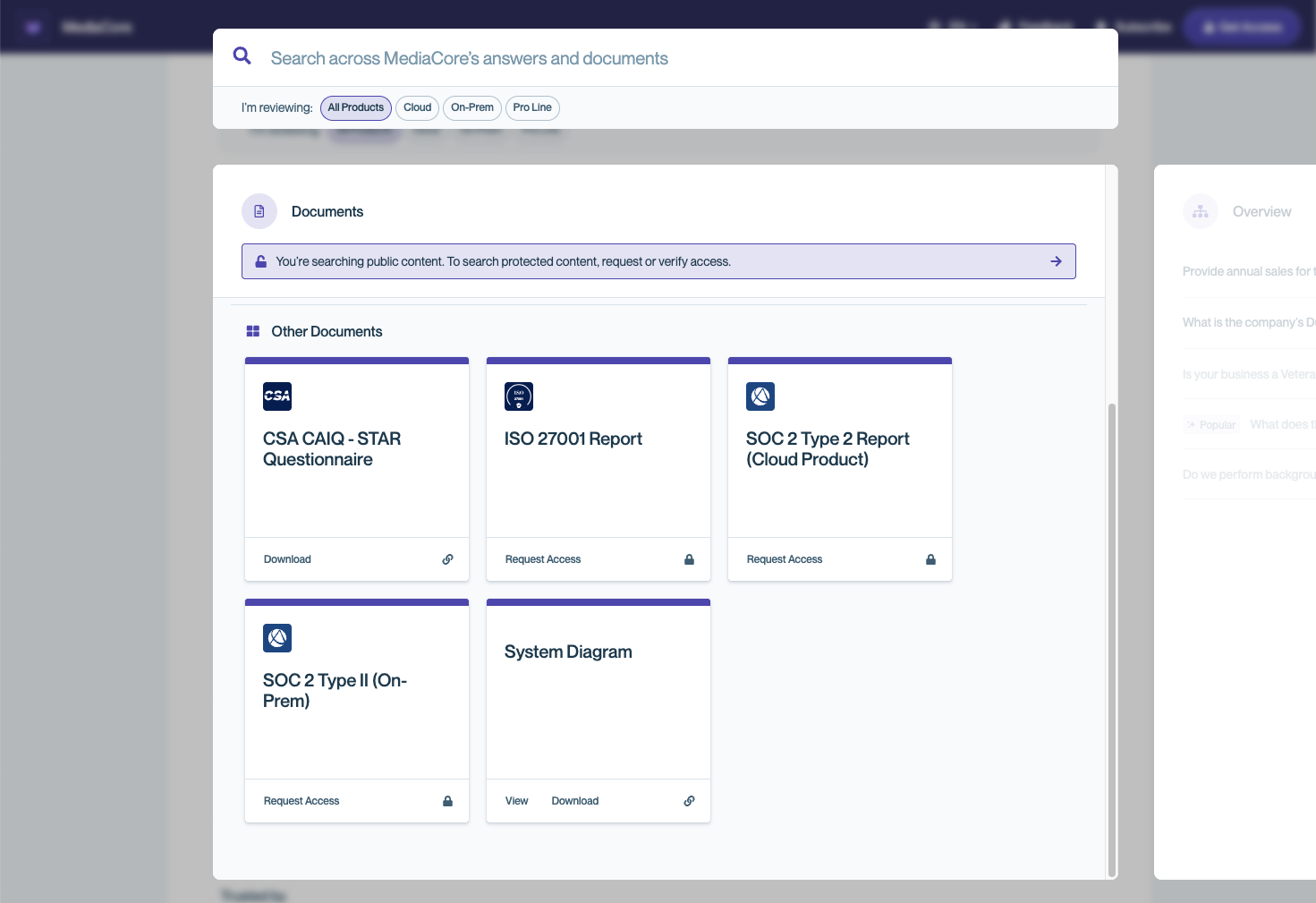
Some content may be visible without signing in. If a Trust Center has public content, you can browse it immediately. You can tell the difference between public and private content prior to requesting access by viewing the lock icon on documents or FAQs.
NDA Signing
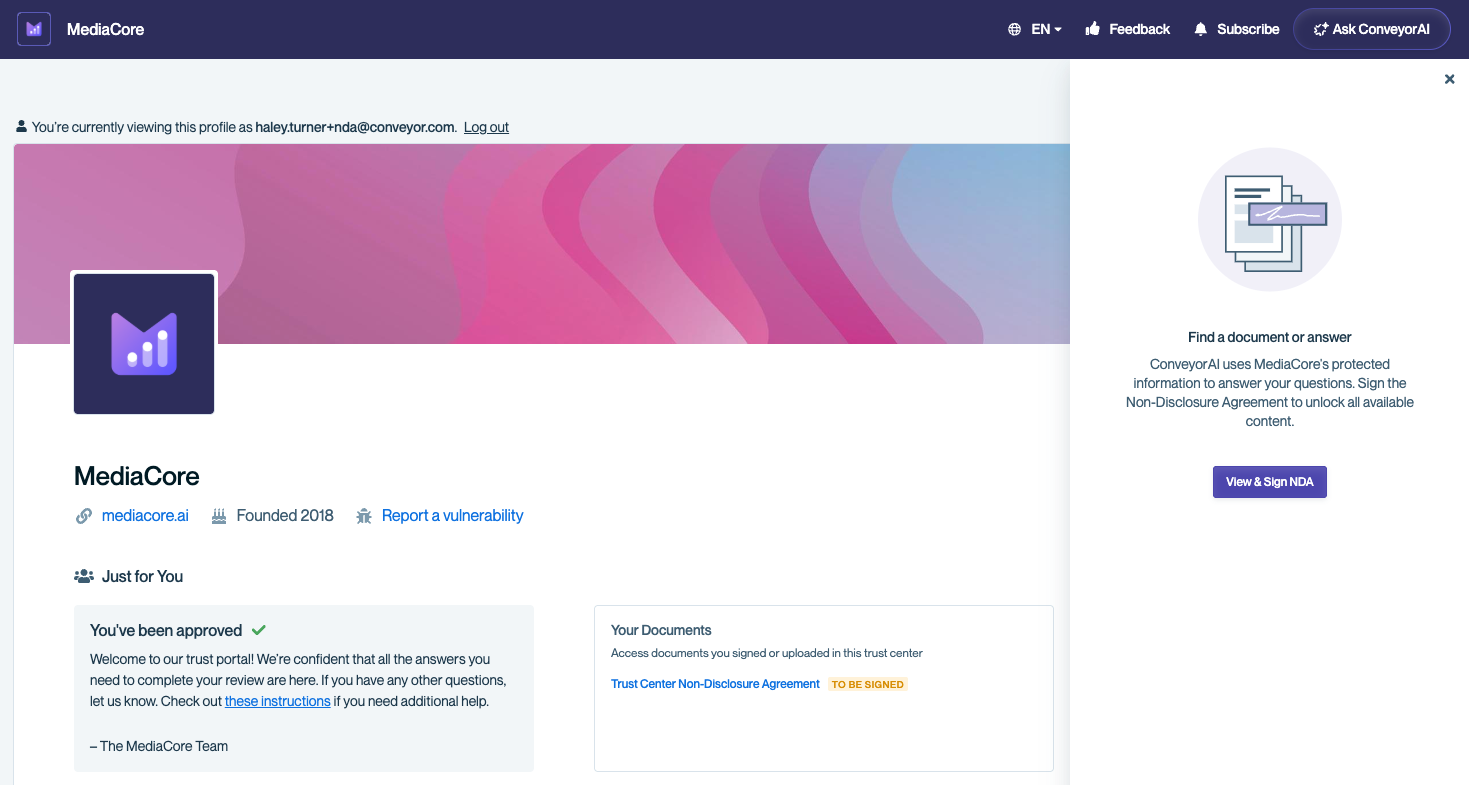
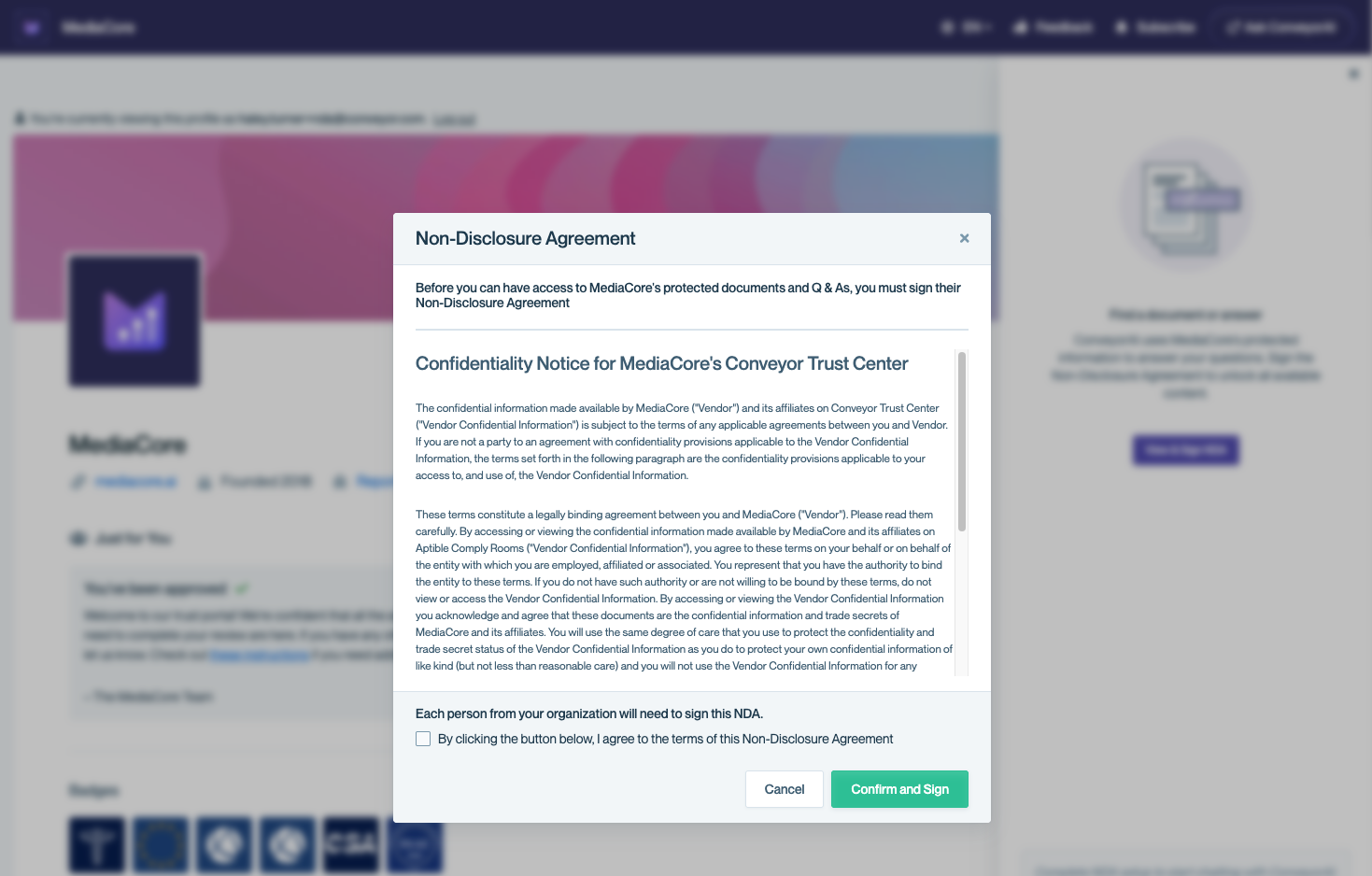
Some companies require a Non-Disclosure Agreement before you can access certain documents. If this applies, you'll be prompted to review and sign the NDA as part of the access flow. The NDA will be either presented inline and you can sign electronically or you'll be prompted to the company's Docusign NDA to complete your esignature.
Authentication
Conveyor uses passwordless authentication. When you return to a Trust Center, you'll verify your identity via a link sent to your email — no password to remember or manage.
Finding What You Need
Use the Search Bar
The search bar at the top of the page is the fastest way to find what you're looking for. It uses keyword matching, so type specific terms for best results — for example:
- Document names — e.g., "SOC 2 report," "penetration test"
- Certifications — e.g., "ISO 27001," "HIPAA"
- Topics — e.g., "encryption," "data retention," "incident response"
Results appear as you type. Click a result to go directly to the document or section. If the Trust Center has multiple product lines, use the All Products dropdown to filter results.
If no results match your search, you can:
- Suggest Content — submit a suggestion to the company's Trust Center admin to add the content you're looking for.
- Ask AI Agent — if the Trust Center Agent is enabled, you'll see a prompt to ask the Agent about your search term. The Agent can answer natural-language questions and may find relevant information even when keyword search doesn't return results.
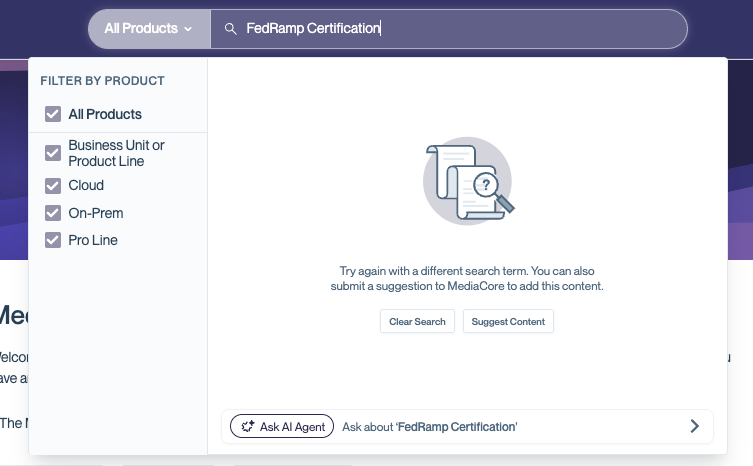
When keyword search doesn't return results, you can suggest content to the admin or ask the AI Agent.
Browse Sections
Trust Centers are organized into sections that the company has set up. Common sections include:
- Certifications and compliance — Badges and linked documentation for standards like SOC 2, ISO 27001, GDPR, and HIPAA
- Documents — Downloadable or previewable reports, audit summaries, and other materials
- Q&As — Pre-written answers to common security questions, often drawn from completed questionnaires
Preview and Download Documents
Click on a document to see a preview (if available). This lets you quickly check whether it's what you need before downloading. If preview isn't supported for that file type, the document will download directly.
Your Documents
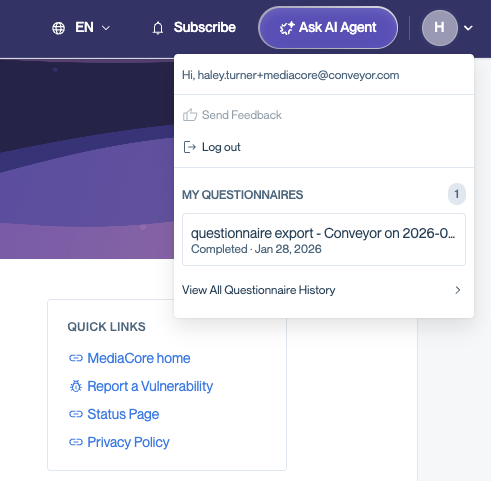
The user menu in the top-right corner of the page contains a "Your Documents" section. This is where you'll find:
- A copy of your signed NDA (if the company required one)
- Any questionnaire documents completed by the Trust Center Agent on your behalf
To review your signed NDA, click the NDA link under Your Documents. This opens a new tab with a preview of the NDA you signed, including the date and time of signing. From this preview, you can download a copy of the NDA for your records. This works the same whether you signed a clickwrap NDA or a DocuSign NDA.
Using the Trust Center Agent
Some Trust Centers have a Trust Center Agent enabled — a chat-based assistant that can answer your security and compliance questions directly using the company's published content.
How to Use It
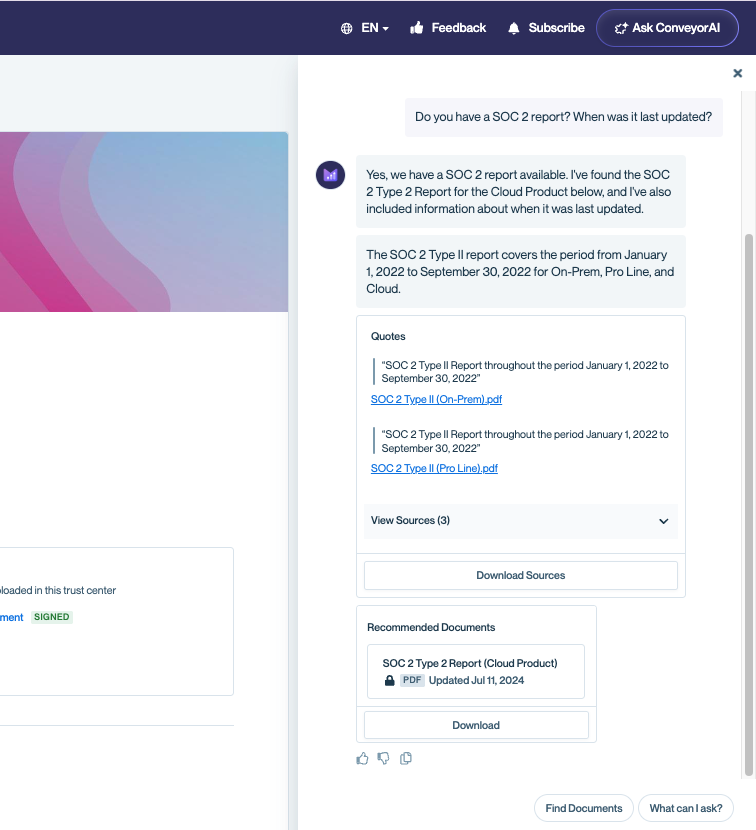
- Look for the Ask AI Agent button in the header or the Agent panel on the right side of the page.
- Ask a question in natural language — for example, "Do you have a SOC 2 Type II report?" or "What is your data retention policy?"
- The Agent will respond with an answer and cite the specific source documents it used.
- Click on the cited sources to view or download the original documents.
Tip The Agent draws its answers from the company's published Trust Center content. If you need information that isn't covered, use the feedback option (if available) or reach out to the company directly.
Pro tip: Import a questionnaire — If you have a security questionnaire you need completed, the Trust Center Agent can help. Upload your questionnaire file (CSV, XLS, PDF, or Doc) or paste your questions directly into the Agent chat, and it will draft answers using the company's published content. You'll be notified when your completed questionnaire is ready to download. Learn more in the Questionnaire Support guide.
Providing Feedback
Some Trust Centers have a feedback option enabled in the user menu. If it's available, you can use it to let the company know if you can't find what you're looking for or if you have suggestions for improving their Trust Center. The company's Trust Center admin will see your feedback and can update their content accordingly.
Common Questions
I didn't receive my invitation email. What do I do? Check your spam or junk folder first. If it's not there, ask the company that invited you to resend the invitation or request access directly from the Trust Center page. The email comes from Conveyor (not directly from the company), so it may be filtered by your email client.
I signed the NDA but still can't find certain documents. Why? Some documents may have additional access restrictions beyond the NDA — for example, they may only be shared with specific organizations or contacts. Reach out to the company directly if you believe you should have access.
Can I share Trust Center documents with my colleagues? This depends on the NDA and the company's sharing policy. Check the terms of the NDA you signed, and when in doubt, ask the company whether you can share specific documents internally.
How long does my access last? Access duration is set by the company. Some Trust Centers have auto-expiring access (common durations are 90 days or 1 year). If your access expires, you can request it again.
Is the Trust Center Agent's answer official? The Agent generates answers from the company's published content and cites its sources. While it's a helpful starting point, the cited source documents are the authoritative reference. If accuracy is critical — for example, for a formal assessment — verify against the source document.
I have a question that isn't answered on the Trust Center. What do I do? If the Trust Center has a feedback option in the user menu, use it to let the company know. You can also reach out to your contact at the company directly.
Something seems wrong or outdated. How do I report it? Use the feedback option in the user menu if available, or contact the company directly. The Trust Center admin can investigate and update their content.
What's Next?
- Use the search bar to find the documents and certifications relevant to your assessment.
- If you need help with access, reach out to the company that shared their Trust Center with you — they can resend invitations or adjust your permissions.
- Want to learn more about Conveyor? Visit conveyor.com .
Updated 24 days ago