

Answer One-Off Questions in the Web App
Time to complete: 2–3 minutes
Prerequisites: ConveyorAI is enabled for your organization, and your Knowledge Library has at least one source that's usable by ConveyorAI.
Overview
Use AI Answer to get an instant drafted answer to a single security question — no questionnaire required. ConveyorAI reads your Knowledge Library, composes an answer, and shows you the sources it used, so you can drop it into an email, a call, or a customer's portal.
AI Answer vs. Search
AI Answer and Search live in the same modal and do different jobs:
- AI Answer — ConveyorAI writes a new answer to your question, drawing on your Knowledge Library.
- Search — Finds existing content in your Knowledge Library and ranks it by relevance. Nothing new is written.
If you want an answer you can send, use AI Answer. If you want to find the Q&A or document you already have, use Search.
Generate an AI Answer
- Press cmd + k (Mac) or ctrl + k (Windows). You can also click the search icon in the left navigation.
- Select AI Answer.
- Type or paste your question.
- Optional: select one or more product lines to scope the answer. ConveyorAI will only use knowledge and documents tied to the products you select. Leave this set to "All Products" to search across all of your knowledge.
- Click Generate.
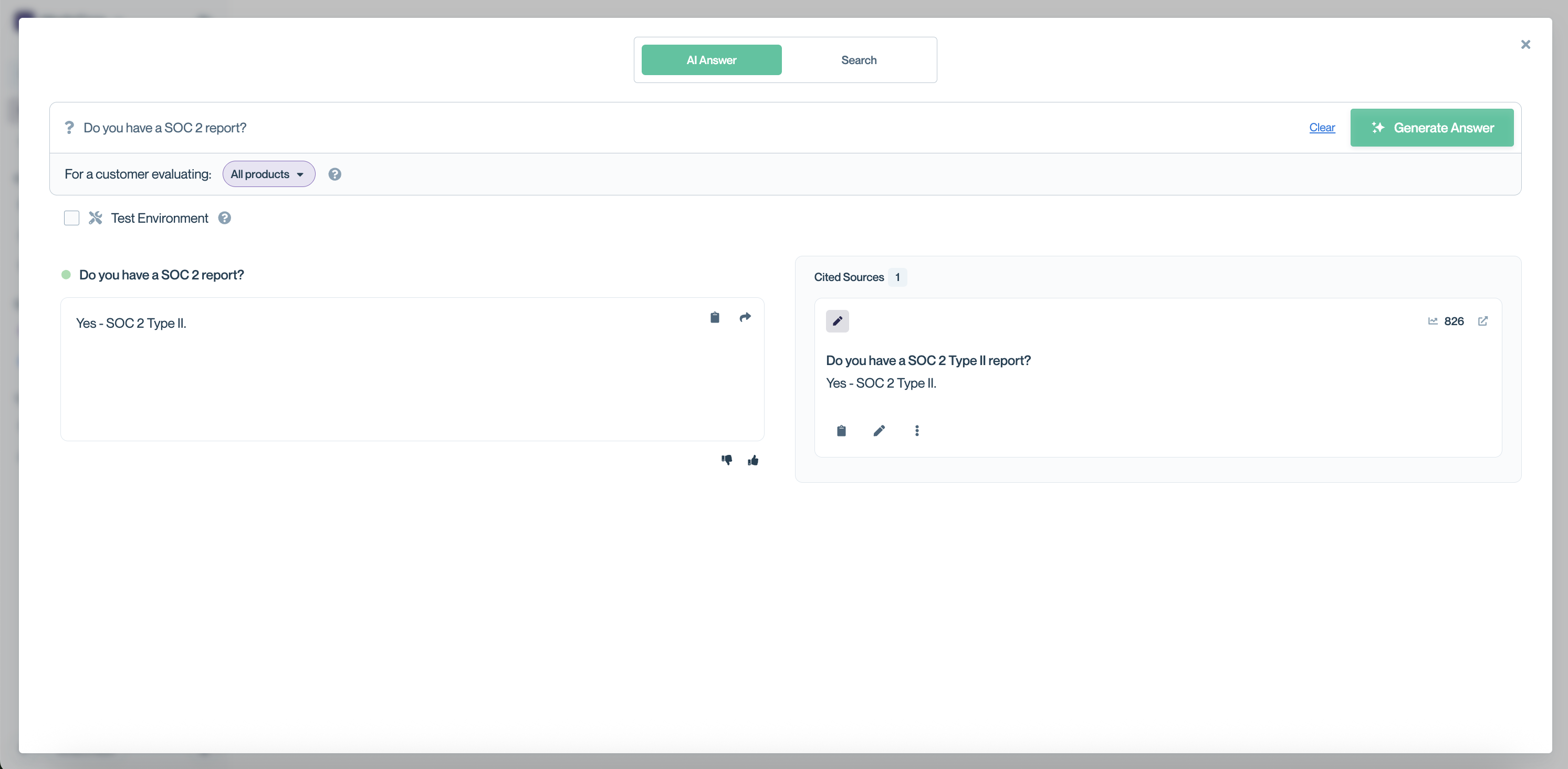
Why can't I see the answer instantly?Generating an answer takes longer than a keyword search because ConveyorAI isn't just matching keywords. It's retrieving the most relevant sources and composing a tailored response to your specific question.
Review the Answer and Its Sources
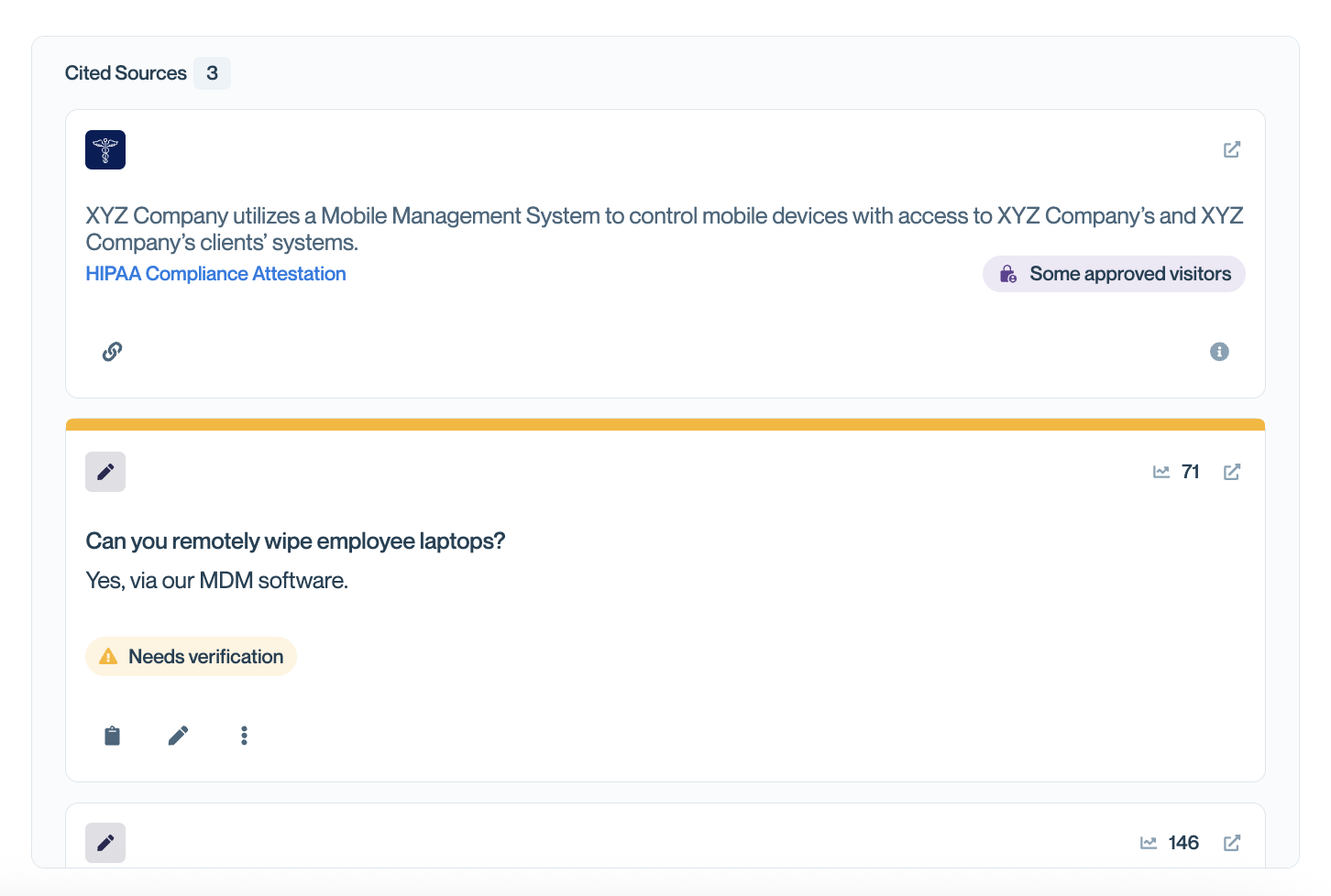
ConveyorAI returns a drafted answer along with the sources it drew from, tagged by type (Curated Q&A, Past Answer, Document, or External Source).
Always read the draft before it goes to a customer. Check the sources if anything looks off, and see How ConveyorAI Answers Questions for how answers are assembled and scored.
Act on the Answer
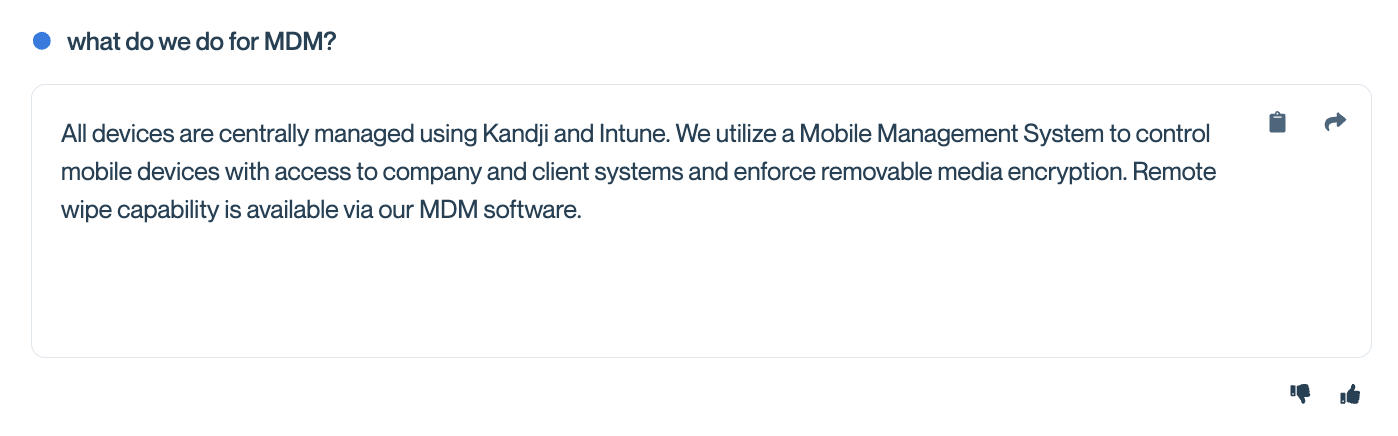
Once you have a draft, you can:
- Copy the answer to your clipboard and paste it wherever you need it. Copying a curated or past answer also increments that content's usage count, which helps your team understand what's worth maintaining.
- Push to Knowledge Base to save the answer as a Curated Q&A. You can edit the wording before saving. See Managing individual Q&As.
- Leave feedback on the answer so your team can spot content gaps and improve how ConveyorAI answers similar questions next time.
Common Questions
What's the difference between AI Answer and Search?
AI Answer composes a new answer from your Knowledge Library. Search finds content that already exists there using keyword matching. If you plan to send the result to a customer, start with AI Answer. If you're looking for something specific, like a link to a document in your trust center, use Search.
What happens if ConveyorAI can't answer my question?
ConveyorAI returns no answer when it can't find enough supporting content. This usually means the topic isn't covered in your Knowledge Library yet. You can add a Curated Q&A or a document and try again. See Troubleshooting inaccurate answers.
Can I answer for more than one product at a time?
Yes. The web app lets you select multiple product lines in a single question. The browser extension is limited to one product or All products.
Is this the same answer I'd get in Slack or the browser extension?
All three run on the same ConveyorAI backend and use the same knowledge. The differences are where you ask and how you scope products. Answers you get back in Slack may vary depending on the permissions of the user asking or how ConveyorAI was set up in that specific channel. Answers you get back in-app and via the Chrome extension use your own permissions, so should be similar, though AI answers by nature vary from question to question.
Where can I see the questions my team has asked?
One-off questions asked in the web app, Slack, the browser extension, the API, and your Trust Center are all logged together in your one-off question reporting. You can see that info in your Insights dashboard or have your AI agent query it using the Conveyor AI Connector.
What's Next?
- Answer one-off questions in Slack — ask @Conveyor without leaving a channel.
- Keyword search for specific content — find existing Q&As, documents, and past answers.
- How ConveyorAI Answers Questions — how sources are retrieved, ranked, and scored.
- Troubleshooting inaccurate answers — what to do when a draft isn't right.
Need help? Visit the Troubleshooting guide or contact [email protected].
Updated 2 months ago