

Review Trust Center Agent answers in Slack
Time to complete: ~5 minutes
Prerequisites: The ConveyorAI Slack app is installed, and the Trust Center Agent with questionnaire support is enabled.
Overview
When a customer self-serves questions using the customer-facing questionnaire eliminator, you can review the answers the bot gave them right from Slack. Subscribe a channel to the digest, open Review Bot Responses, and mark each answer as a Good Answer or Bad Answer to give feedback that improves future responses.
Subscribe to the Digest
Run /conveyor subscribe answerbot in a channel. Whenever a customer self-serves questions using the customer-facing questionnaire eliminator, the channel receives a summary — how many questions the bot answered and how many it left blank — with a Review the bot's responses button.
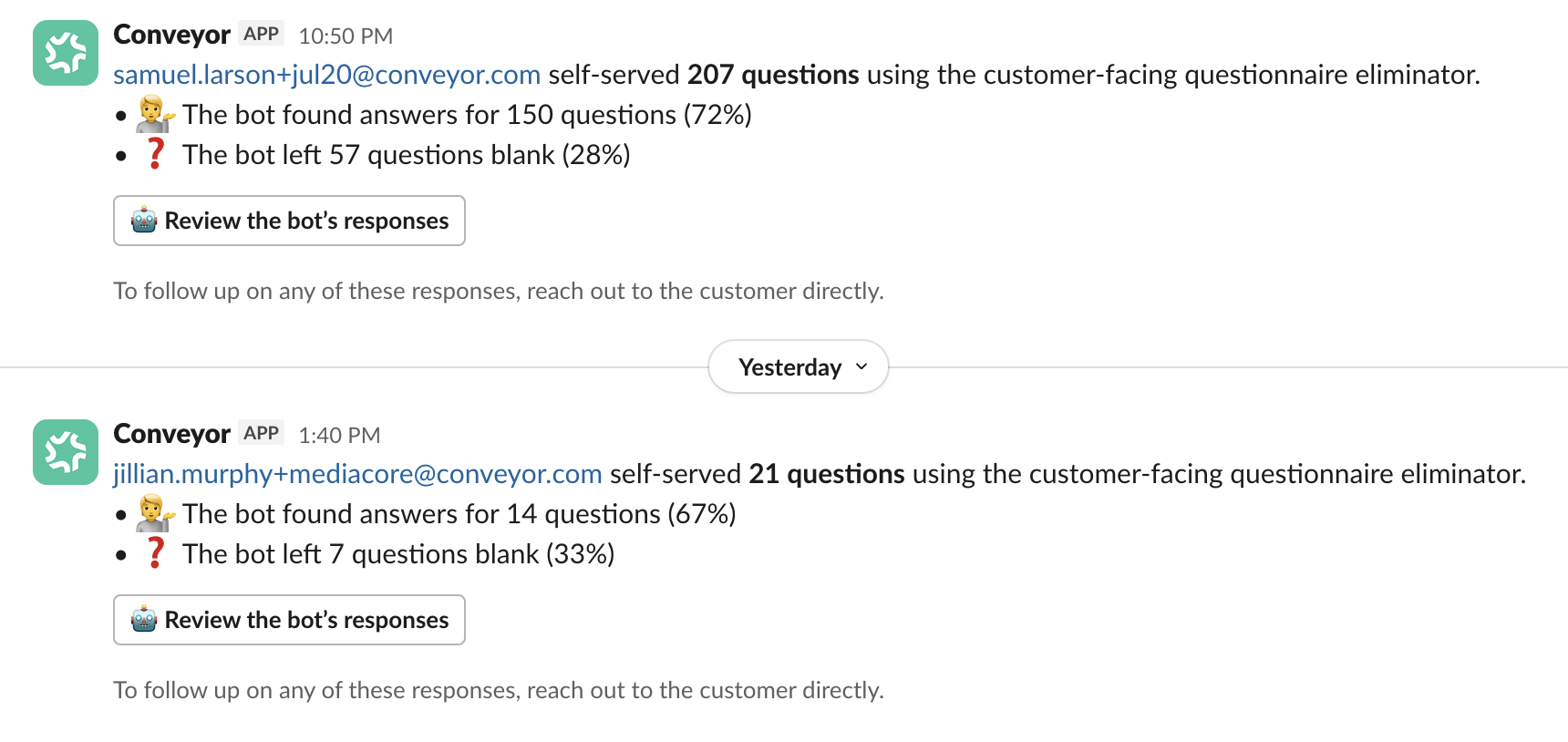
Each self-serve session posts a summary to the subscribed channel, with a Review the bot's responses button.
To follow up on any of these responses, reach out to the customer directly.
Review the Bot's Responses
Select Review the bot's responses to open the Review Bot Responses modal. It shows the customer's email and session date, then each question alongside the answer the bot sent and its cited Sources. For every answer, mark it Good Answer 👍 or Bad Answer 👎.
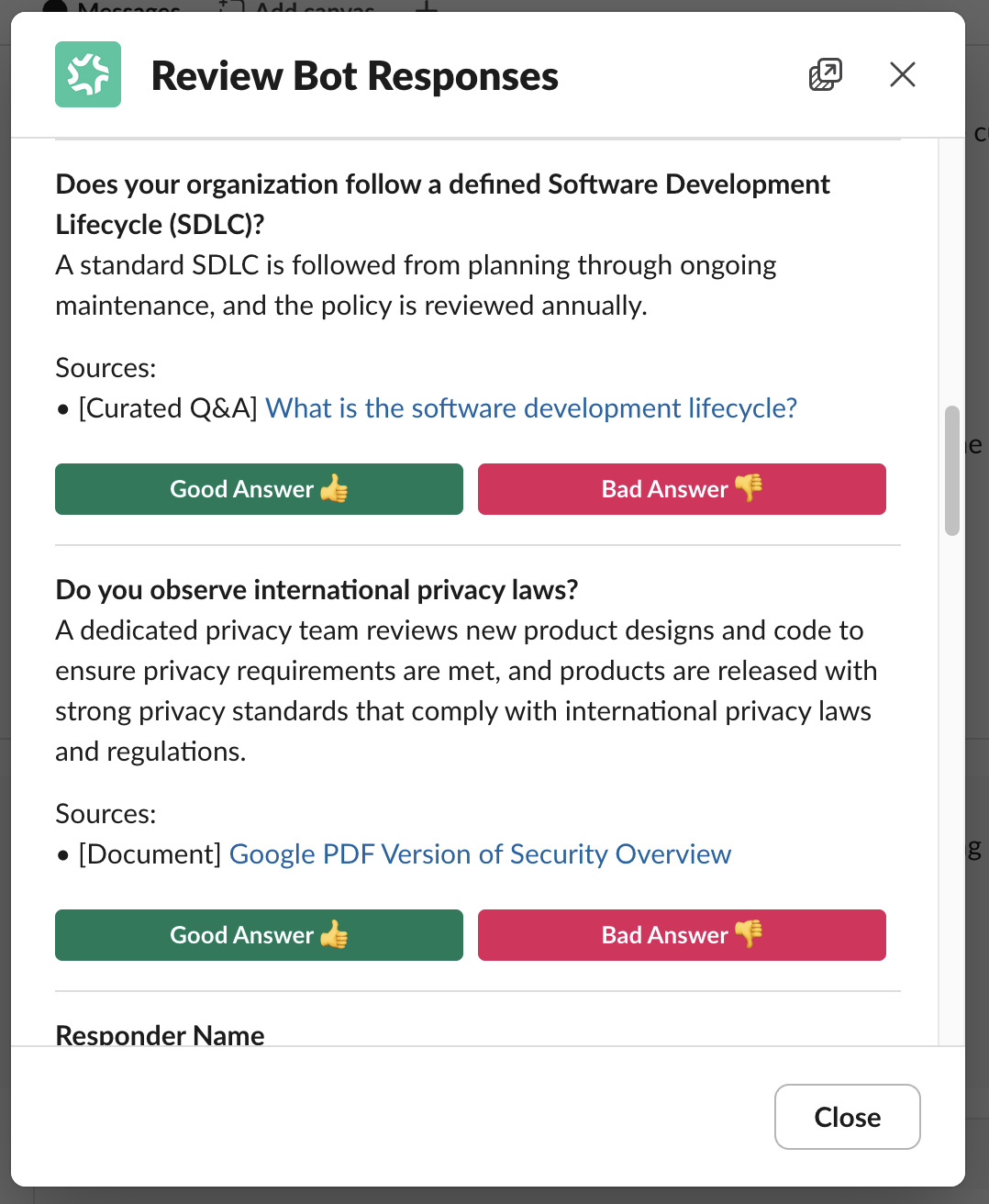
Review each answer the bot sent, see its sources, and mark it Good Answer or Bad Answer.
Use the filter at the top of the modal to switch between All questions and Unanswered only.
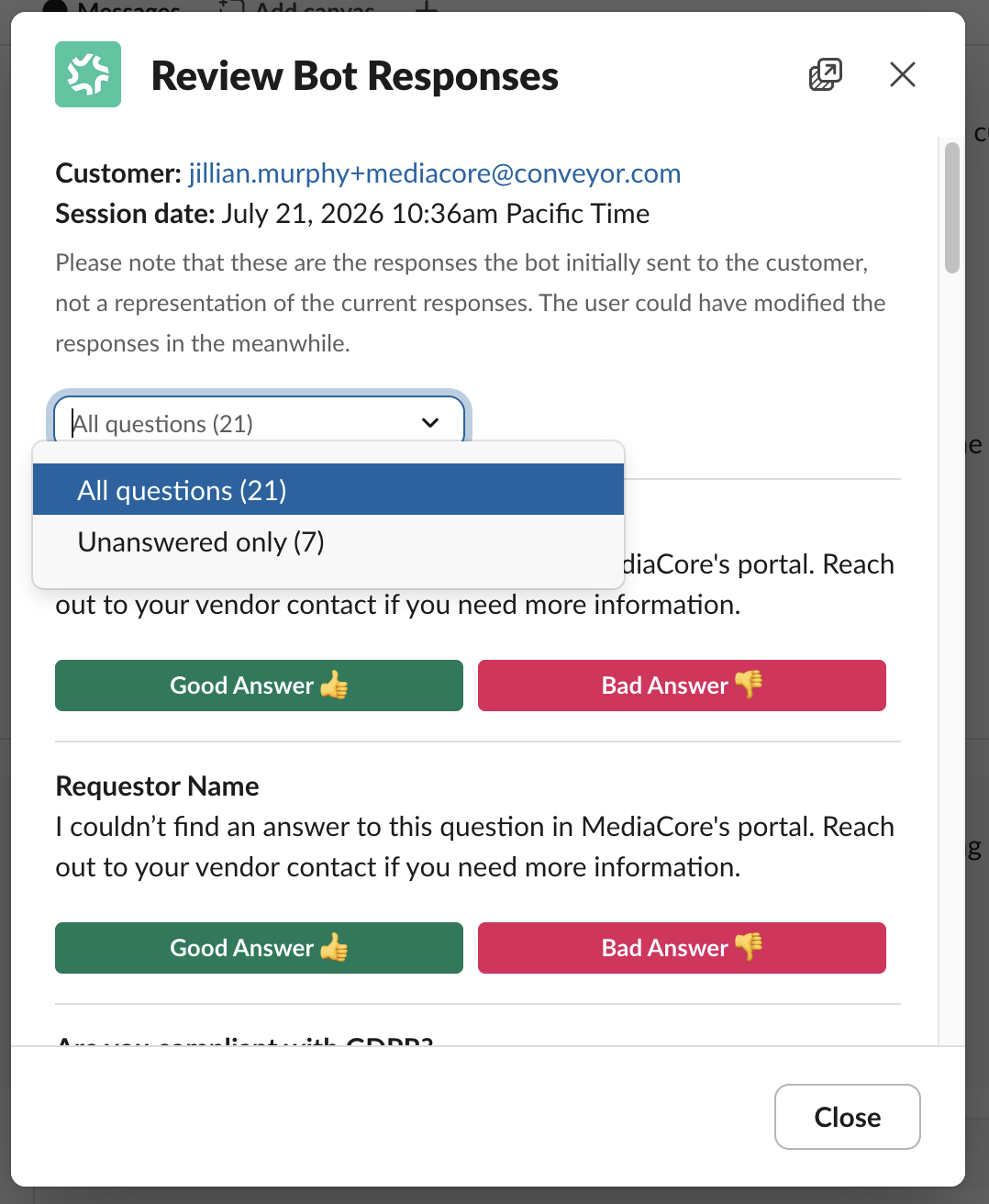
Filter between All questions and Unanswered only to focus your review.
Once you mark an answer, the modal confirms your choice and, for answered questions, notes that the question has been eliminated.
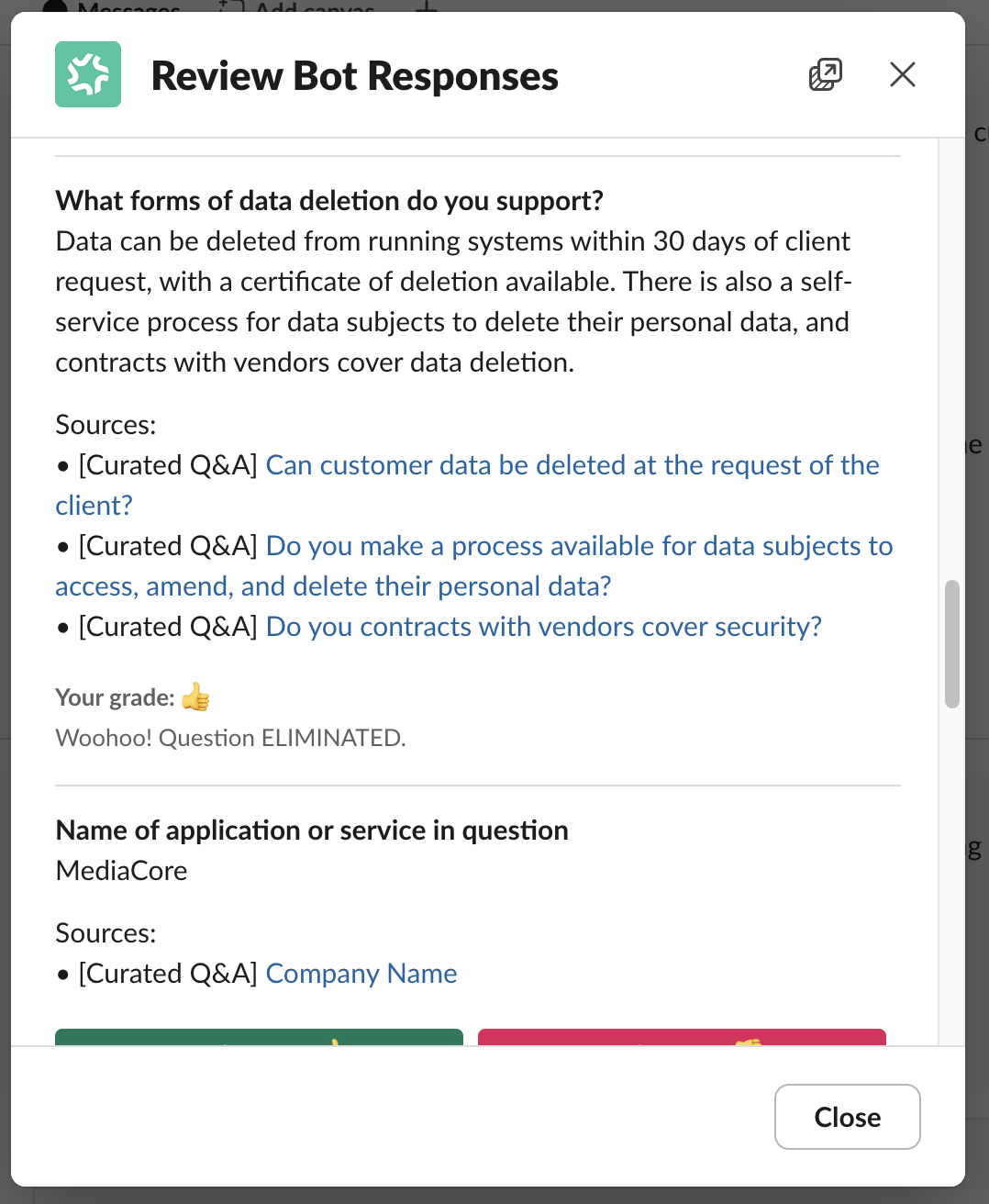
After you mark an answer, the modal confirms your choice.
The answers shown are the responses the bot initially sent the customer — not their current state. The customer may have modified them since.
Common Questions
Q: How is this different from the activity digest?
A: The activity digest (hourly) covers customer actions like downloads and question views. This digest is specifically for reviewing the answers the bot gave when a customer self-served a questionnaire.
Q: Does my feedback change what the customer already saw?
A: No. Marking an answer Good Answer or Bad Answer does not change the answer the customer was given — the responses in the modal are what the bot initially sent, and the customer may have modified them since. If an answer needs correcting, reach out to the customer directly.
What's Next?
- Get notified about Trust Center activity — Subscribe channels to customer activity.
- Questionnaire support with the Trust Center Agent — Enable the customer answerbot.
- Slack command & notification reference — Every command and notification in one place.
Need help? Visit the Troubleshooting guide or contact [email protected].
Updated 3 months ago