

🚅 Triage (Intake) Automation
How to integrate Conveyor directly with your Customer Trust ticketing systems
When you first start using Conveyor, the easiest way to get questionnaires into Conveyor is simply via the application UI.
However, as you get more comfortable with Conveyor, you may want to set up integrations to allow other team members (including non-experts, like Sales) to submit questionnaires into Conveyor, e.g., via:
- Slack
- Salesforce
- Zendesk
- JIRA
Conveyor supports integrating with these systems intelligently - meaning, the ConveyorAI Agent has a "Triage" capability that will actually scan the contents and metadata of what is being uploaded, and ensure it is appropriate for Conveyor before processing. ConveyorAI can enforce a wide variety of rules when triaging requests, and is flexible enough to integrate directly into your existing queue.
After reviewing the questionnaire, experts can then export the questionnaire back into the ticketing system with one click. You can also set up automation rules to have ConveyorAI automatically export the completed questionnaires provided it meets certain criteria (such as answer confidence).
To get startedFor Slack, see Triaging requests in Slack.
For Salesforce, Zendesk, or JIRA, contact your Customer Success Manager if you're interested in learning more or activating one of these.
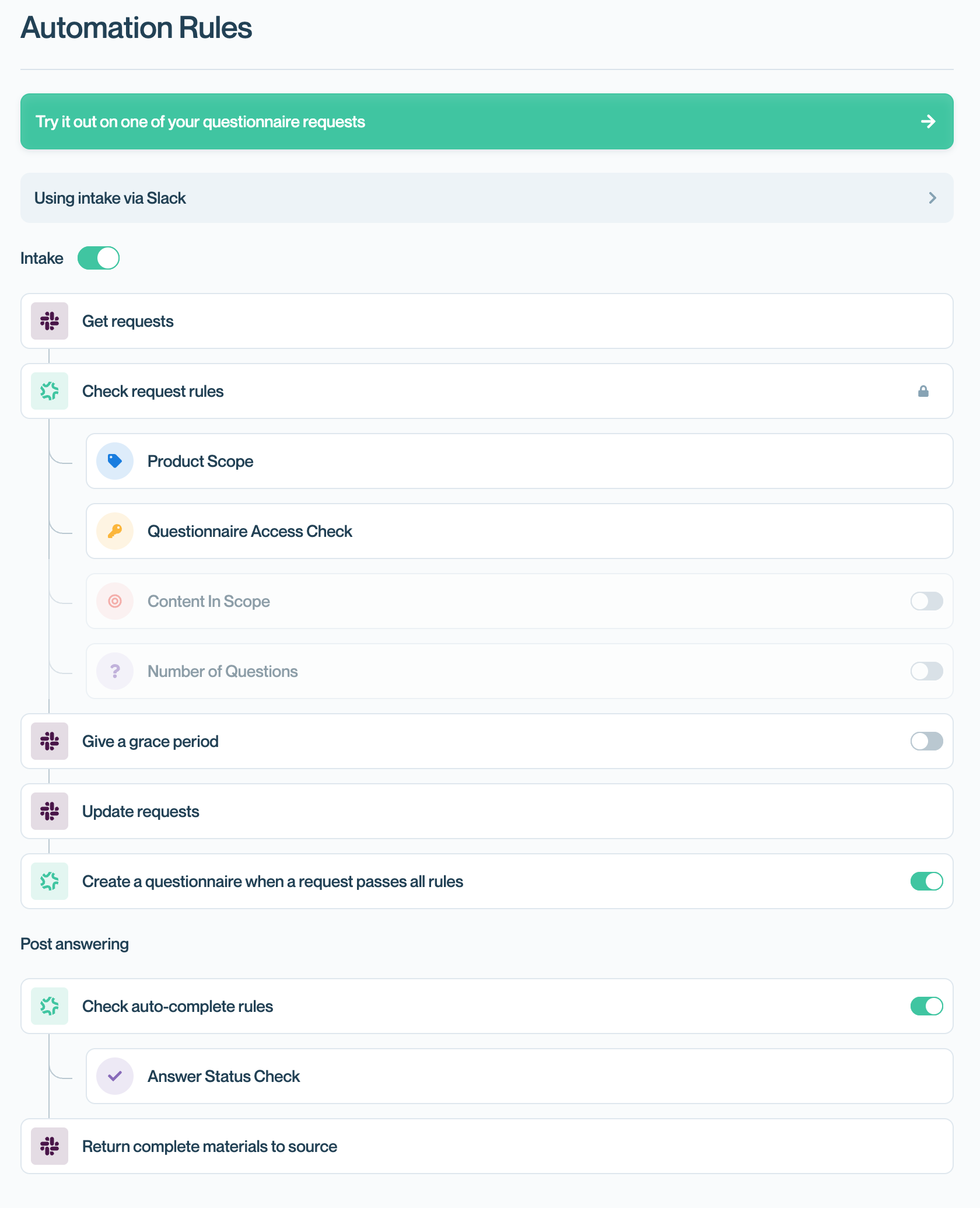
Configuring your Triage (Intake) Automation Settings.
Updated 3 months ago